
5.4Language
The app is available in 11 languages. Until you choose a language manually, Cryptolink uses your phone's language if it's supported (the first supported one from your iPhone language list), otherwise English.
Change the language
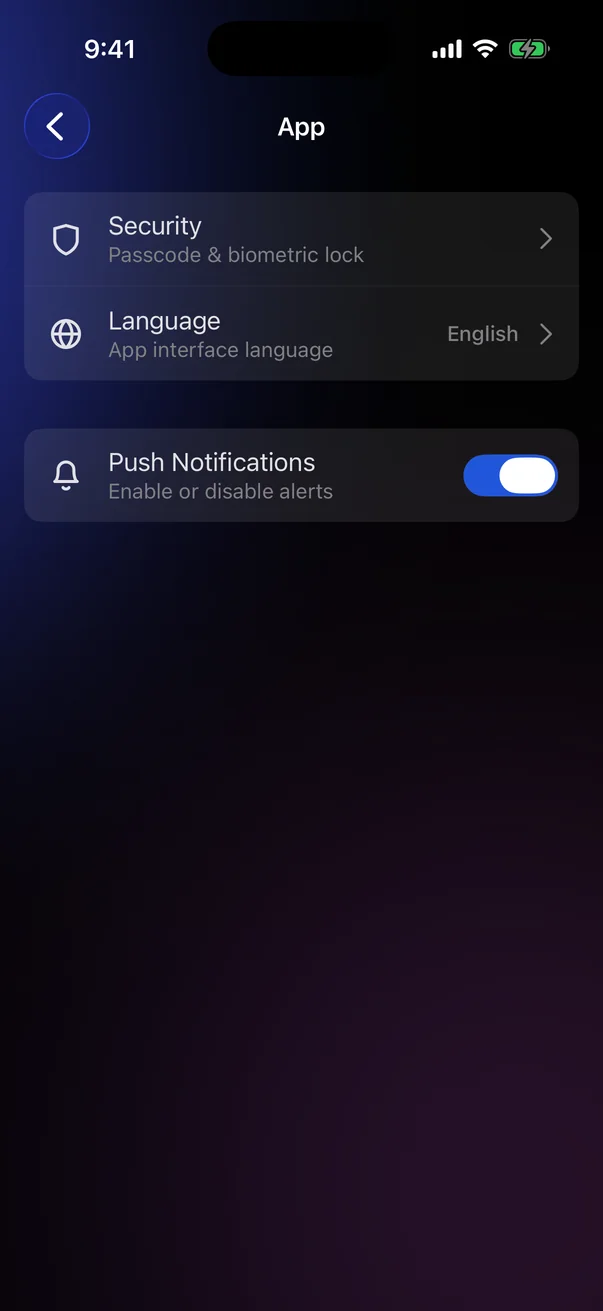
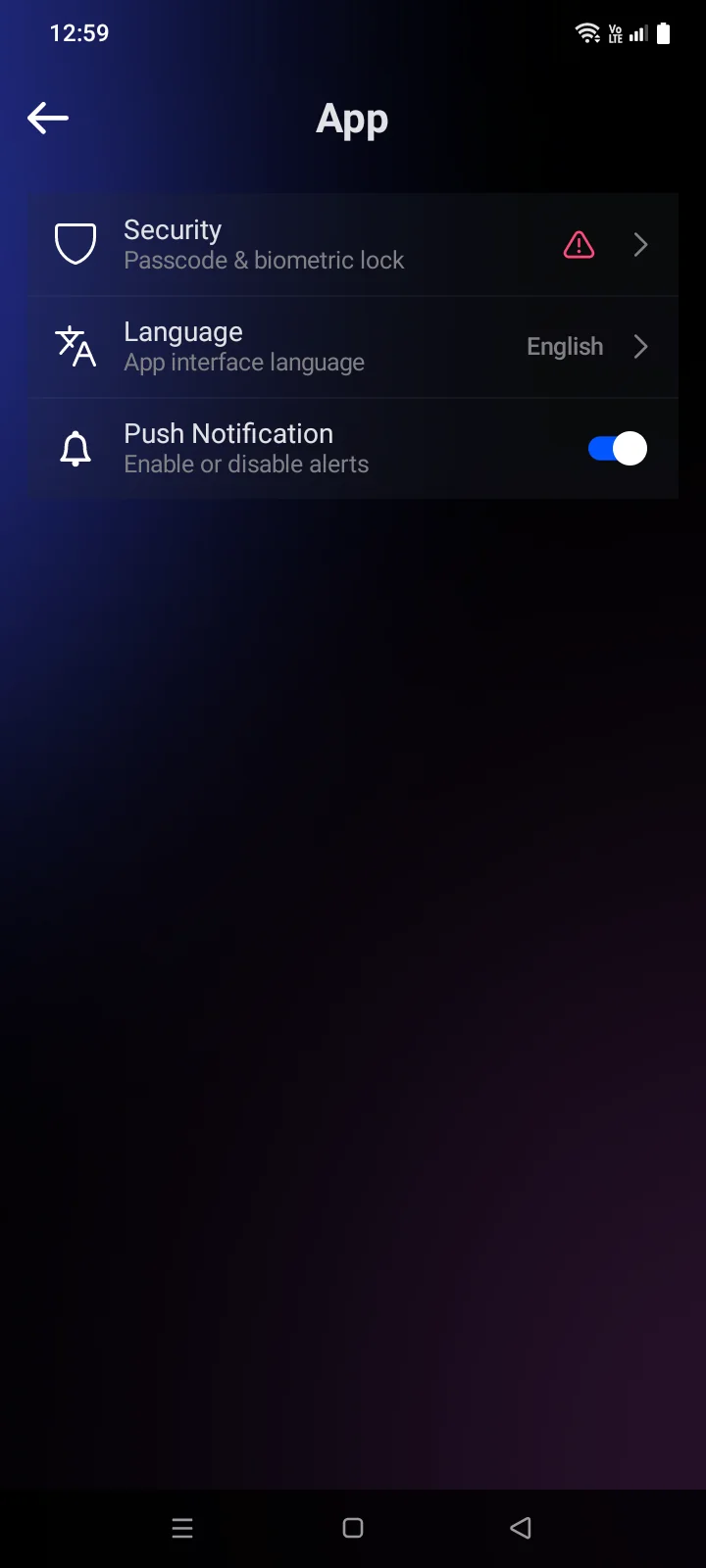
- Go to Account › App. The Language row shows the current language.
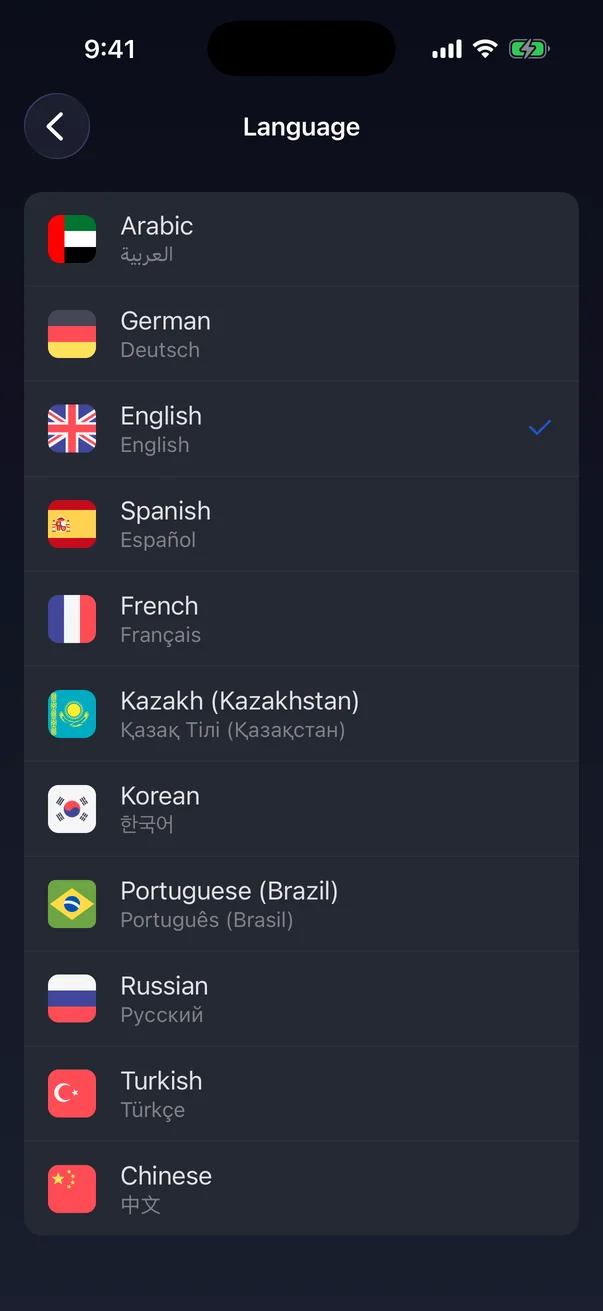
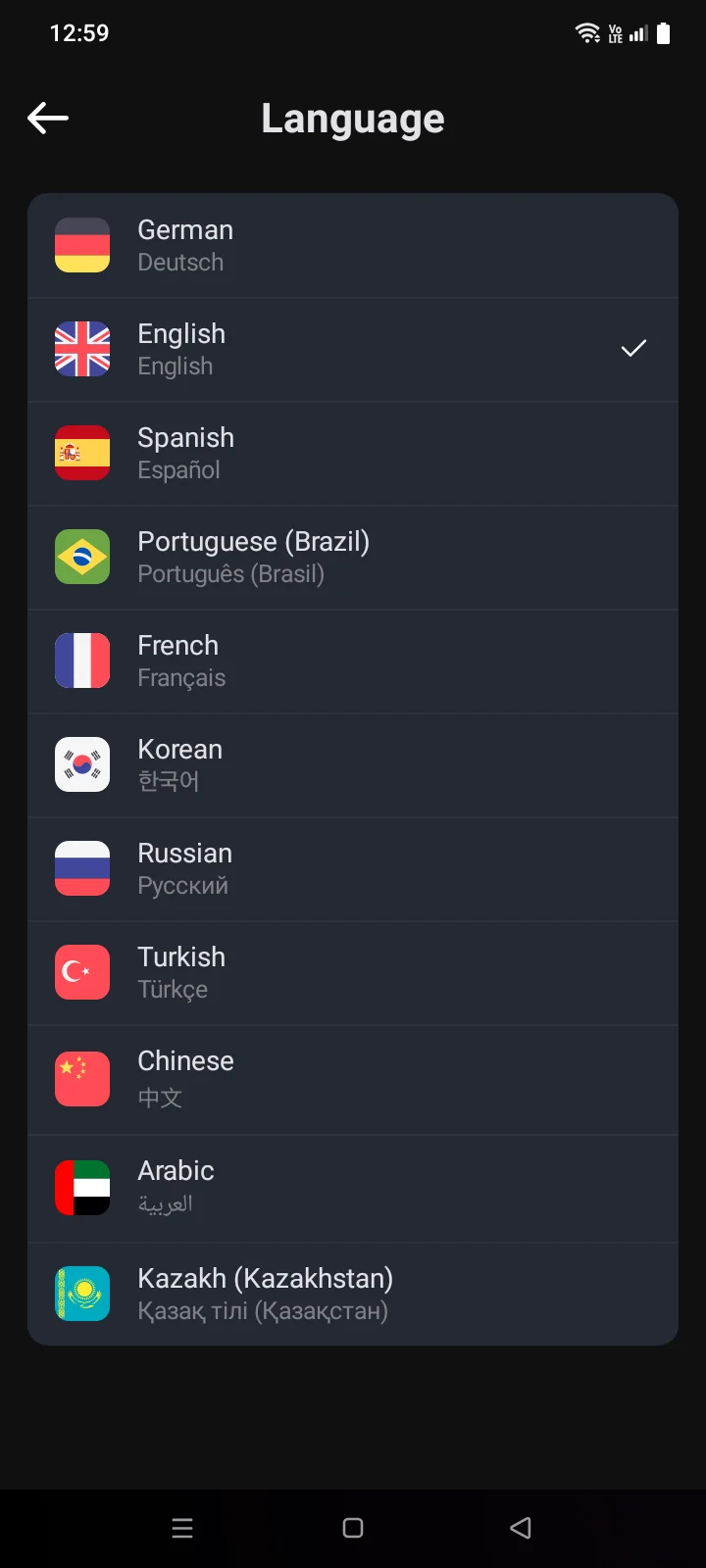
- Tap Language and choose a language. The current one is marked with a tick.
The interface switches at once, without restarting; the app returns to the Settings screen.The app's main screen restarts in the new language, and the Account tab opens. If you choose the language that is already set, the screen simply closes. In Arabic, the layout switches to right-to-left.
Once you have chosen a language in the app, changing your phone's language no longer affects Cryptolink.
Available languages
Arabic, Chinese, English, French, German, Kazakh, Korean, Portuguese (Brazil), Russian, Spanish, Turkish. Each row shows the language name in the current interface language and, below, in the language itself.
If your phone is set to Portuguese or Kazakh, Cryptolink picks that language regardless of the phone's region — for example, for Portuguese (Portugal) too.
What doesn't change
- System windows stay in your phone's language: permission requests, the share sheet, Mailchoosing an app to share with, the mail app, the built-in browser.
- Some server messages may come in English.
Push notifications use the language chosen in the app (see 5.5).
Push notifications are shown in your phone's language, not in the language chosen in the app (see 5.5).