
5.6Referral program
Invite friends with your referral code and earn a share of fees from their card orders and top-ups. Levels and rates are set by Cryptolink and shown in the app.
The ReferralReferral program section
Go to Account › ReferralReferral program. The section appears when you're signed in.
If you don't see the Referral section, the program isn't available for your account.
| Row | What it does |
|---|---|
| Referral program | Opens the program dashboard: level, rewards, balance. |
| Referral ID | Your code. Tap to copy it; Copied appears. |
| Invite friends | Opens the system Share menu with your referral link — send it through any app. |
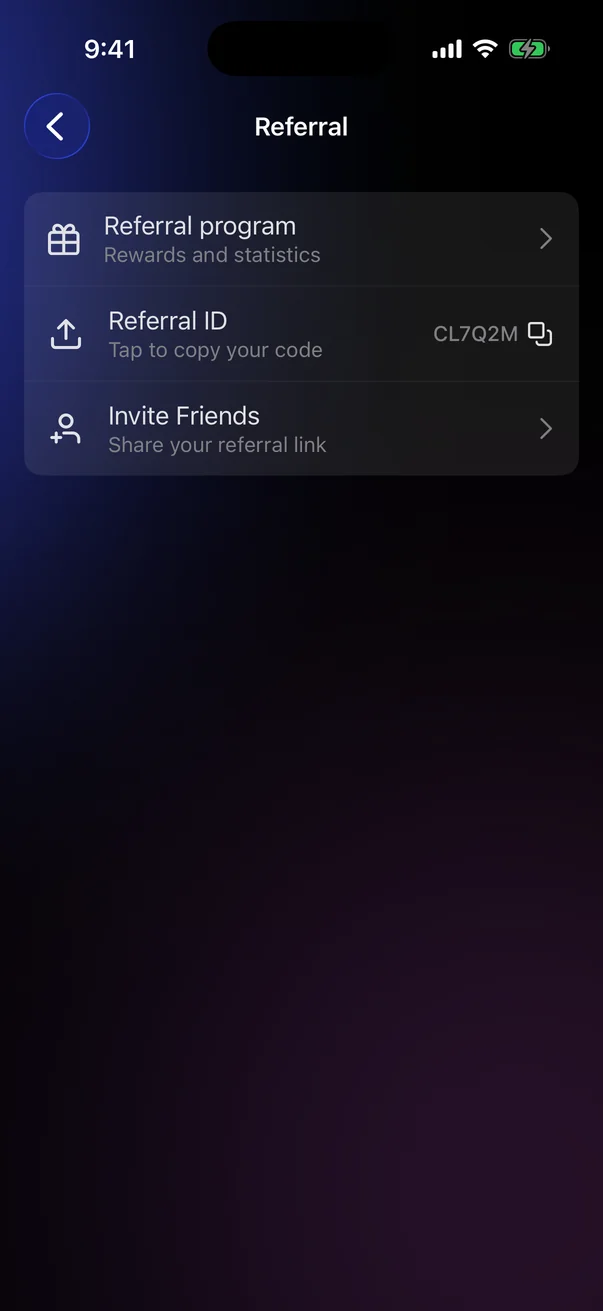
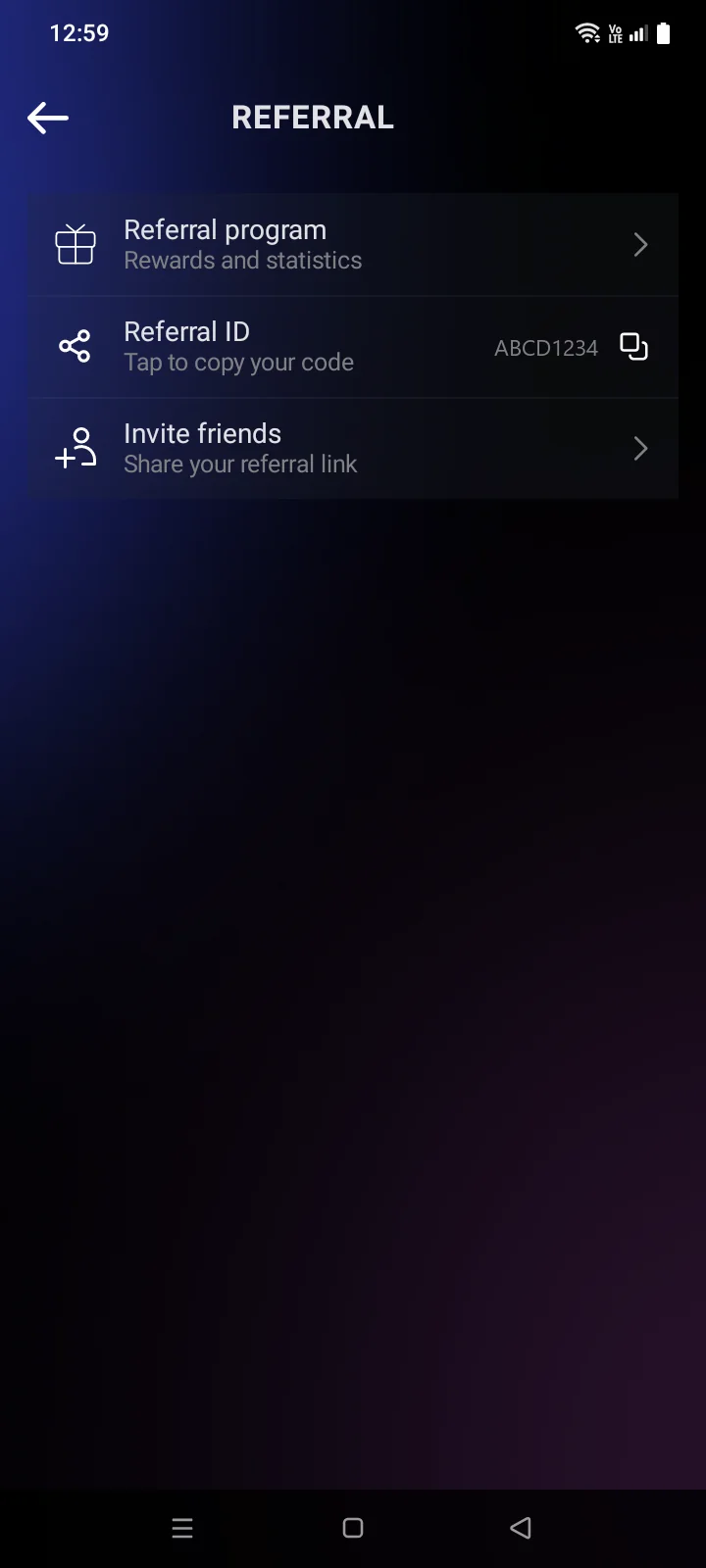
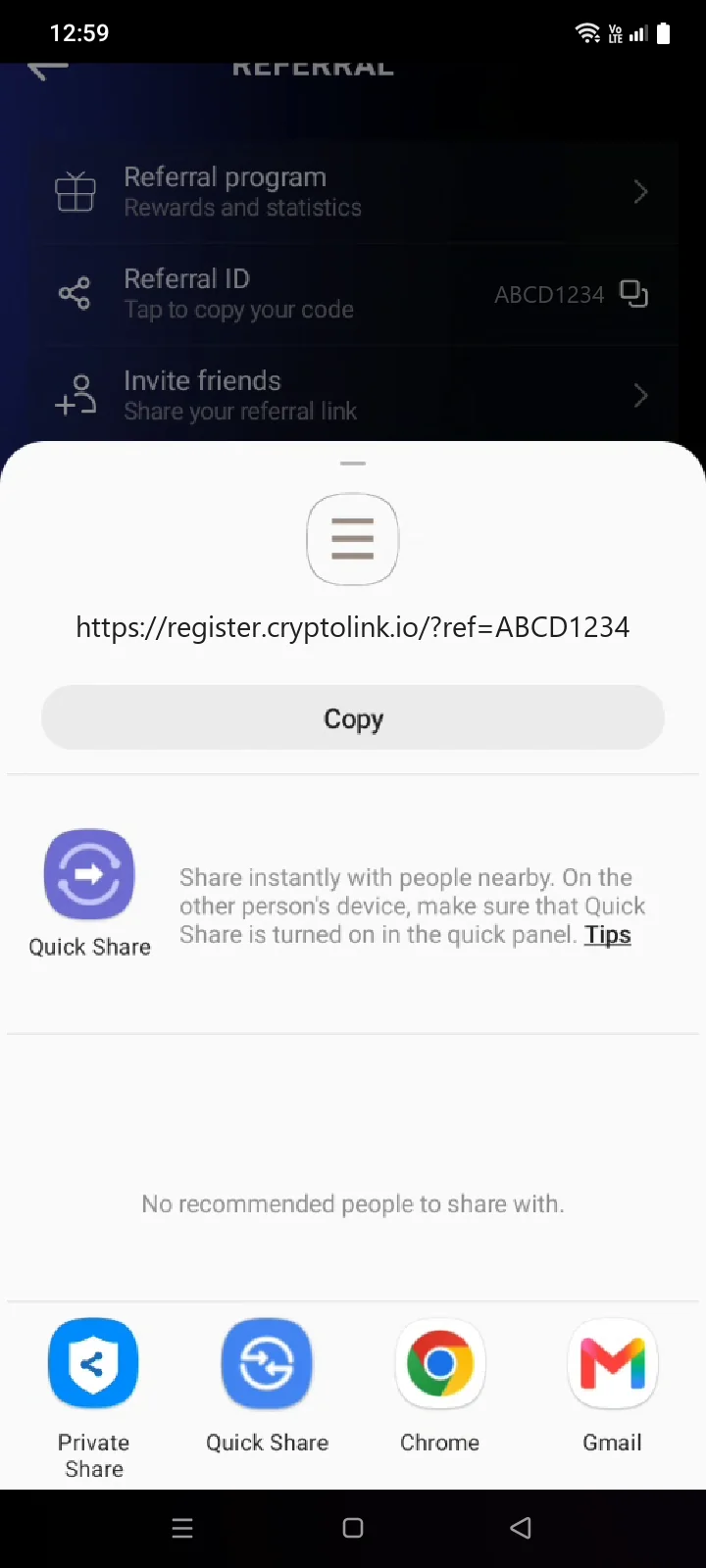
A friend enters your code when creating an account (see 1.2) or in the referral code panel after the first sign-in with Apple or GoogleGoogle (see 1.3).
The dashboard
Tap Referral program. The Invite friendsRefer Friends screen opens.
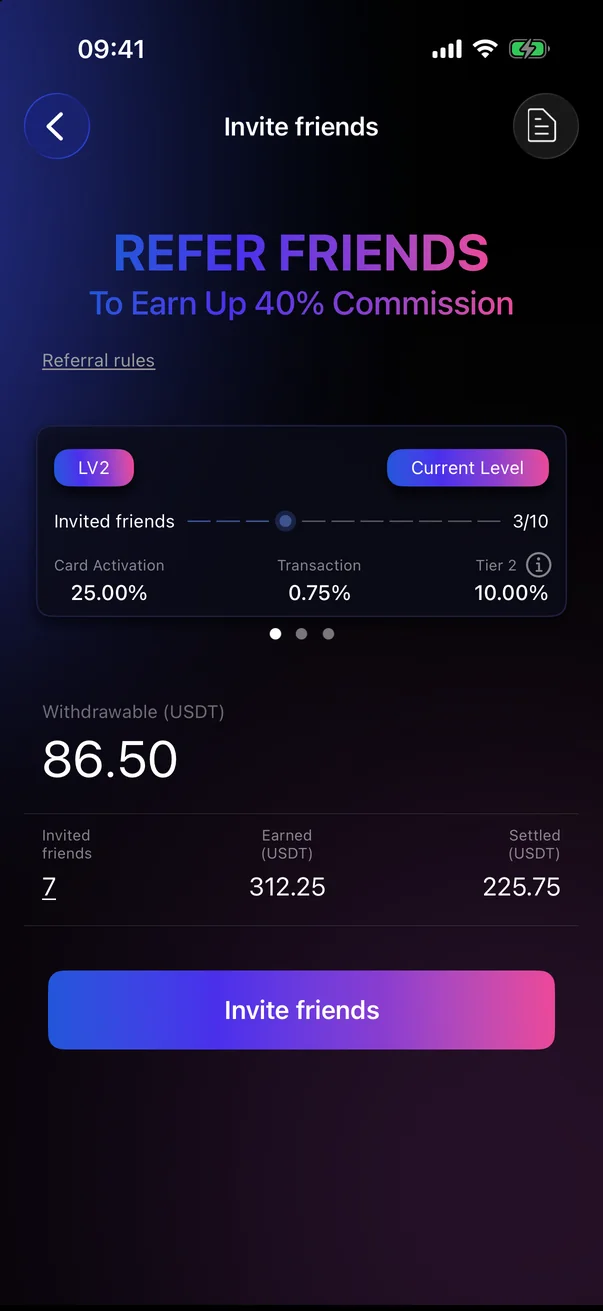
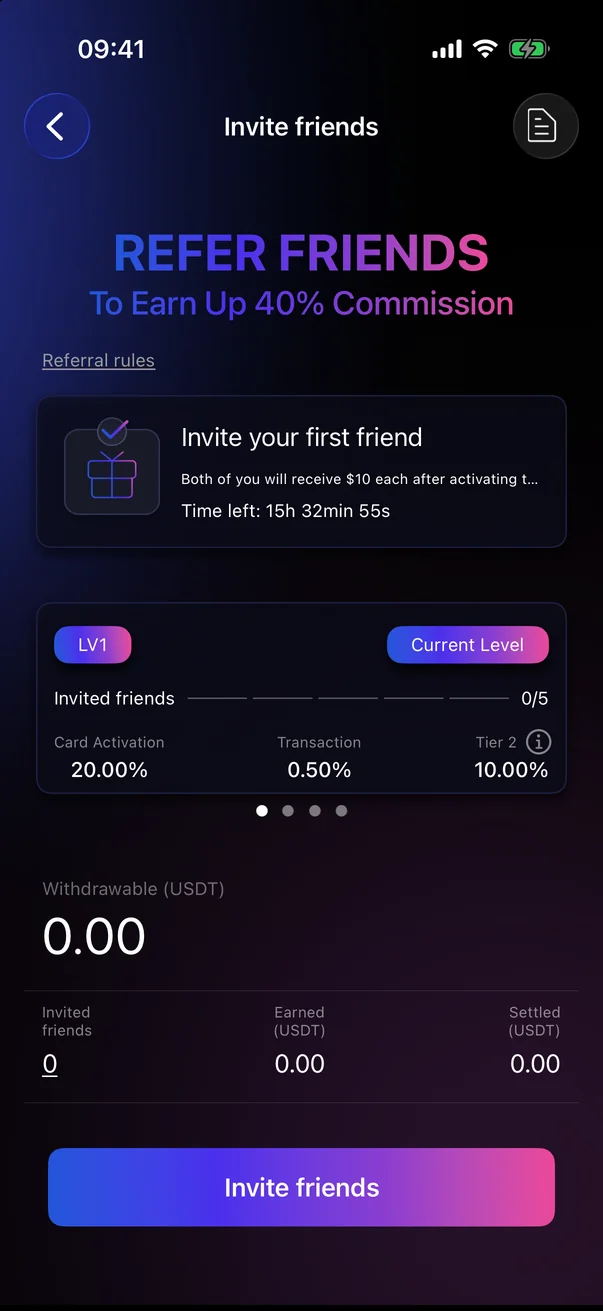
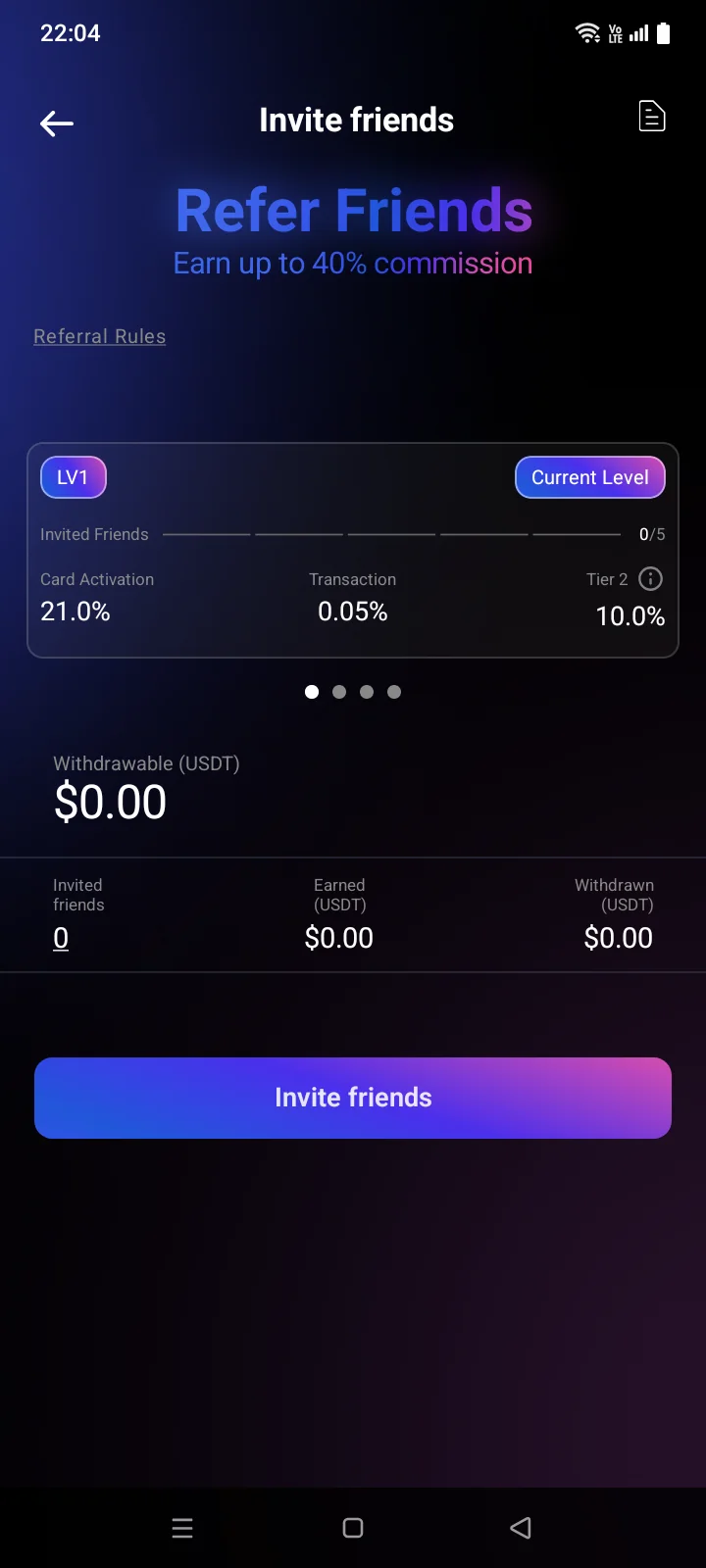
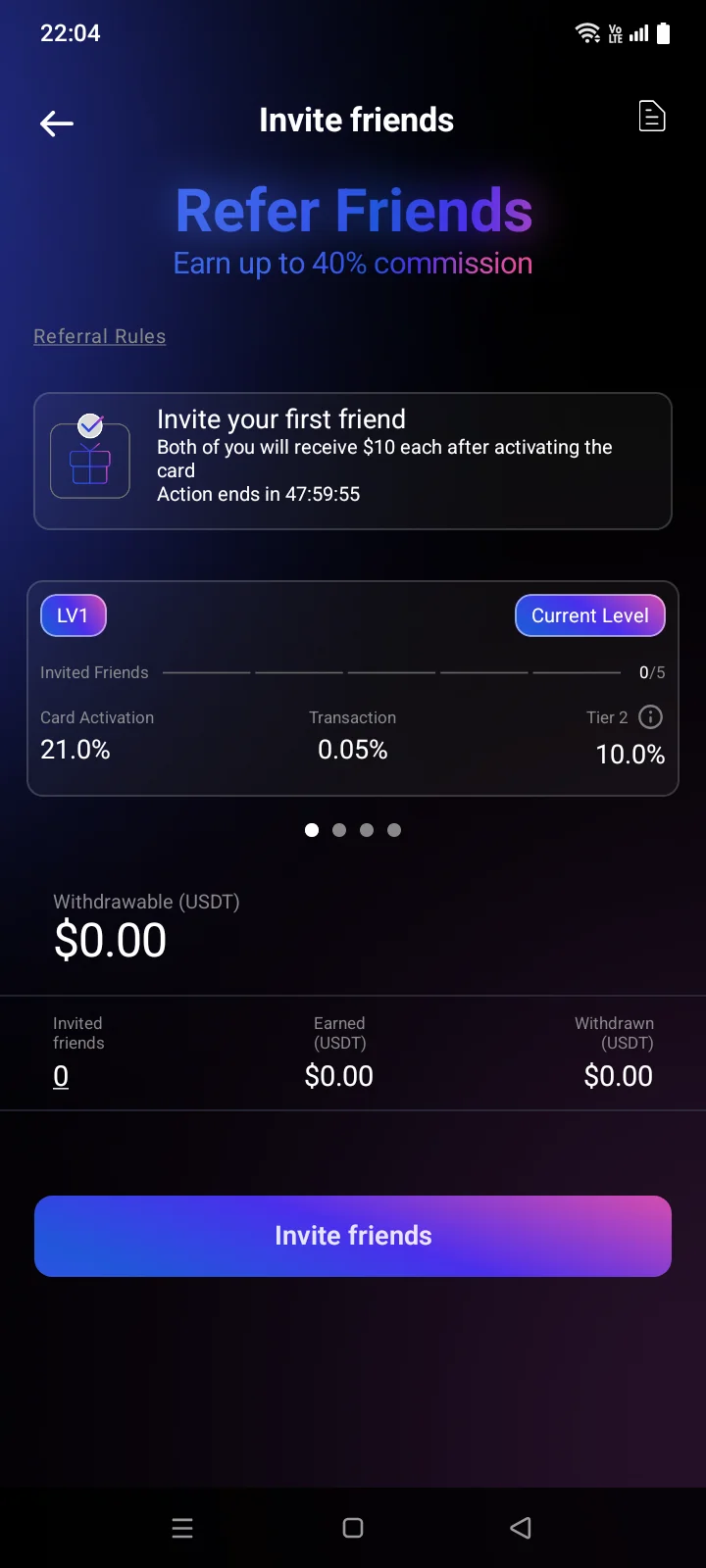
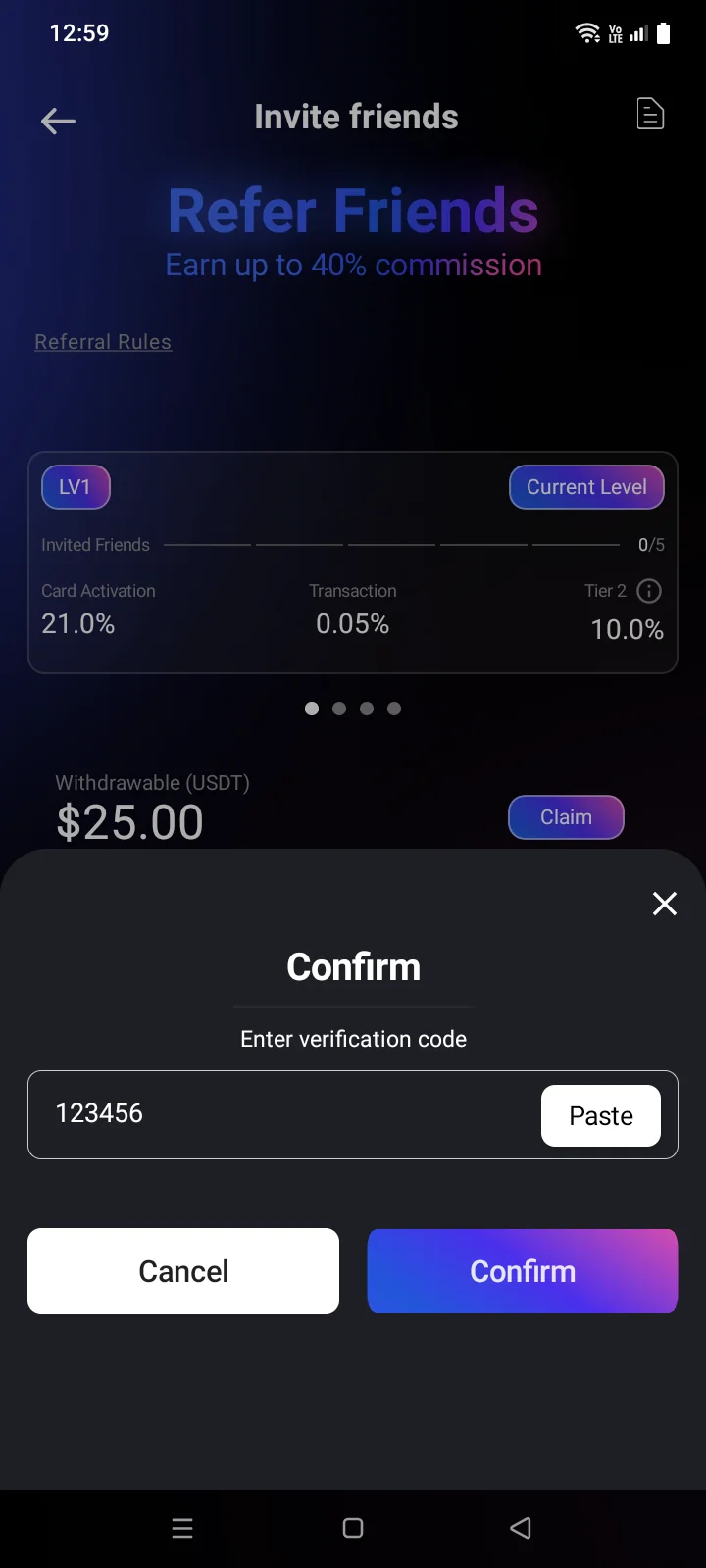
- Level cards — Current Level and the higher ones. Each shows how many invited friends are needed and the rates: Card Activation (from a friend's card order), Transaction (from a friend's top-ups) and Tier 2 (from friends of your friends). Swipe to see higher levels. The last card is the influencerpartner program: Join Now opens the application form.
- Withdrawable (USDT) — the balance of accrued rewards, the Claim button and, under it, the minimum withdrawal (below).
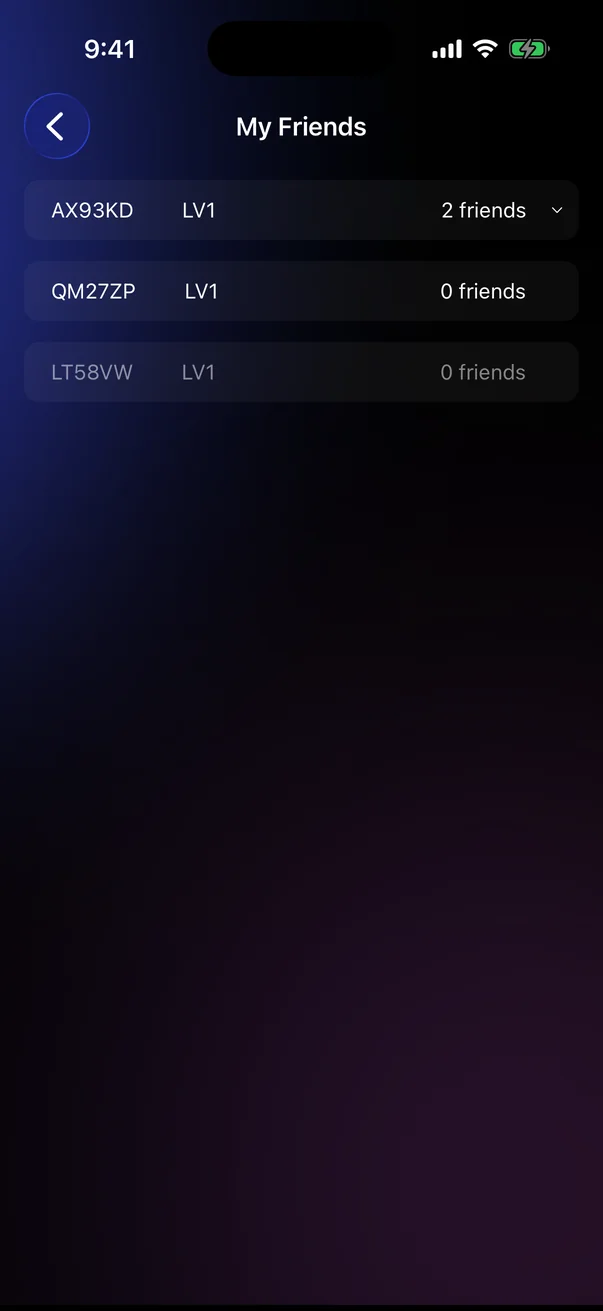
- Invited friends, Earned (USDT), SettledWithdrawn (USDT) — totals. Tap the number of invited friends to open the list of friends.
- Referral rulesReferral Rules — the program rules.
- Invite friends at the bottom — shares your link.
New users may see the offer Invite your first friend: both of you get a bonus after your friend activates a card. The line Time left: …Action ends in … shows how long the offer lasts.
Friends and rewards
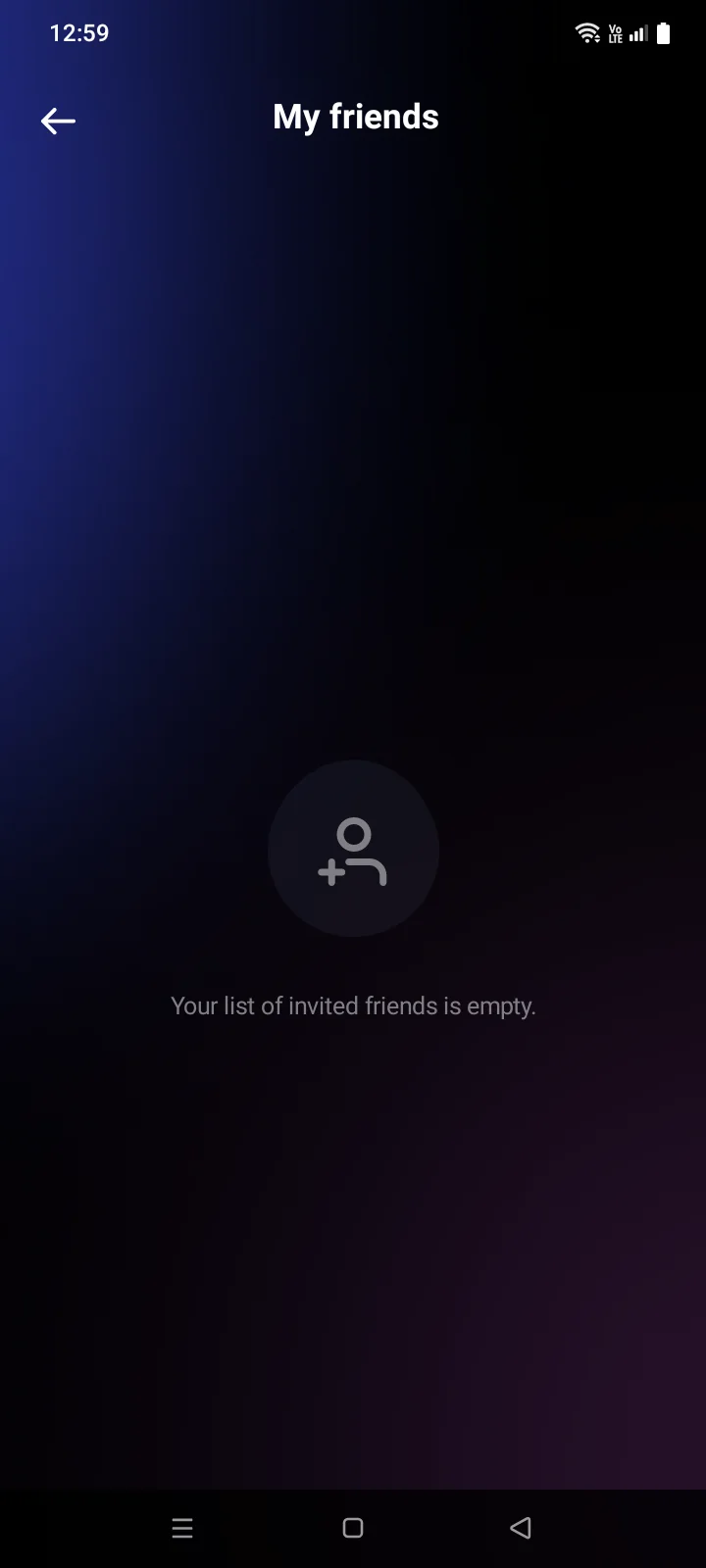
- My FriendsMy friends — the codes of invited friends and their level (LV) and how many people they have invited. Inactive friends are dimmed; a friend's own invitees open under their row. While there's no one yet, the list is empty with a prompt to invite friends.
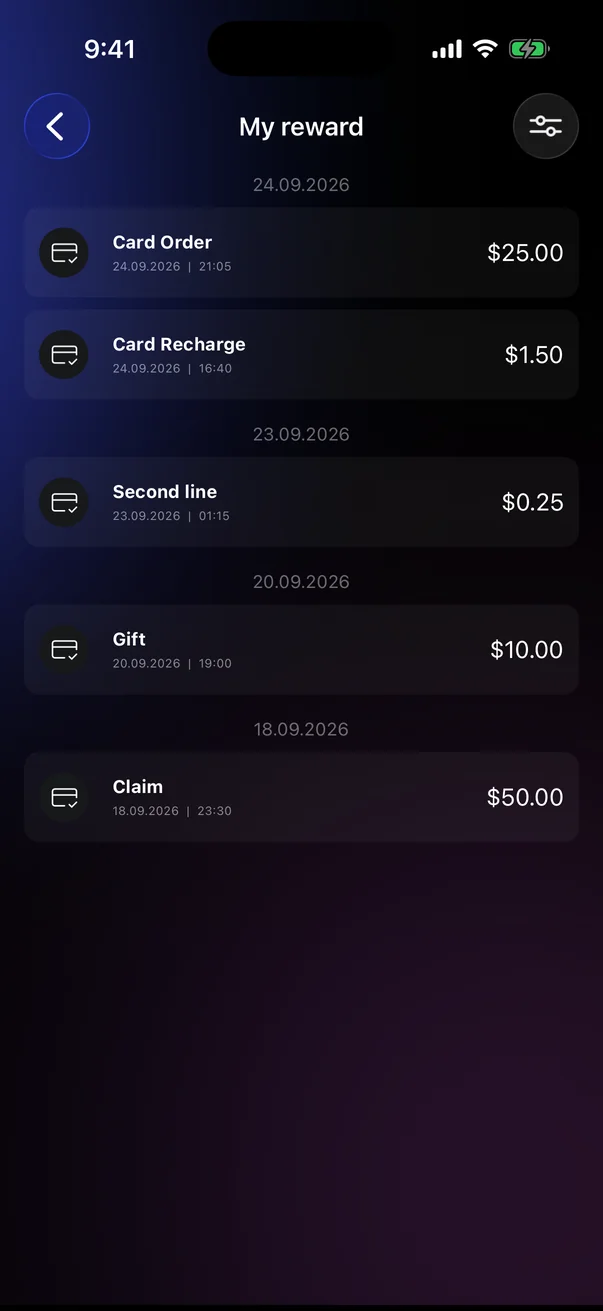
- My reward — the icon at the top right of the dashboard. Rewards by day and type: card order, card top-up, tier 2, gift, withdrawal. The filter icon selects a period (Select dates).
Withdraw rewards
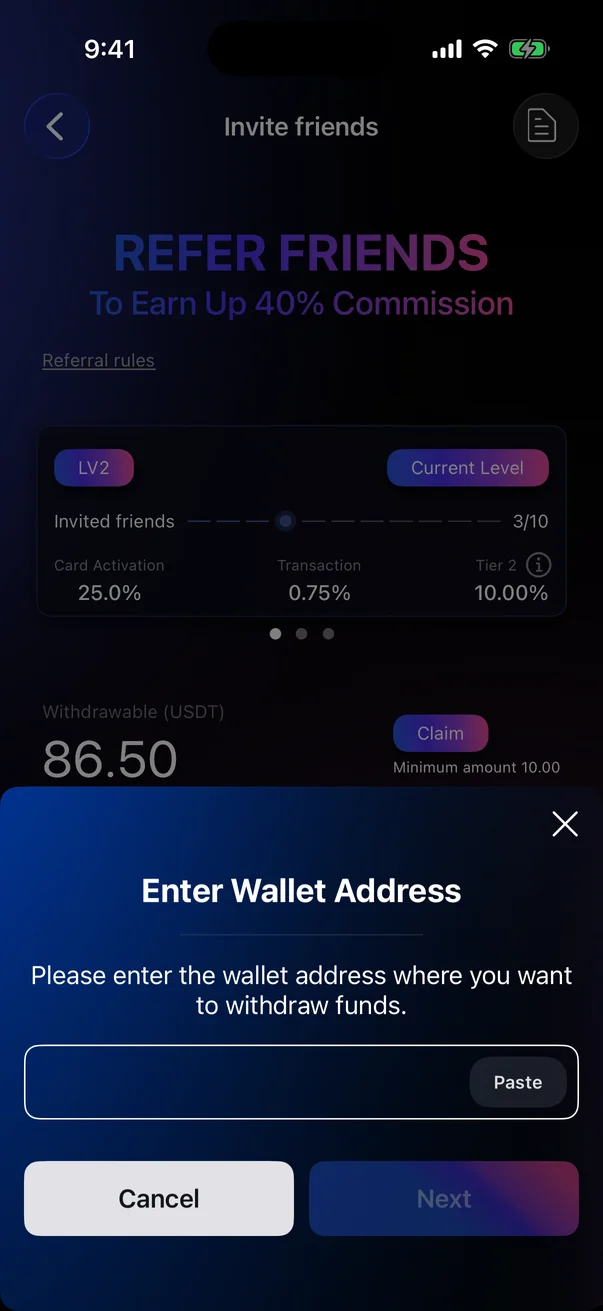
- On the dashboard, tap Claim. It's active when the balance reaches the minimum shown below it.
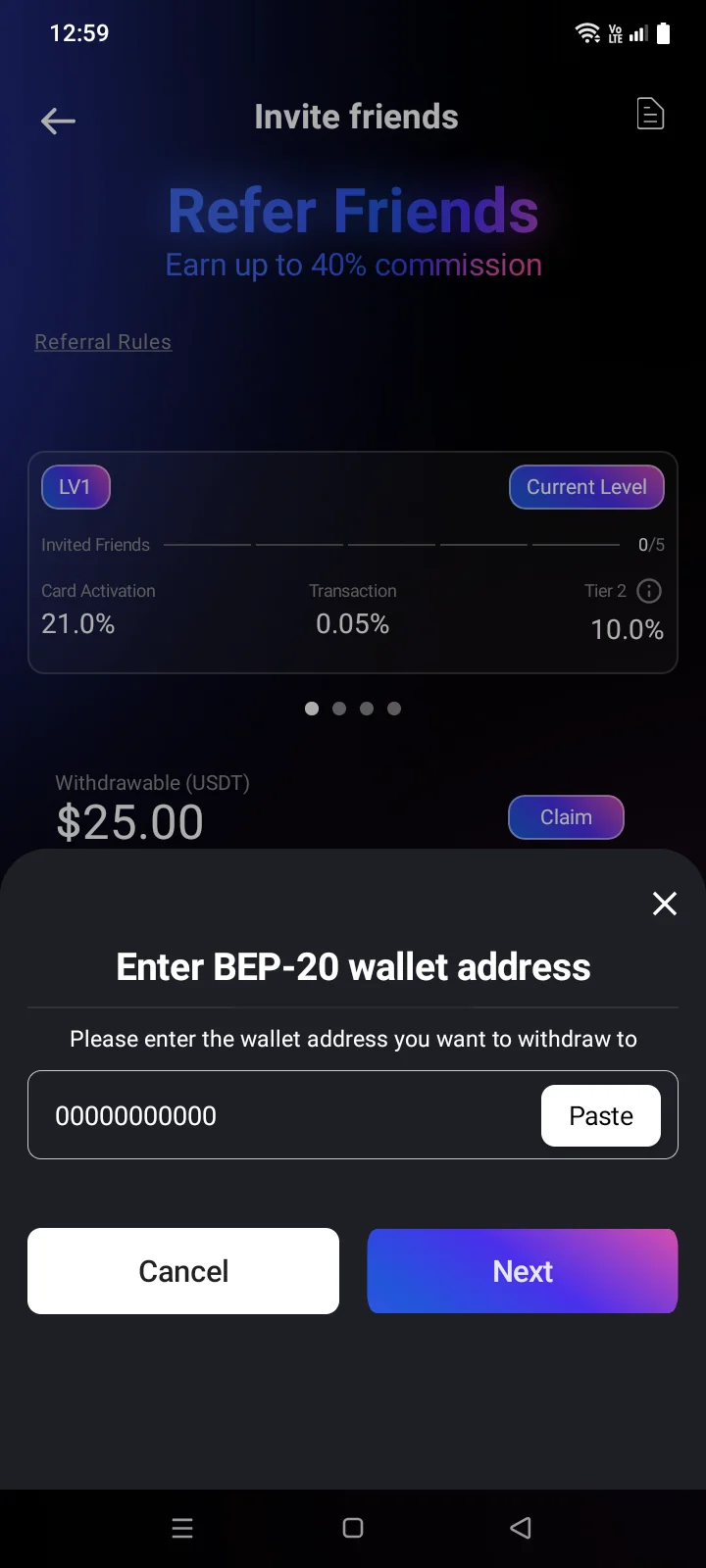
- The Enter Wallet AddressEnter BEP-20 wallet address panel opens. Enter or paste the wallet address on the BNB Smart Chain (BEP-20) network and tap Next.
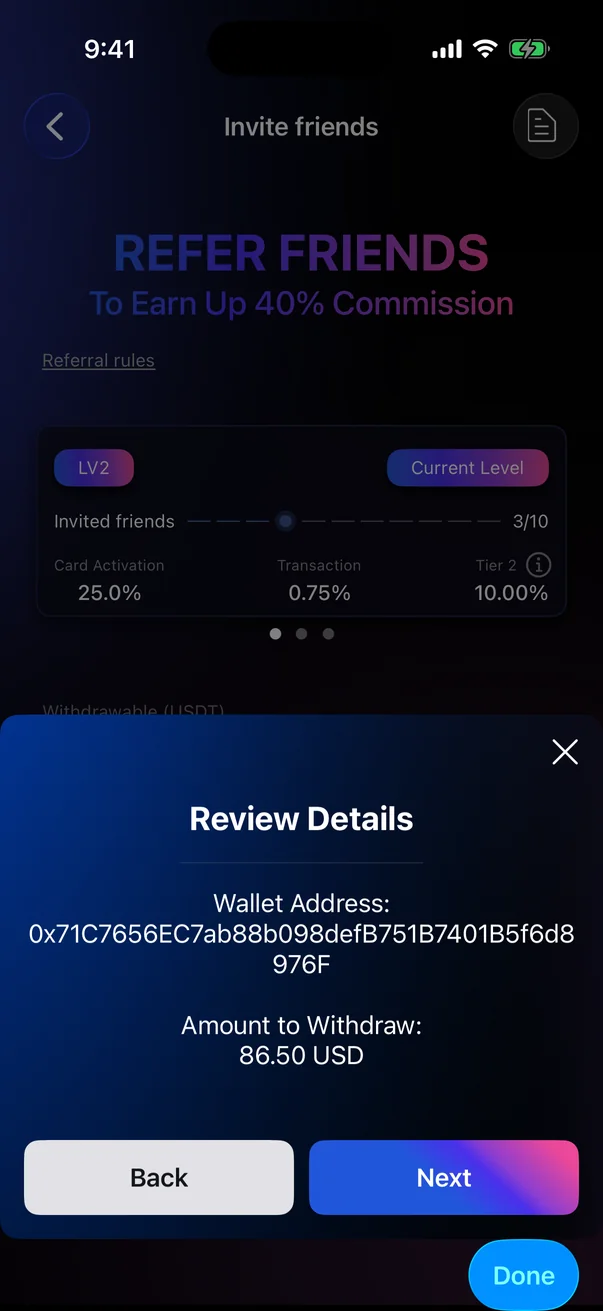
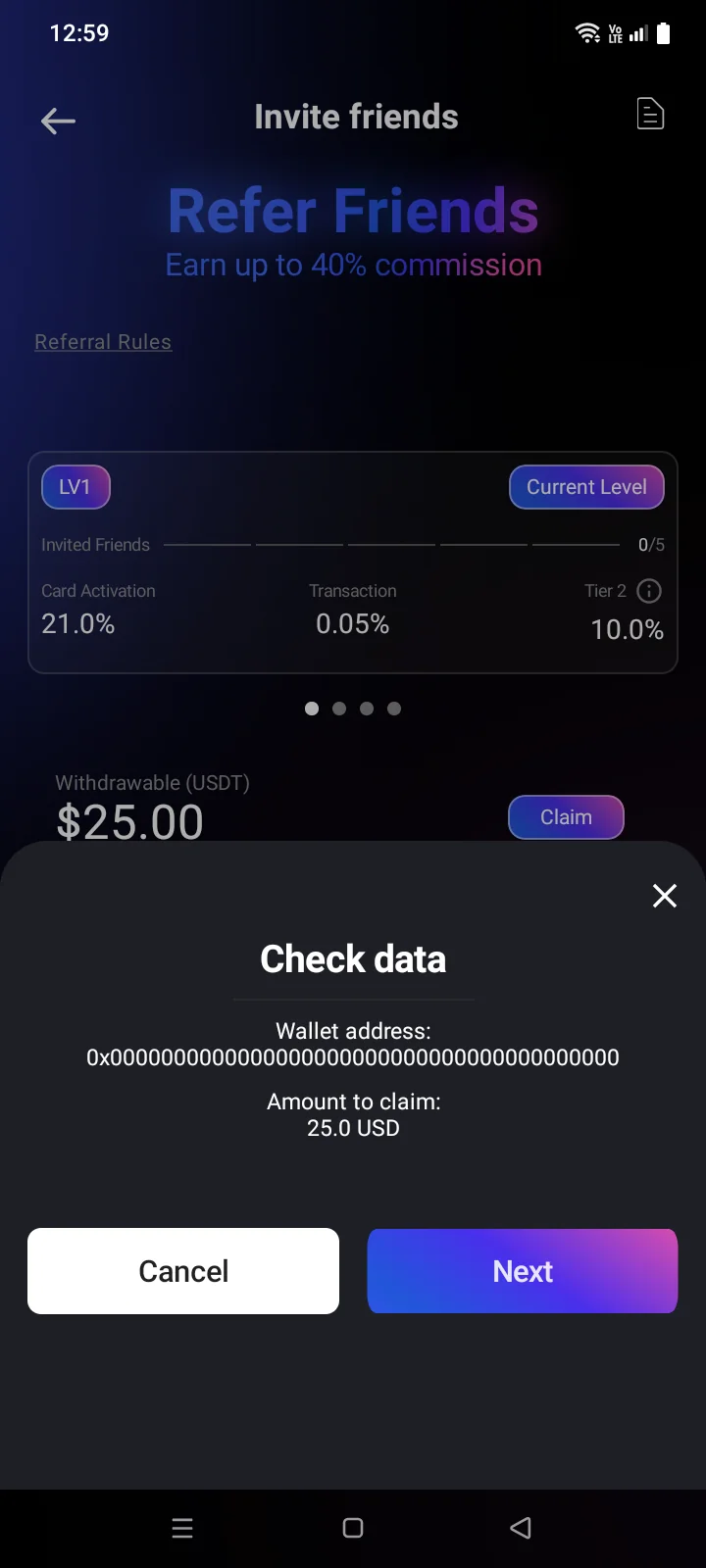
- On the Review DetailsCheck data panel, check the address and the amount and tap Next. Cancel takes you back to entering the address.
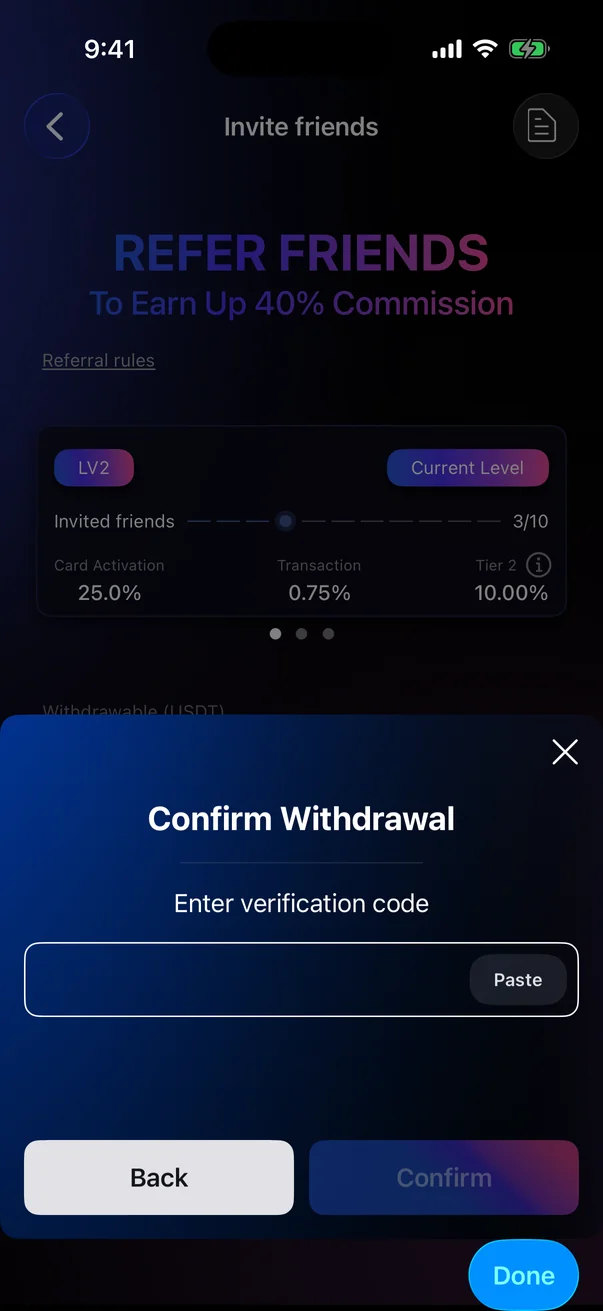
- Enter the 6-digit verification code and tap Confirm. The message Withdrawal confirmedA success message means the request is accepted.
If something goes wrong
If a request fails, a short message with the reason appears at the top of the screen — for example, about a connection error.
| Message | What to do |
|---|---|
| Invalid verification code. | Check the code and enter it again. |
| Too many attempts. Please try again later | Wait and try again. |
| Authorization required. Please sign in again | Sign out and sign in again. |
| Your referral code is not available yet. Please try again in a moment. | Appears when you tap Invite friends before the code has loaded. Wait and tap again. |
Check your internet connection and try again. If the error repeats, contact support (see 5.7).