Part 4 · Sending and transactions
4.1Sending crypto
To send crypto, choose the coin, enter the amount and the recipient's address, then confirm. Every coin has its own form, but they work the same way; this page uses Ethereum as the example.
Send crypto
- On the Crypto tab, tap Send (see 3.2). You can also open a coin and tap Send there (see 3.10) — the form for that coin opens right away.
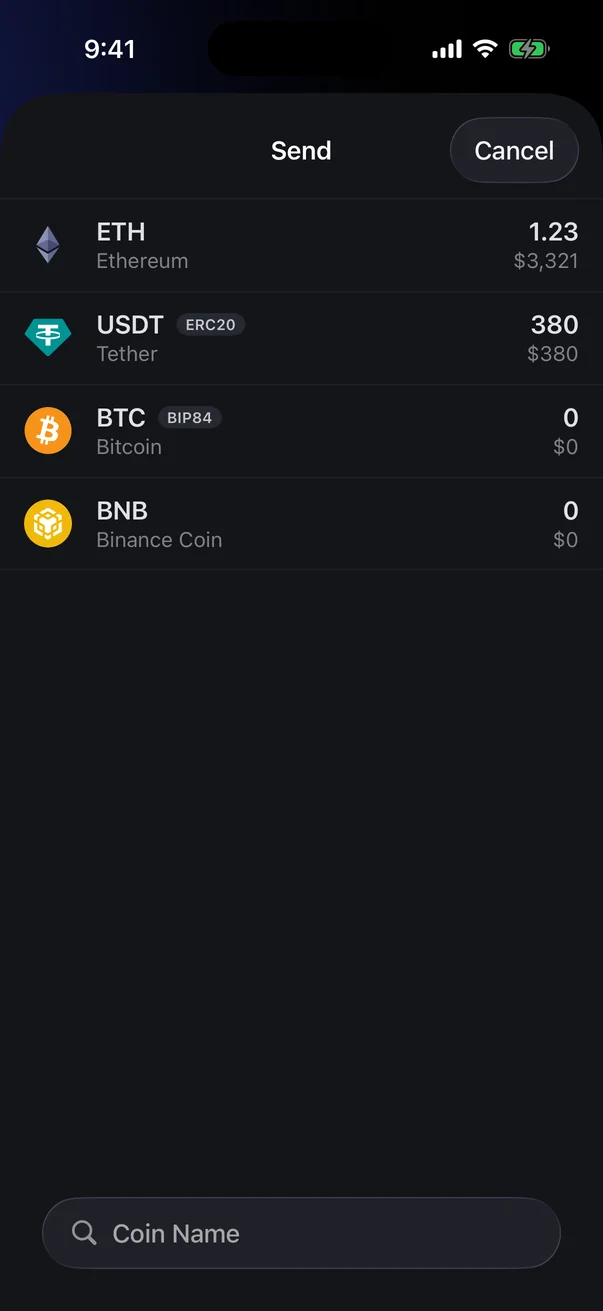
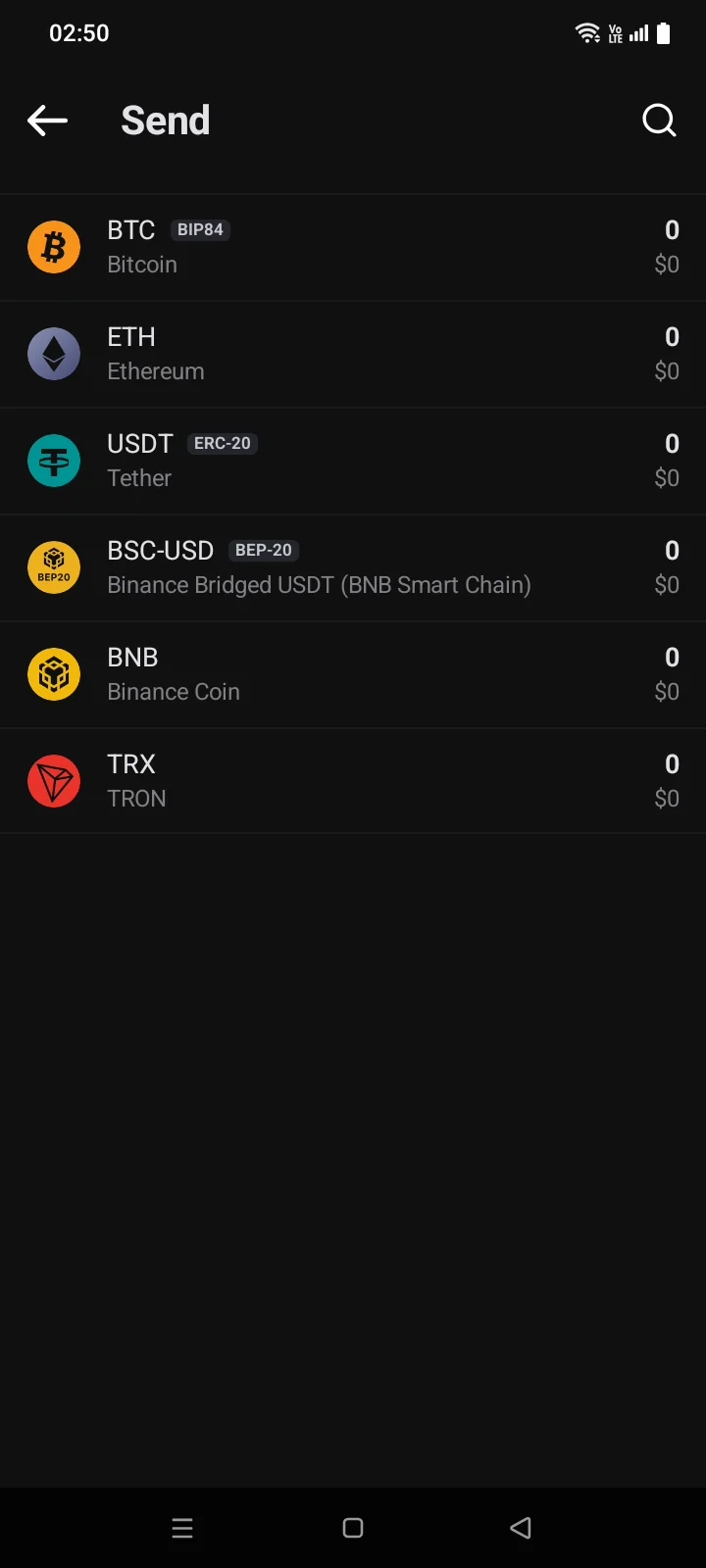
- Choose the coin. The same coin on different networks has separate rows: the network is shown as a tag next to the code (for example, ERC-20 or BEP-20). You can find a coin with search (the magnifier icon at the top).
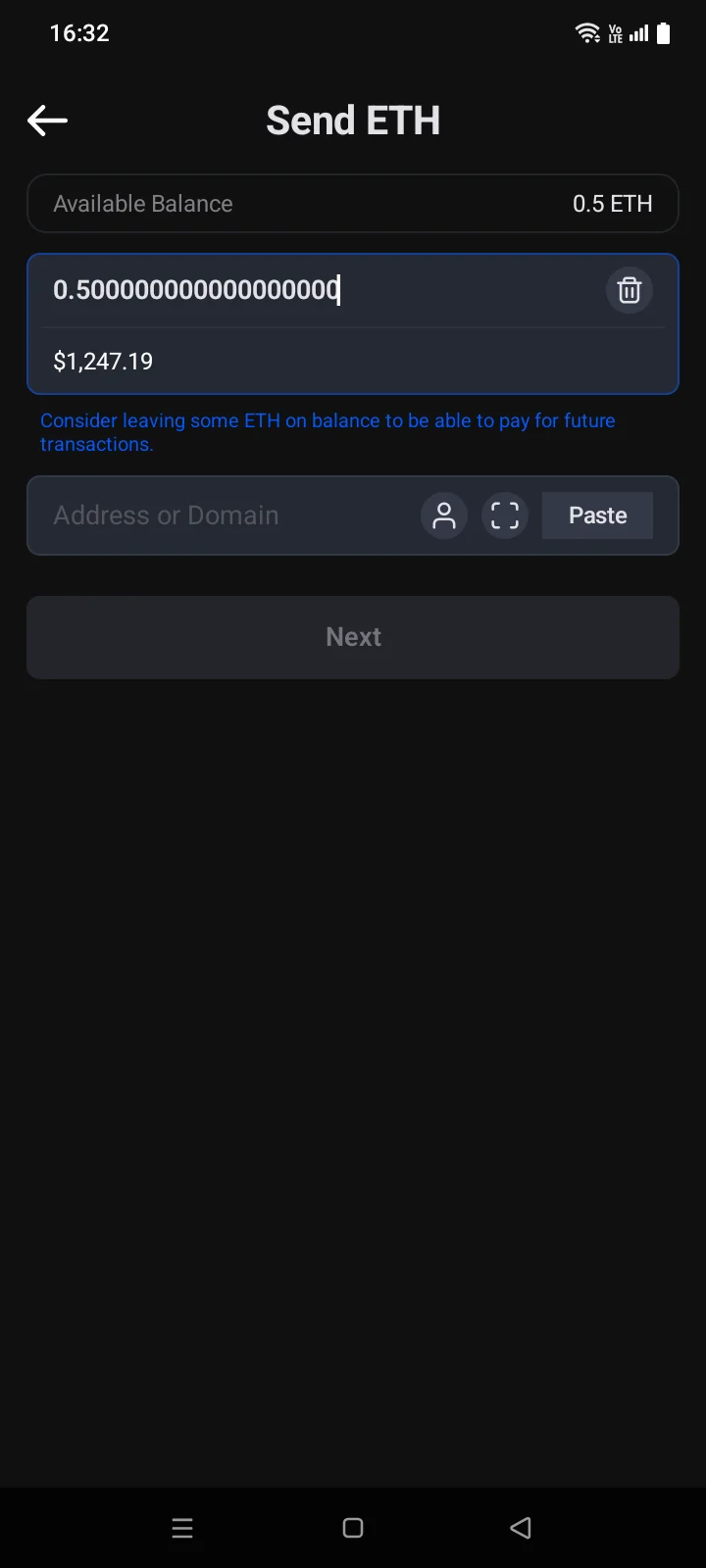
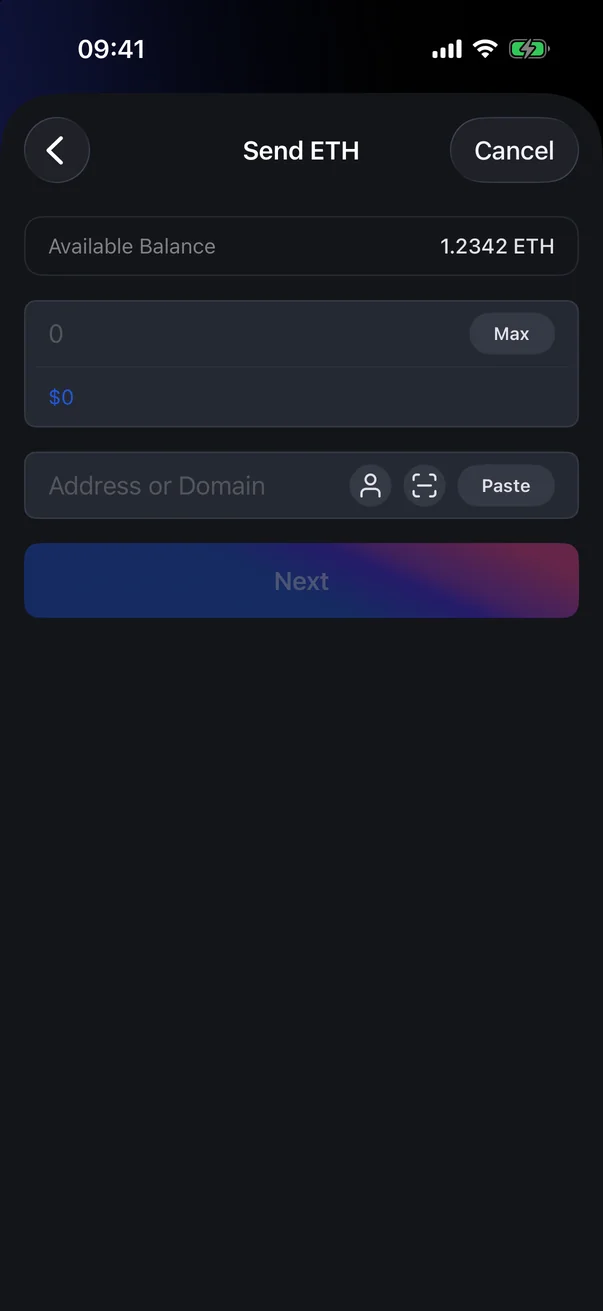
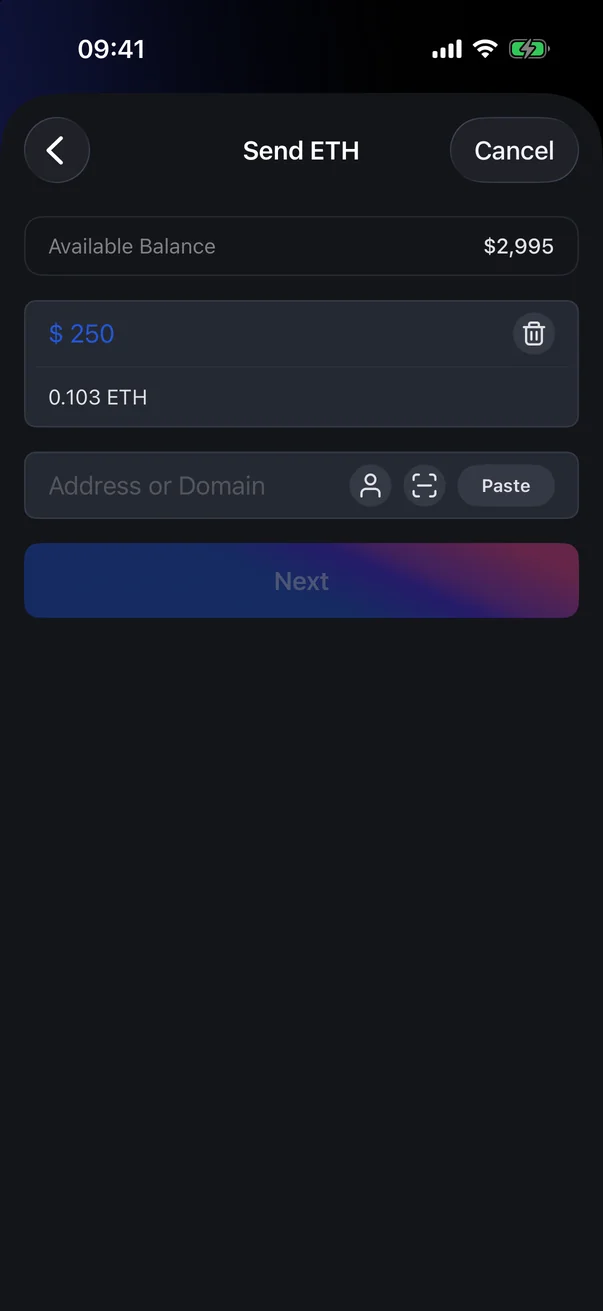
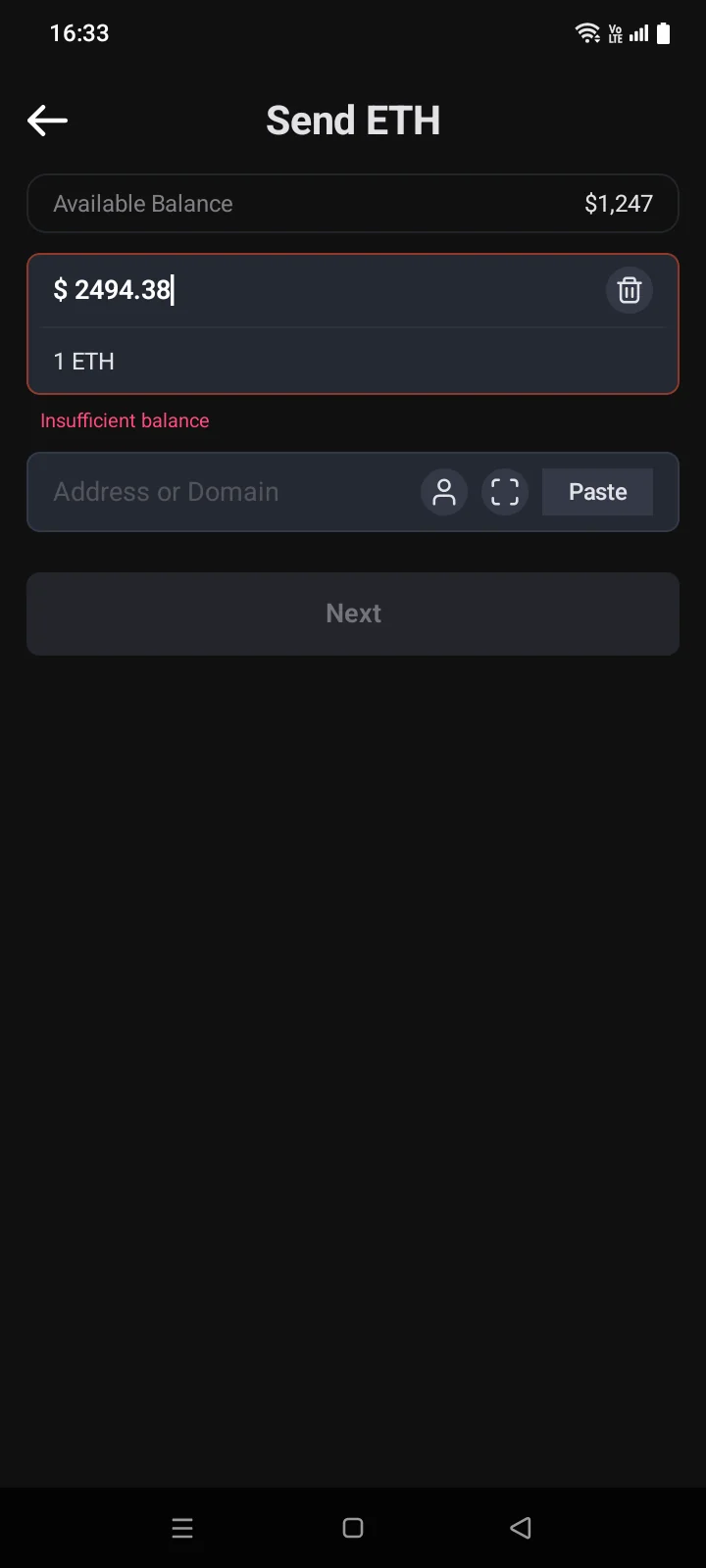
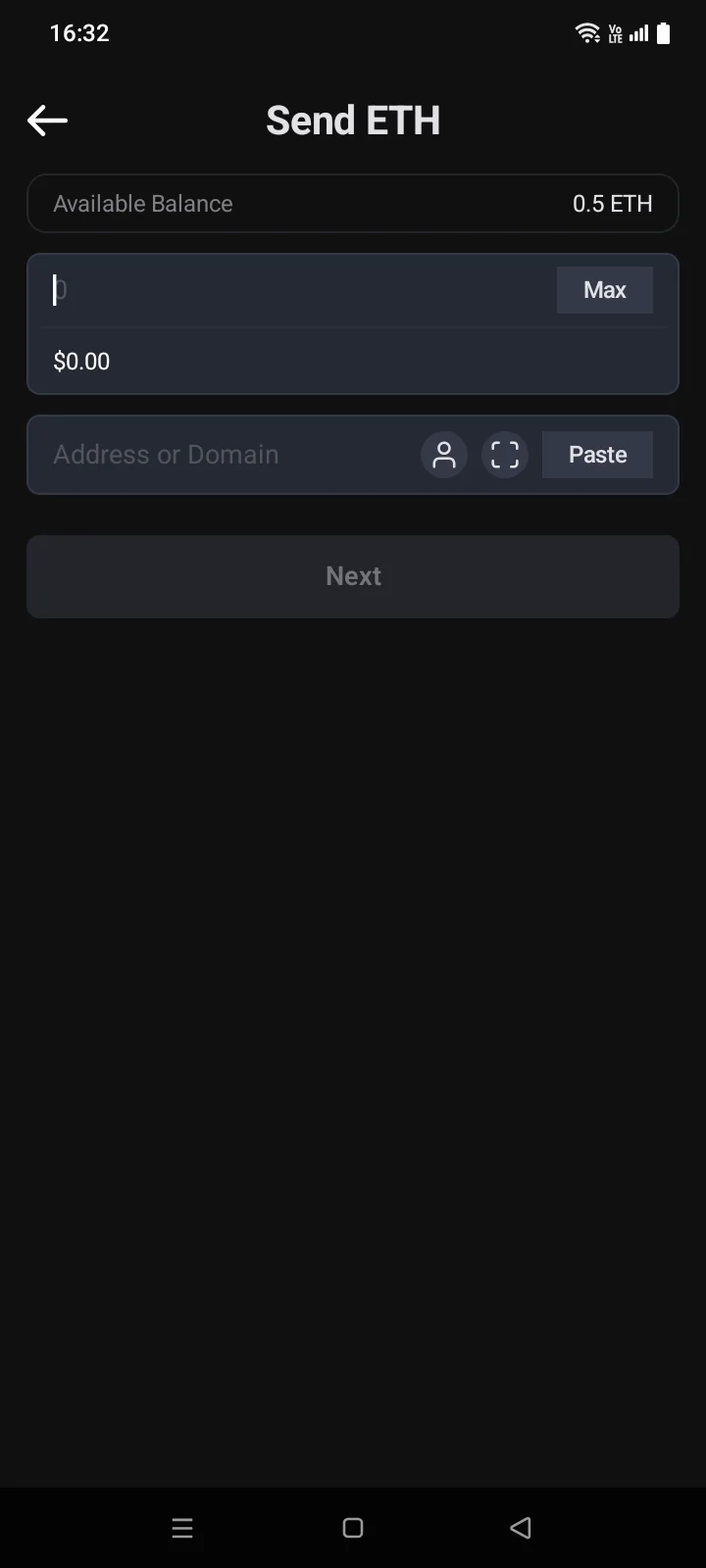
- The Send … screen opens. Enter the amount. Tap Max to send the whole available balance, or tap the value under the field to enter the amount in your currency instead of the coin.
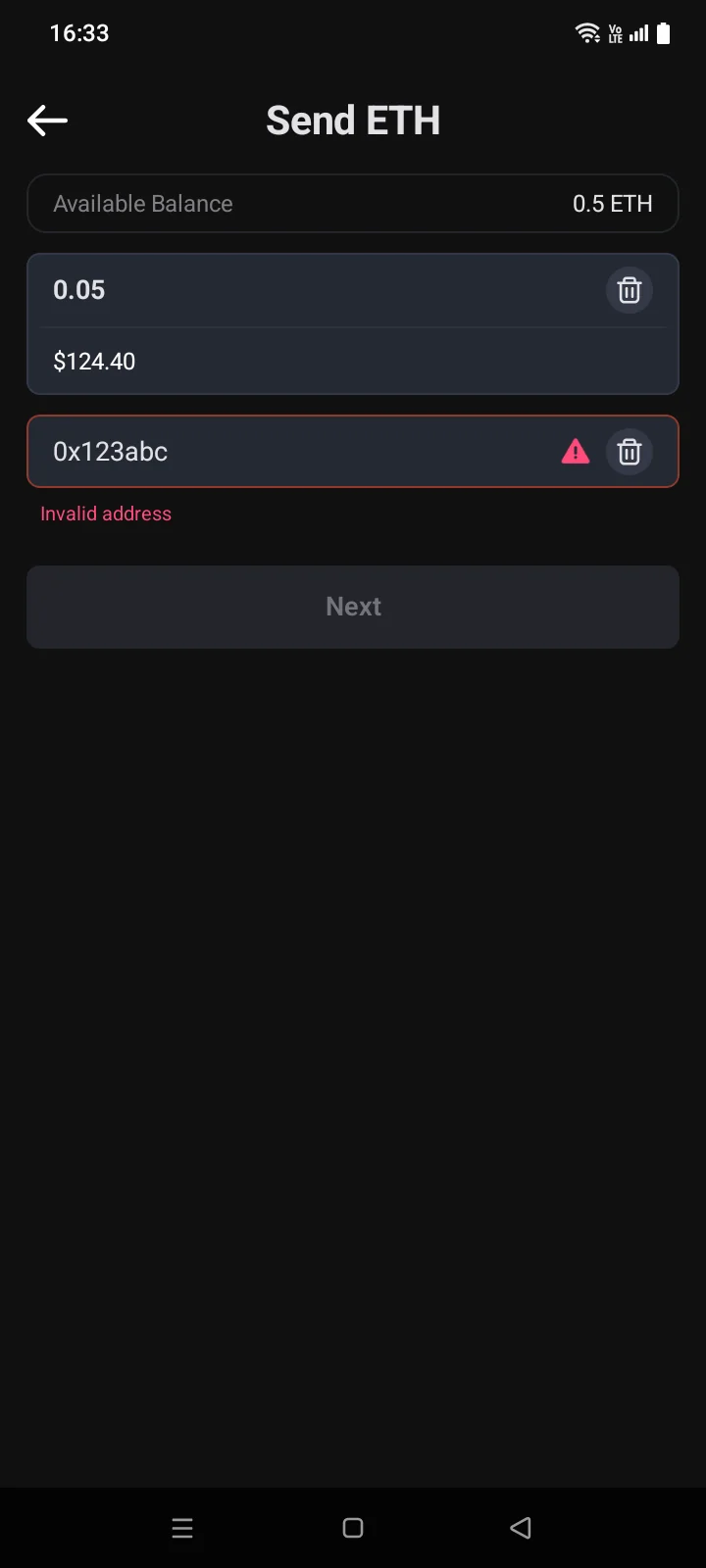
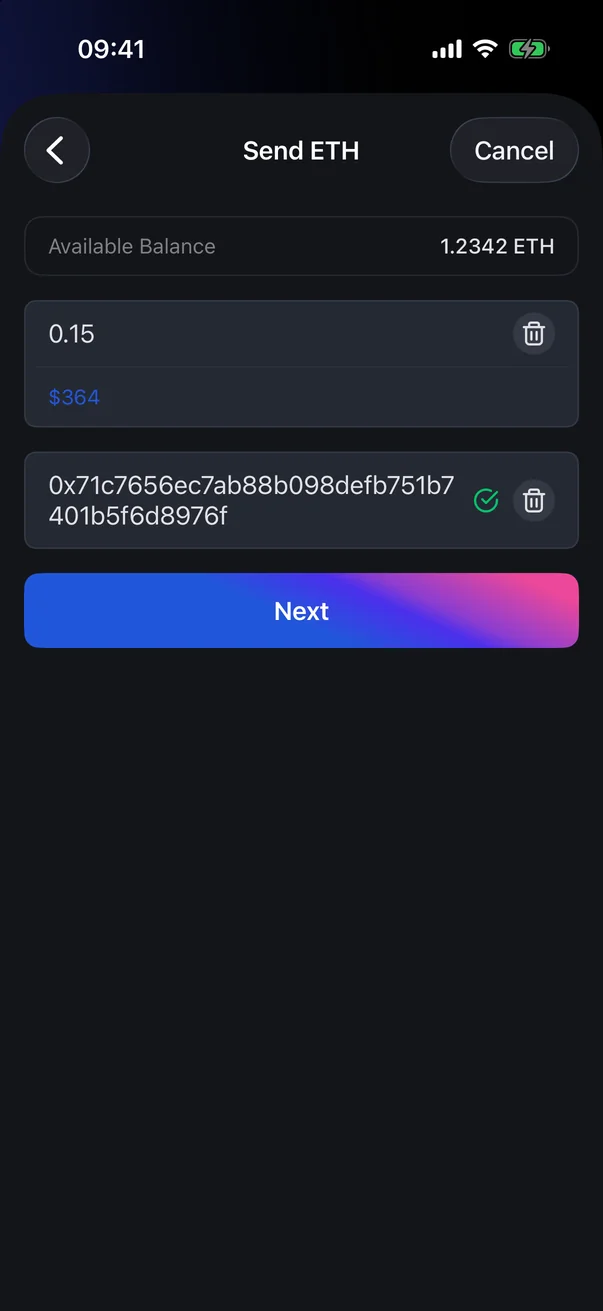
- Enter the recipient: type an address or domain, tap Paste, scan a QR code, or pick a contact. A green tick shows that the address is valid.
- Tap Next. Check everything on the Confirm screen and slide Slide to Sendtap Send (see 4.3).
 1
2
3
4
5
1
2
3
4
5
| 1 | Available Balance — how much you can send. |
| 2 | Amount — in the coin, or in your currency after tapping the line below. The bin icon clears it. |
| 3 | Converted value — the same amount in your currency (or in the coin). Tap to switch what you enter the amount in. |
| 4 | Recipient — an address or an ENS domain. A green tick means the address is valid. |
| 5 | Next — active when the amount and address are correct. |
 1
2
3
4
5
6
7
1
2
3
4
5
6
7
| 1 | Available Balance — how much you can send. |
| 2 | Amount — in the coin or in your currency. On the right is the Max button (shown when the balance isn't zero and the field is empty); once you enter an amount, a clear icon takes its place. |
| 3 | Converted value — the same amount in your currency (or in the coin). Tap to switch what you enter the amount in. |
| 4 | Recipient — an address or an ENS domain. A green tick means the address is valid. |
| 5 | Scanner — scan the recipient's QR code with the camera. |
| 6 | Paste — paste a copied address. |
| 7 | Next — active when the amount and address are correct. |
Choose the recipient
The buttons on the right of the address field are shown while the field is empty. Once you enter an address, a clear icon takes their place.
- Paste — inserts a copied address. If you paste a payment link with an amount, the amount is filled in too.
- Scan — opens the camera to scan the recipient's QR code. The first time, your phone asks for camera permission. If access is denied, the app asks you to allow it in the phone settings: Access to your camera for this app was denied, you can go to settings and allow access. Tap Go To SettingsGo to Settings.
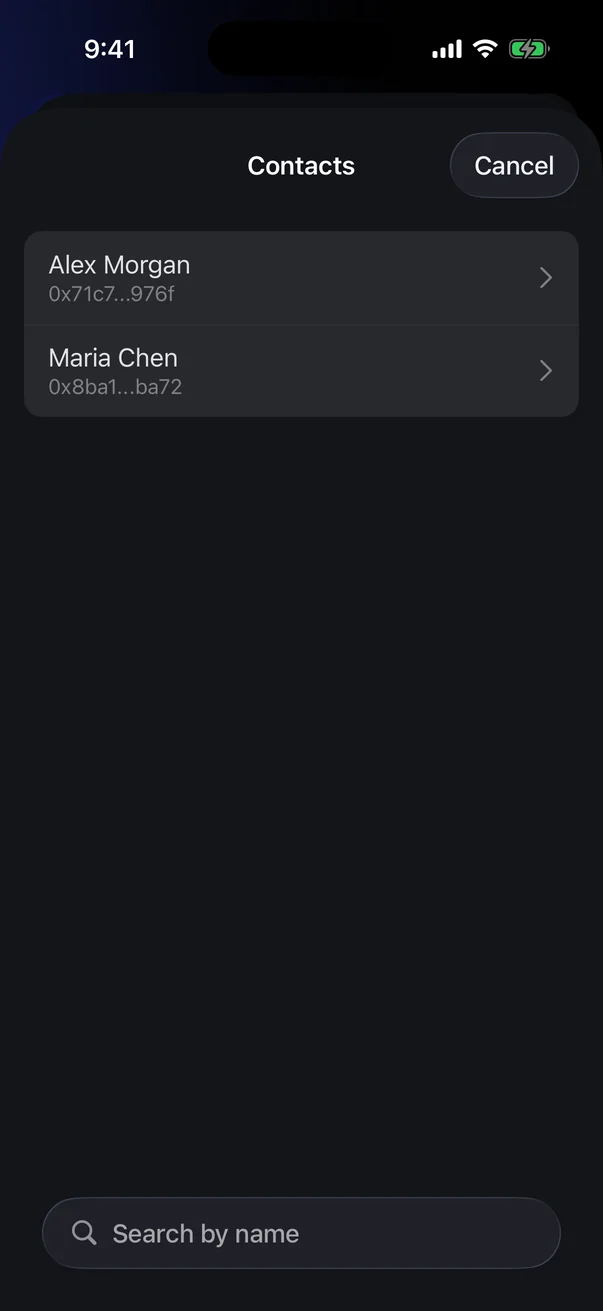
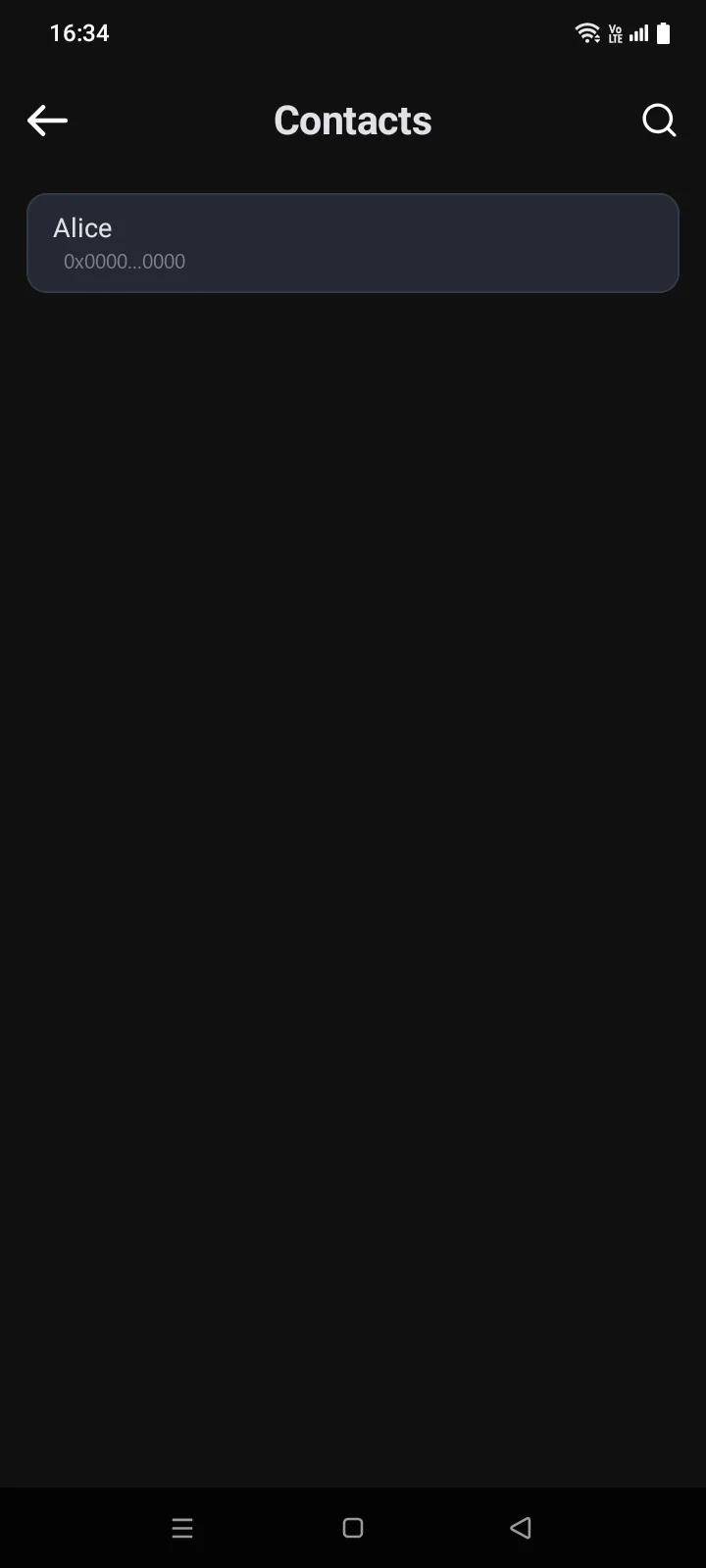
- Contacts — the person icon appears when you have contacts with an address on this network (see 4.8). Tap it and choose a contact — the address is filled in.
- Domain — instead of an address, you can enter an ENS name (Ethereum and other EVM networks, as well as Bitcoin). The app finds the address for it. The confirmation screen also shows the domain in the Domain row.
Transfers can't be reversedCrypto sent to a wrong address or on a wrong network can't be returned. Check the first and last characters of the address and make sure the recipient uses the same network. For example, USDT on BNB Smart Chain is a separate row, BSC-USD, not USDT tagged ERC-20.
Memo
On TON (comment), BNB Beacon Chain and Zcash (when sending to a shielded address), the form has a Memo field. Exchanges sometimes require a memo to credit your deposit — copy it exactly. Up to 120 characters.
If something goes wrong
| Message | What to do |
|---|---|
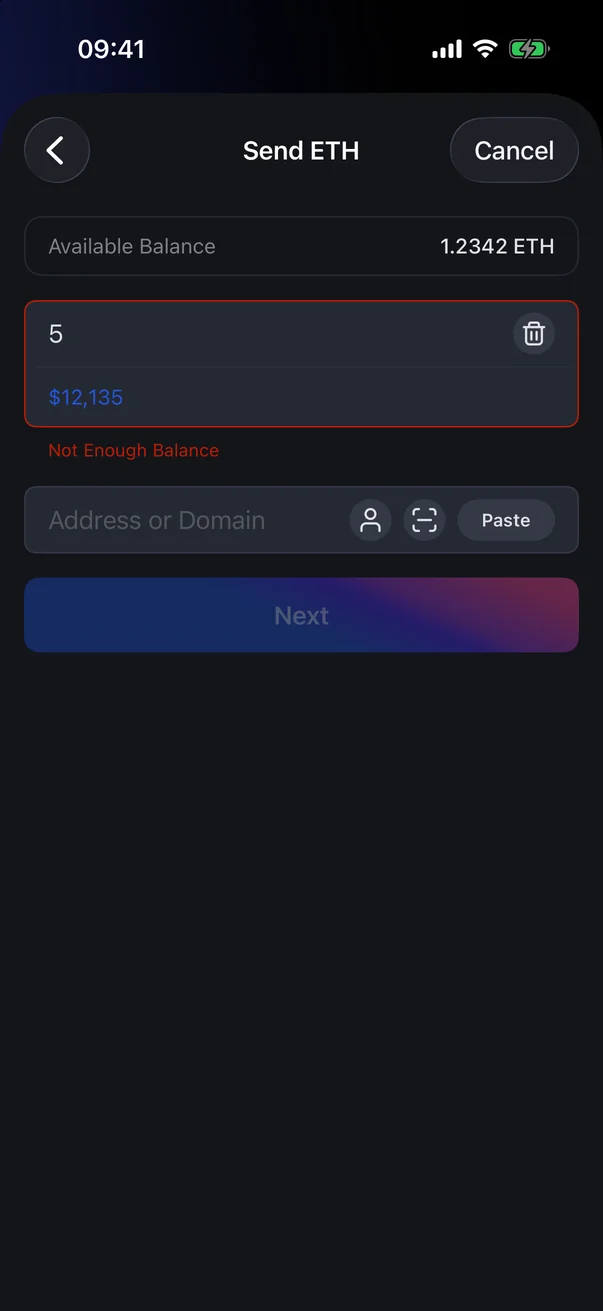
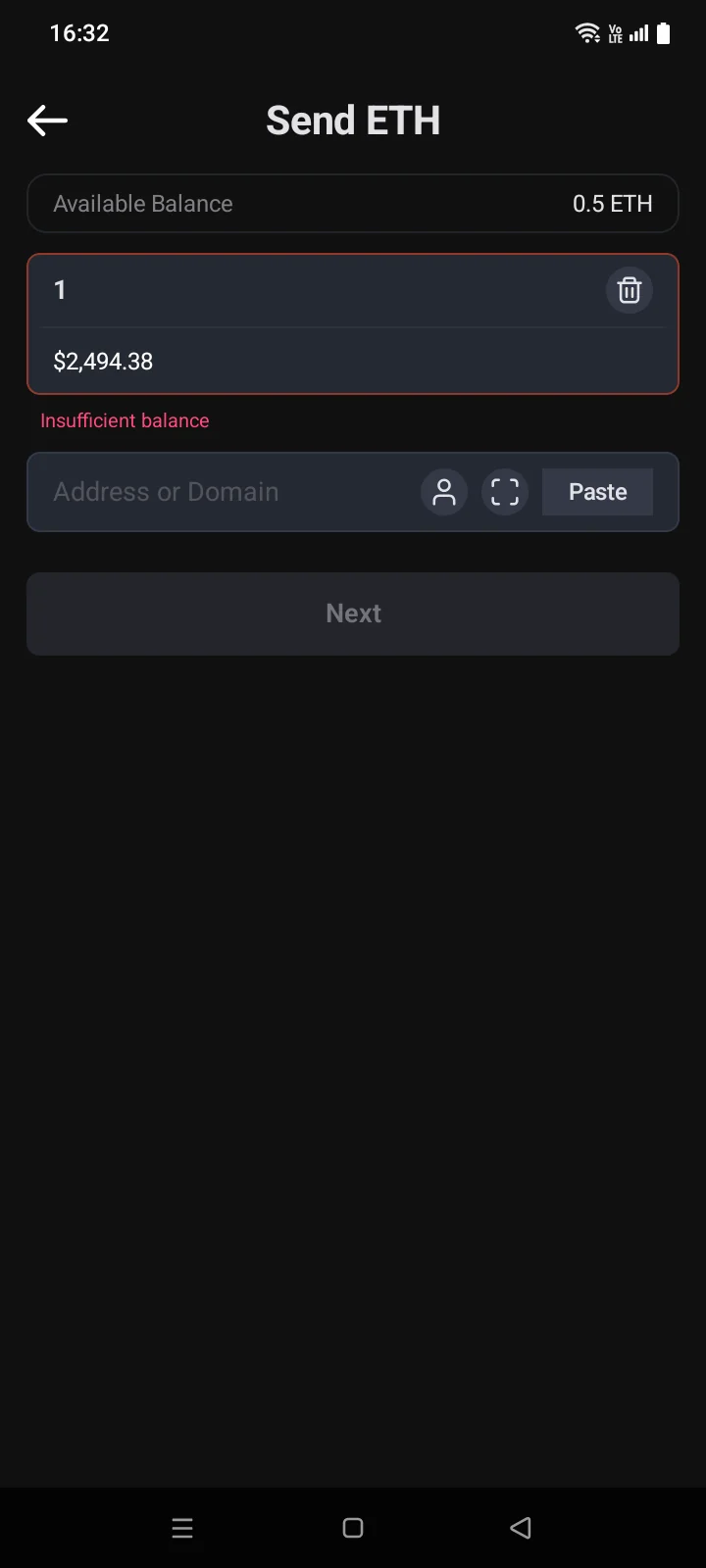
| Not Enough BalanceInsufficient balance | The amount is more than the available balance. Enter a smaller amount. |
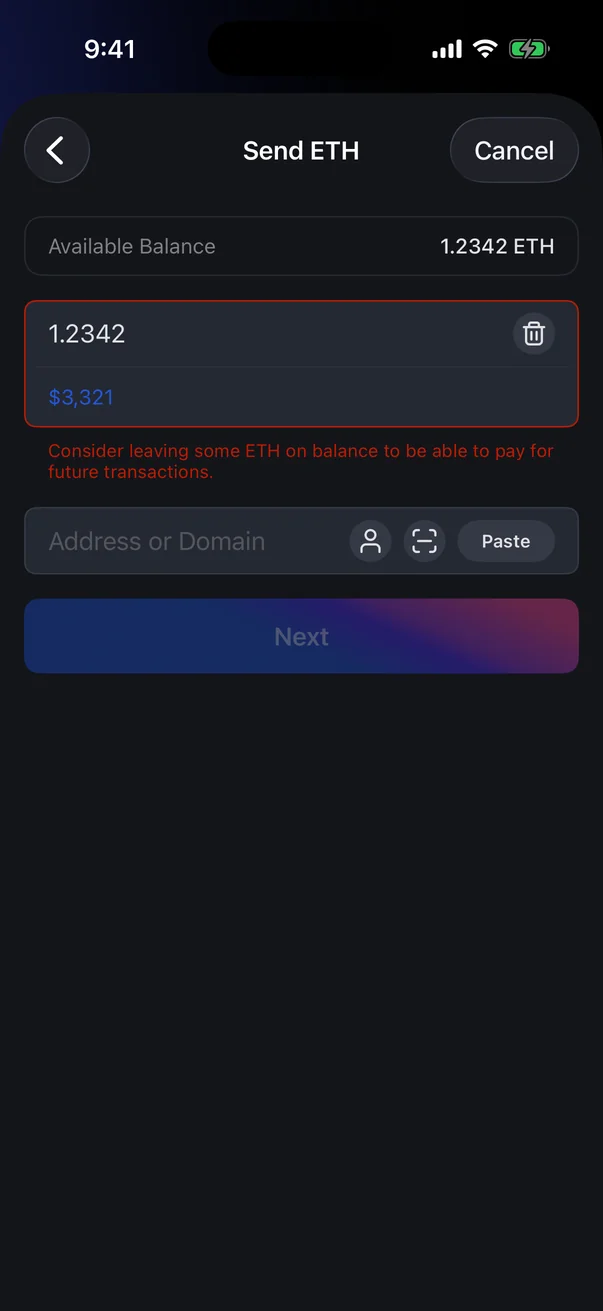
| Consider leaving some ETH on balance to be able to pay for future transactions. | You're sending the whole balance of the network coin. You can still send, but it's better to leave a little for future fees, especially if you hold tokens on this network. |
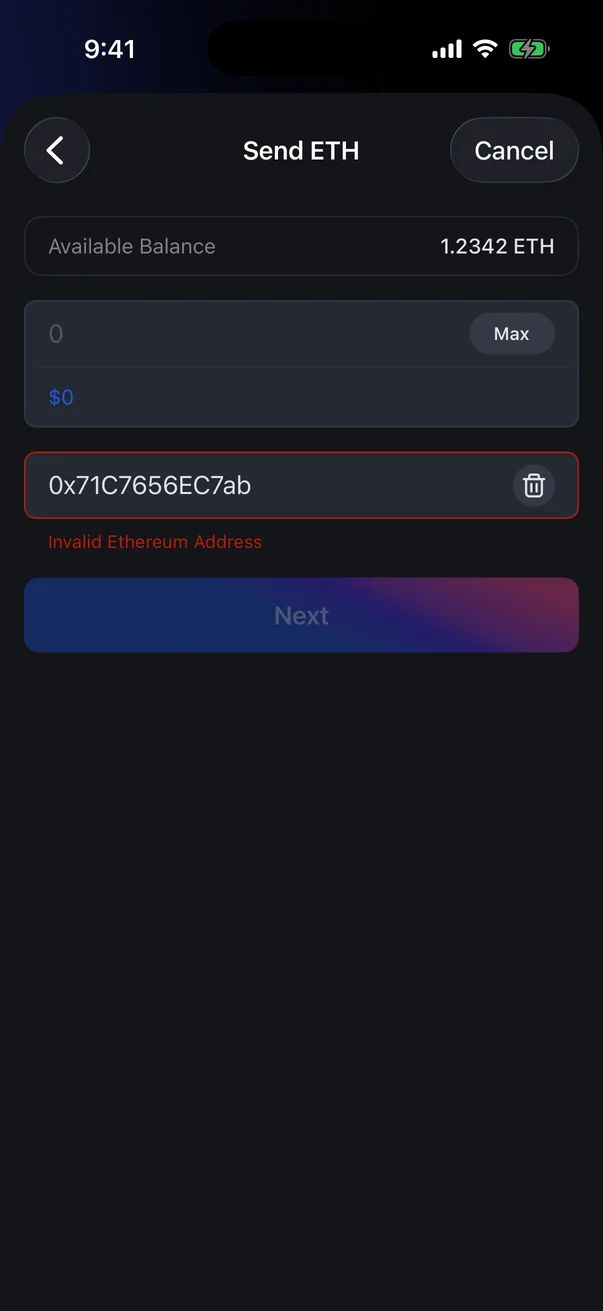
| Invalid Ethereum addressInvalid address | Check the address — a character may be missing or extra, or it's an address on another network. |
| Invalid Ethereum address | You pasted a payment link for another network or another token. Ask the recipient for an address for this coin and network. |
| Wait for synchronization | Appears when you choose a coin: the coin is still syncing. Try again in a moment. |
| No Internet | Appears when you tap Next. Check your connection and tap again. |