3.2The Crypto tab
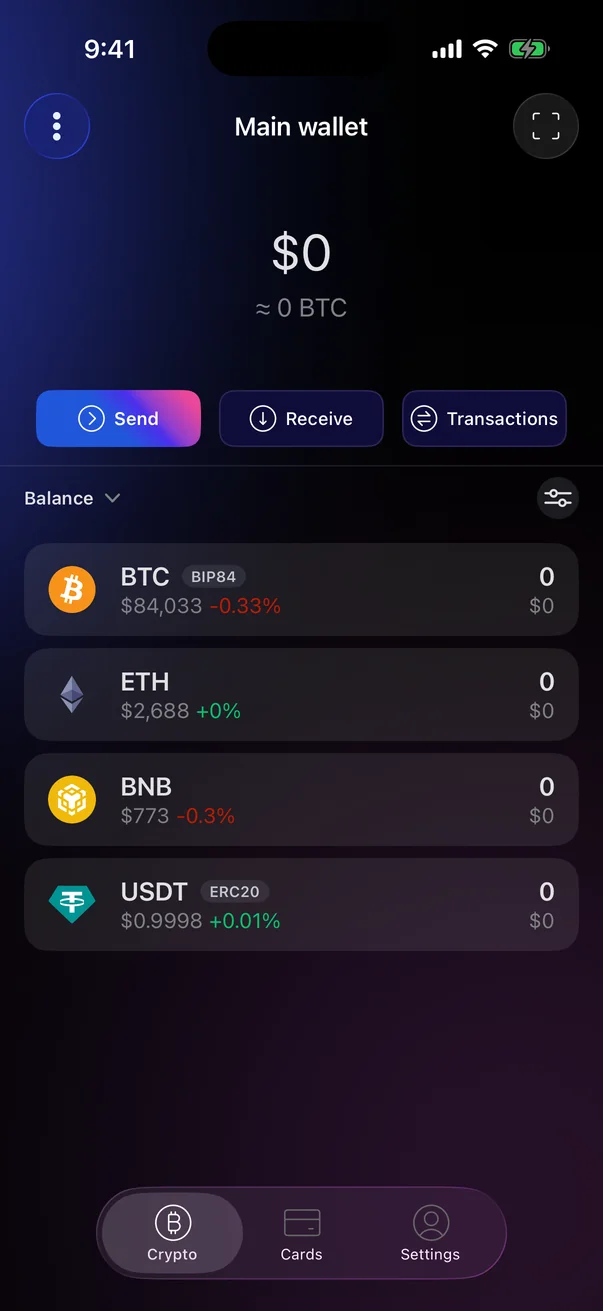
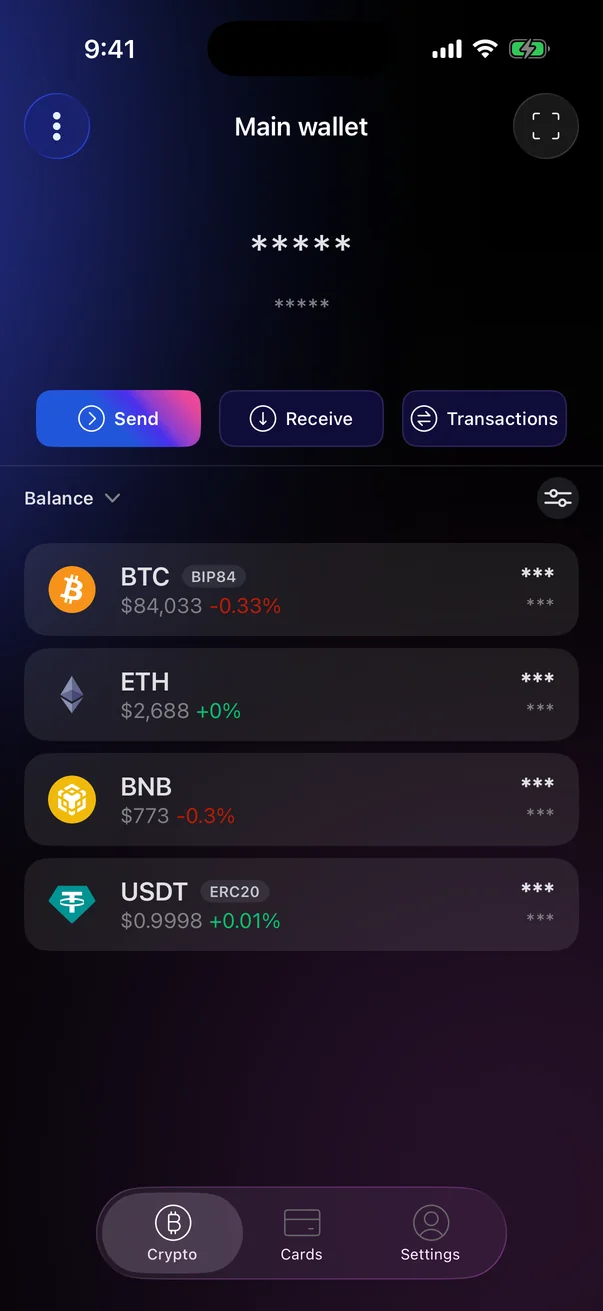
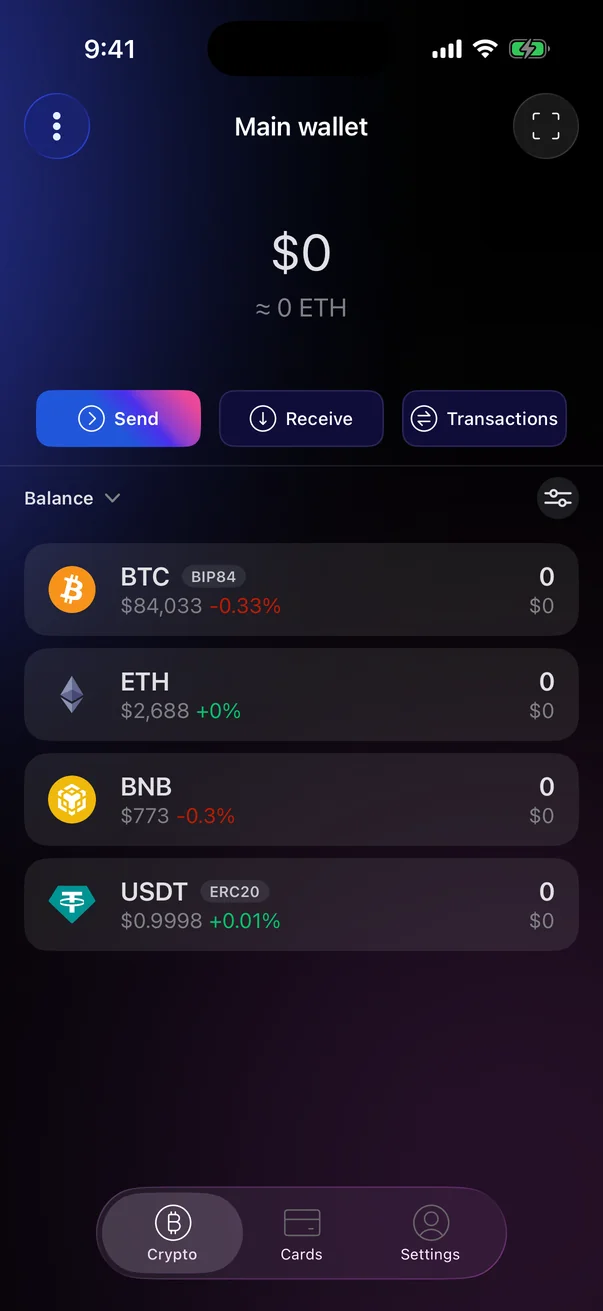
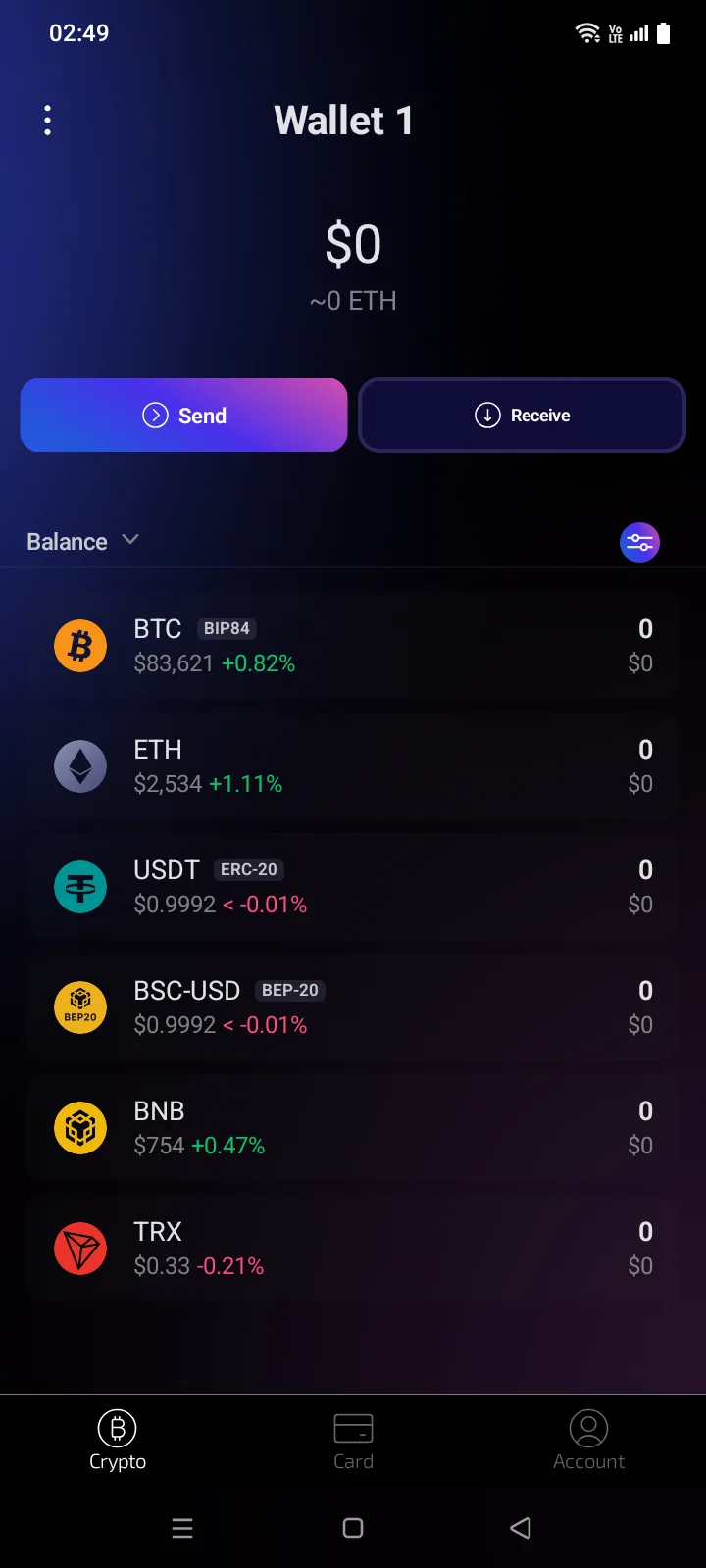
The Crypto tab shows the active wallet: its total balance, the Send, Receive and Transactions and Receive buttons, and the list of coins with their balances and prices.
 1
2
3
4
5
6
7
8
9
10
1
2
3
4
5
6
7
8
9
10
| 1 | Wallets — the list of your wallets: switch, add or set up a wallet (see 3.7). The title shows the active wallet's name. |
| 2 | Scan — scan a QR code, for example with an address. |
| 3 | Total balance — the value of all coins in the wallet in your base currency (see 5.2). Tap it to hide or show balances. |
| 4 | Balance in crypto — the same total in BTC. Tap to switch between BTC, ETH and BNB. |
| 5 | Send — send crypto (see 4.1). |
| 6 | Receive — get an address to receive crypto (see 3.9). Available after the wallet is backed up. |
| 7 | Transactions — the history of the wallet (see 4.6). |
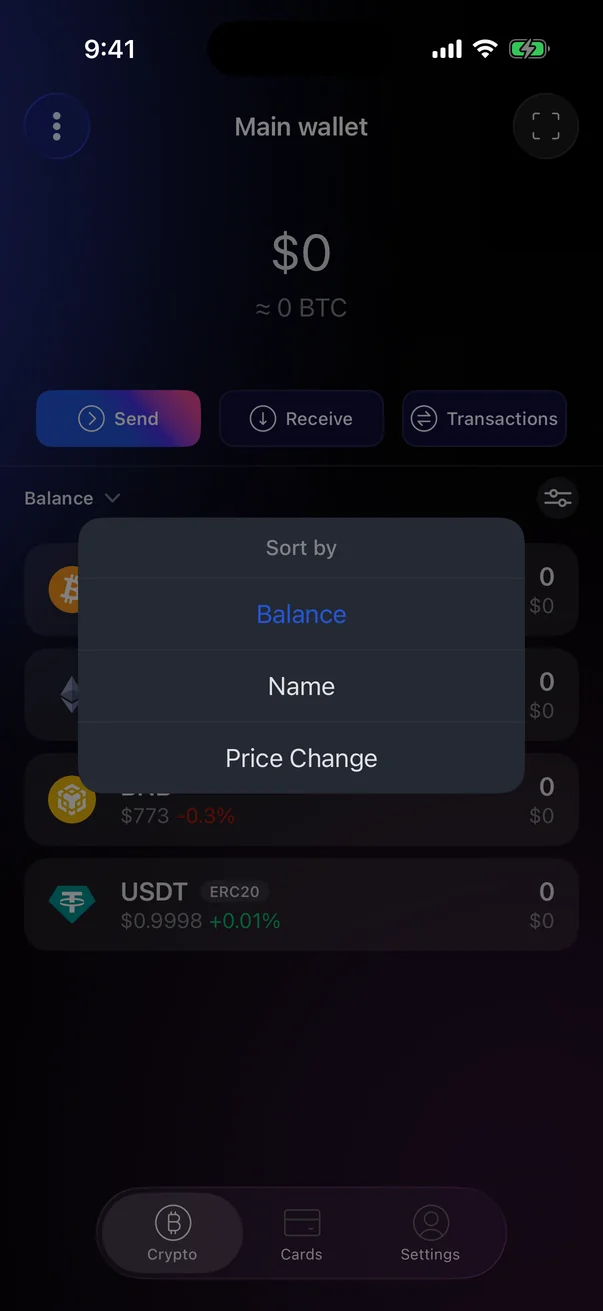
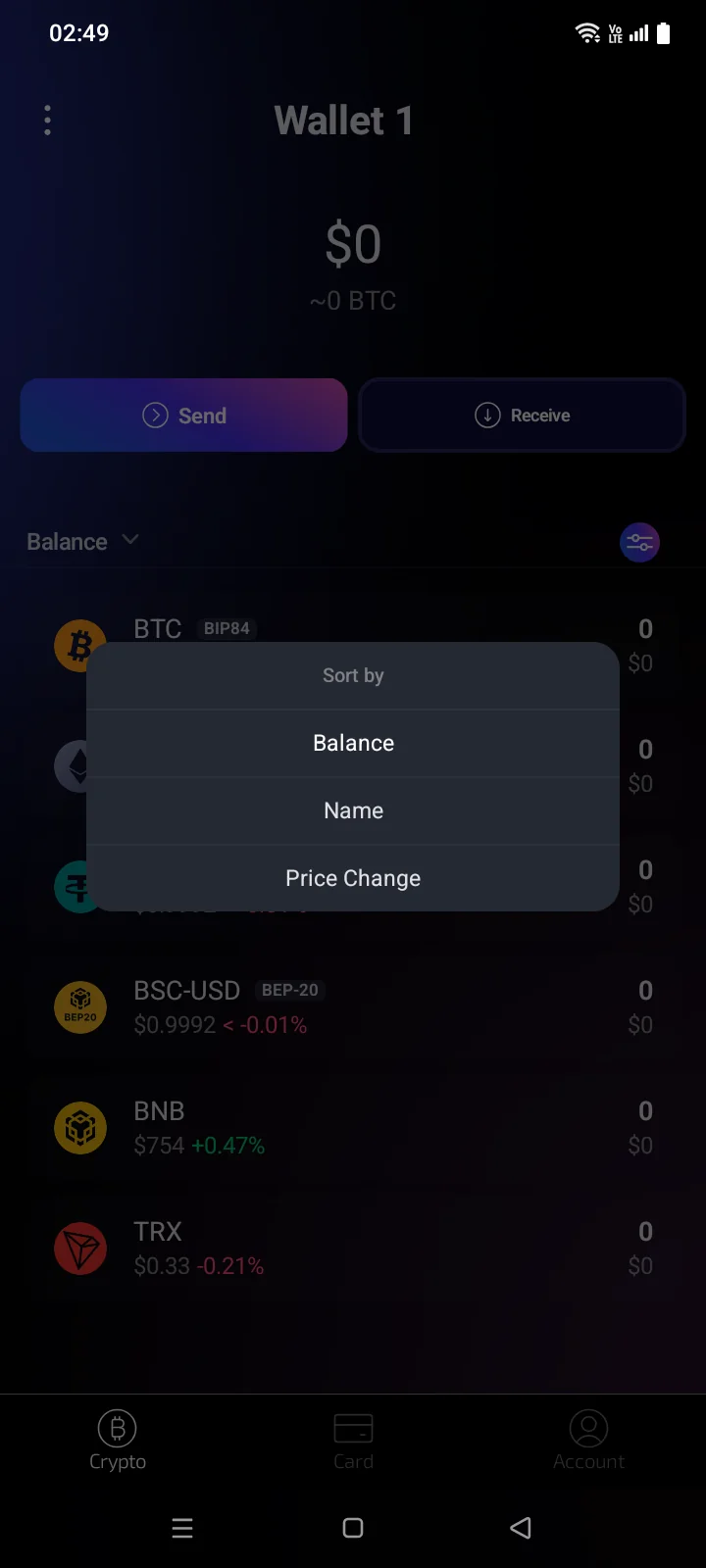
| 8 | Sorting — order the list by Balance, Name or Price Change. The default is by balance. |
| 9 | Coin Manager — choose which coins are shown (see 3.8). |
| 10 | Coin — code, network or address format (for example BIP84, ERC20), price and its 24-hour change; on the right, the amount and its value in your base currency. Tap to open the coin (see 3.10). |
 1
2
3
4
5
6
7
8
1
2
3
4
5
6
7
8
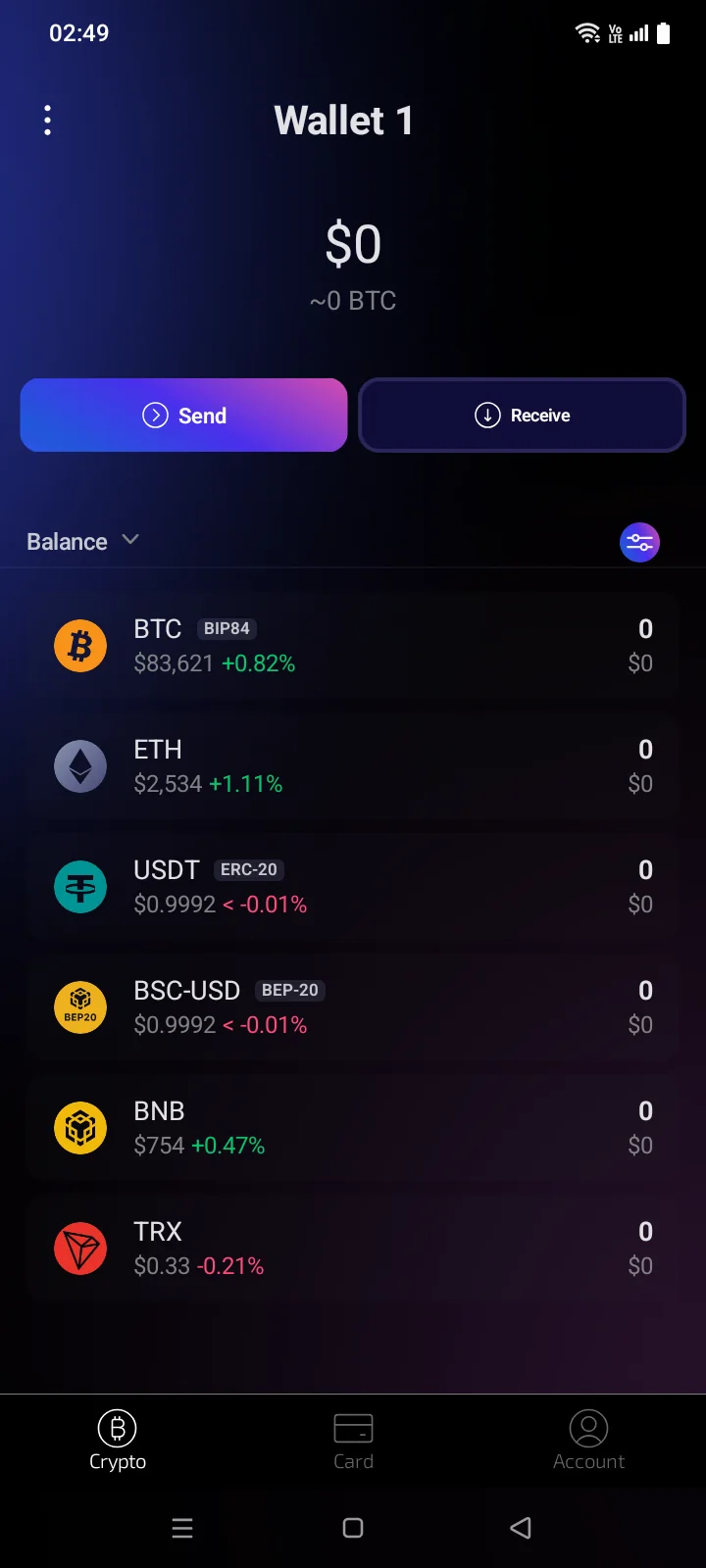
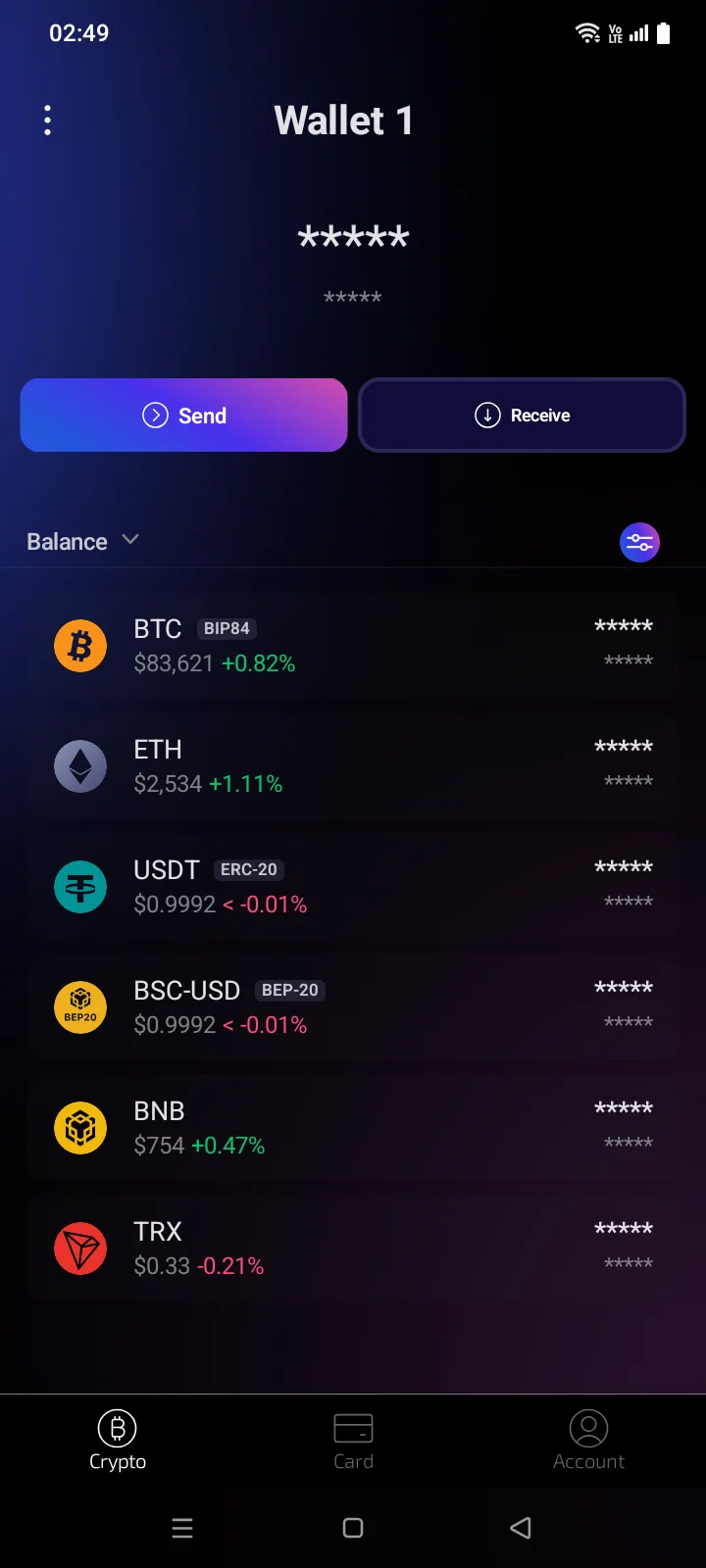
| 1 | Switch Wallet — the list of your wallets: switch, add or set up a wallet (see 3.7). The title shows the active wallet's name. |
| 2 | Total balance — the value of all coins in the wallet in your base currency (see 5.2). Tap it to hide or show balances. |
| 3 | Balance in crypto — the same total in BTC. Tap to switch between BTC and ETH. |
| 4 | Send — send crypto (see 4.1). |
| 5 | Receive — get an address to receive crypto (see 3.9). Available after the wallet is backed up. |
| 6 | Sorting — order the list by Balance, Name or Price Change. The default is by balance. |
| 7 | Coin Manager — choose which coins are shown (see 3.8). |
| 8 | Coin — code, network or address format (for example BIP84, ERC-20, BEP-20), price and its 24-hour change; on the right, the amount and its value in your base currency. Tap to open the coin (see 3.10). |
A new wallet has five rows:
- BTC marked BIP84 — Bitcoin;
- ETH — Ethereum;
- USDT marked ERC20ERC-20 — USDT on the Ethereum network;
- USDTBSC-USD marked BEP20BEP-20 — also USDT, but on the BNB Smart Chain network. The full coin name is Binance Bridged USDT (BNB Smart Chain);
- BNB — BNB Smart Chain.
The order of the rows depends on the sorting you choose. Pull the list down to refresh balances and prices.
A watch-only wallet has no Send and Receive buttons and is marked with a binoculars icon (see 3.6).
Hide balances
Tap the total balance: all amounts are replaced by asterisks. Tap again to show them. To hide balances every time you open the app, turn on Balance Auto Hide (see 5.3).
Tap the amount under the total balance to show it in another coin: BTC, ETH and BNB in turnETH, then back to BTC.
Remove a coin from the list
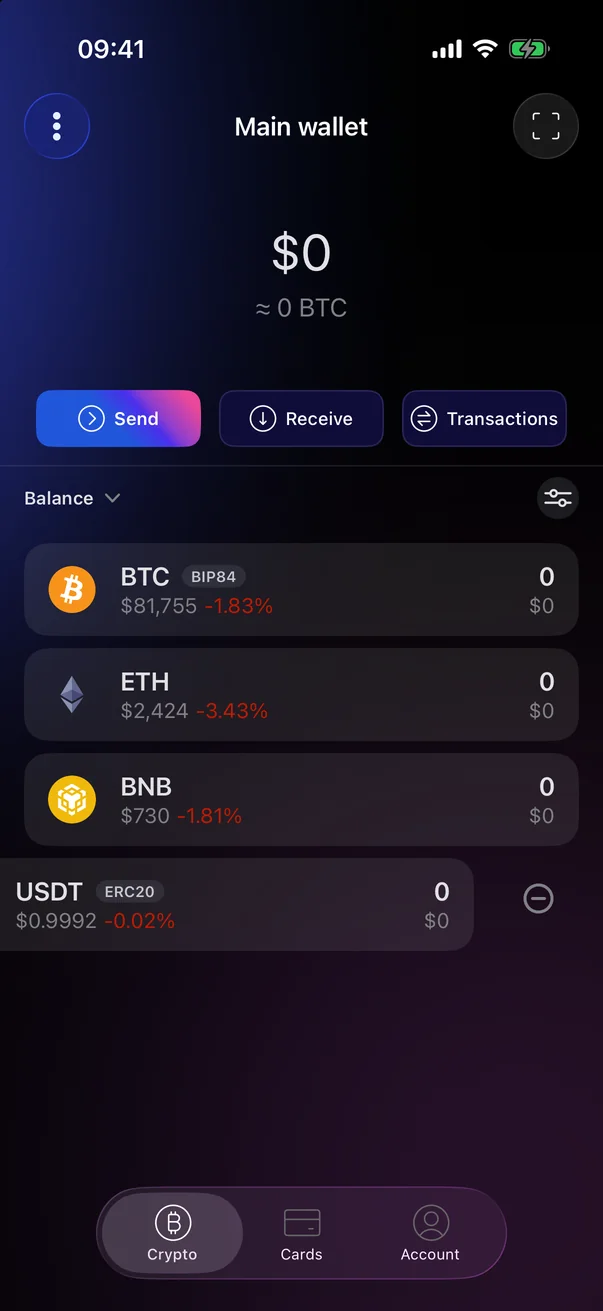
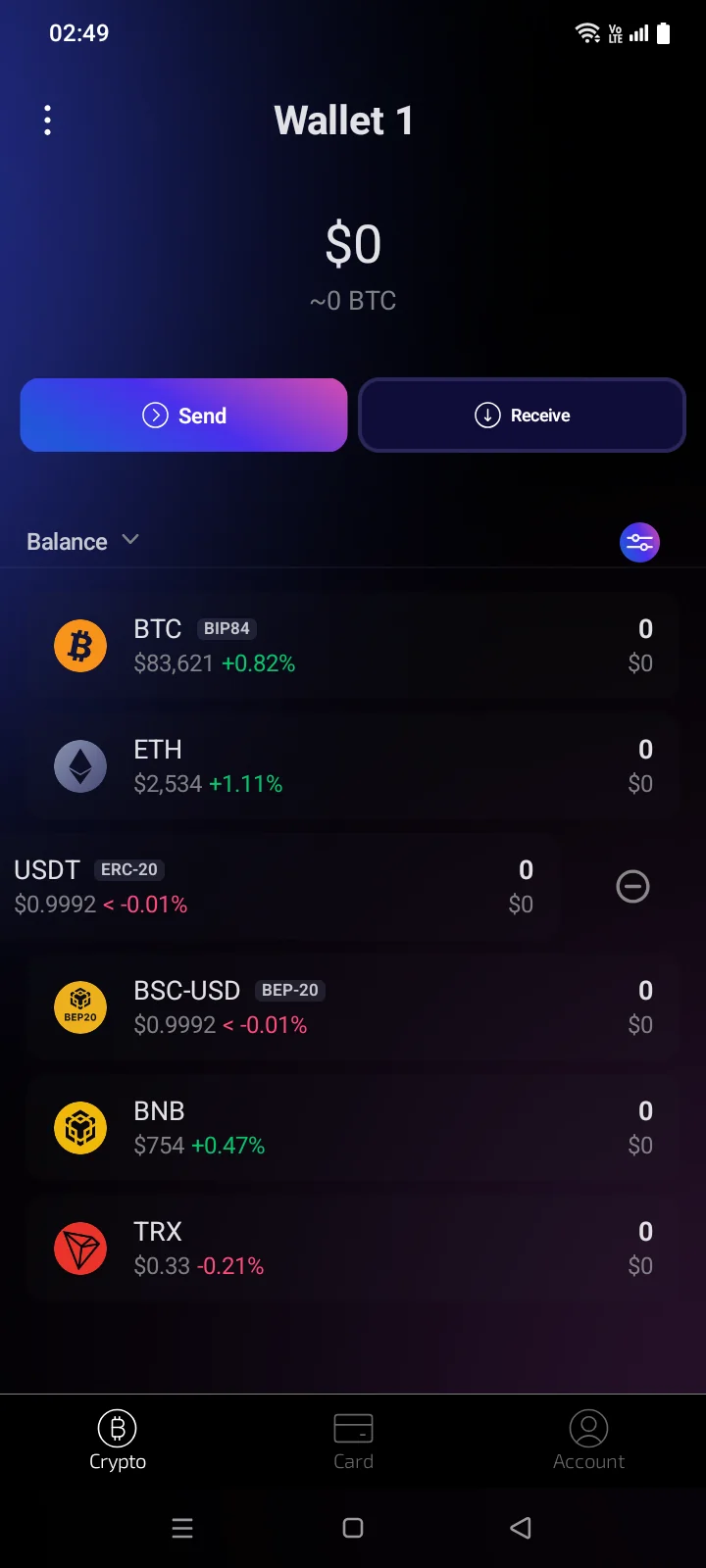
Swipe the coin row to the left: a minus icon appears on the right. Tap it, and the coin disappears from the tab. You can bring it back in Coin Manager (see 3.8).
If you remove all coins, the tab shows You haven't added any coins to this wallet.You don't have an added coins. Add the coins you will be using and the Add Coins button.
Coin states
| You see | What it means |
|---|---|
| Syncing... | The wallet is catching up with the blockchain; sometimes with a percentage, and on the right the date up to which data has been received (“until …”). Balances may be incomplete until it finishes. |
| Searching transactions... | The wallet is looking for transactions; on the right, how many it has found so far, for example “12 tx”. |
| Stopped | Syncing is paused. |
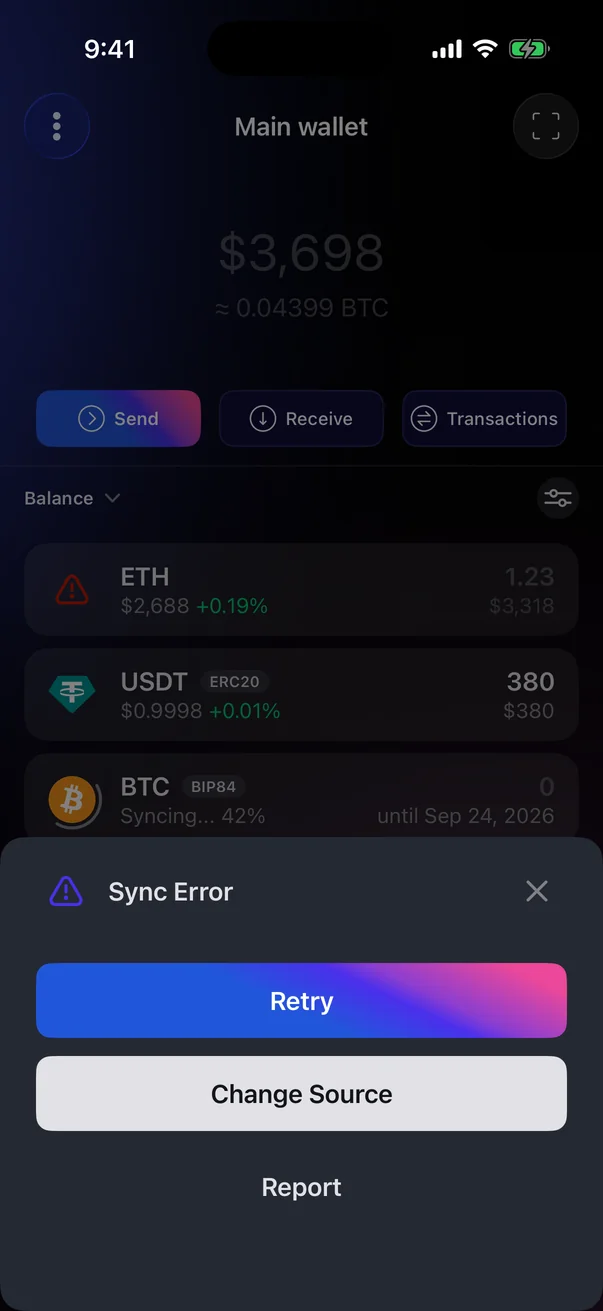
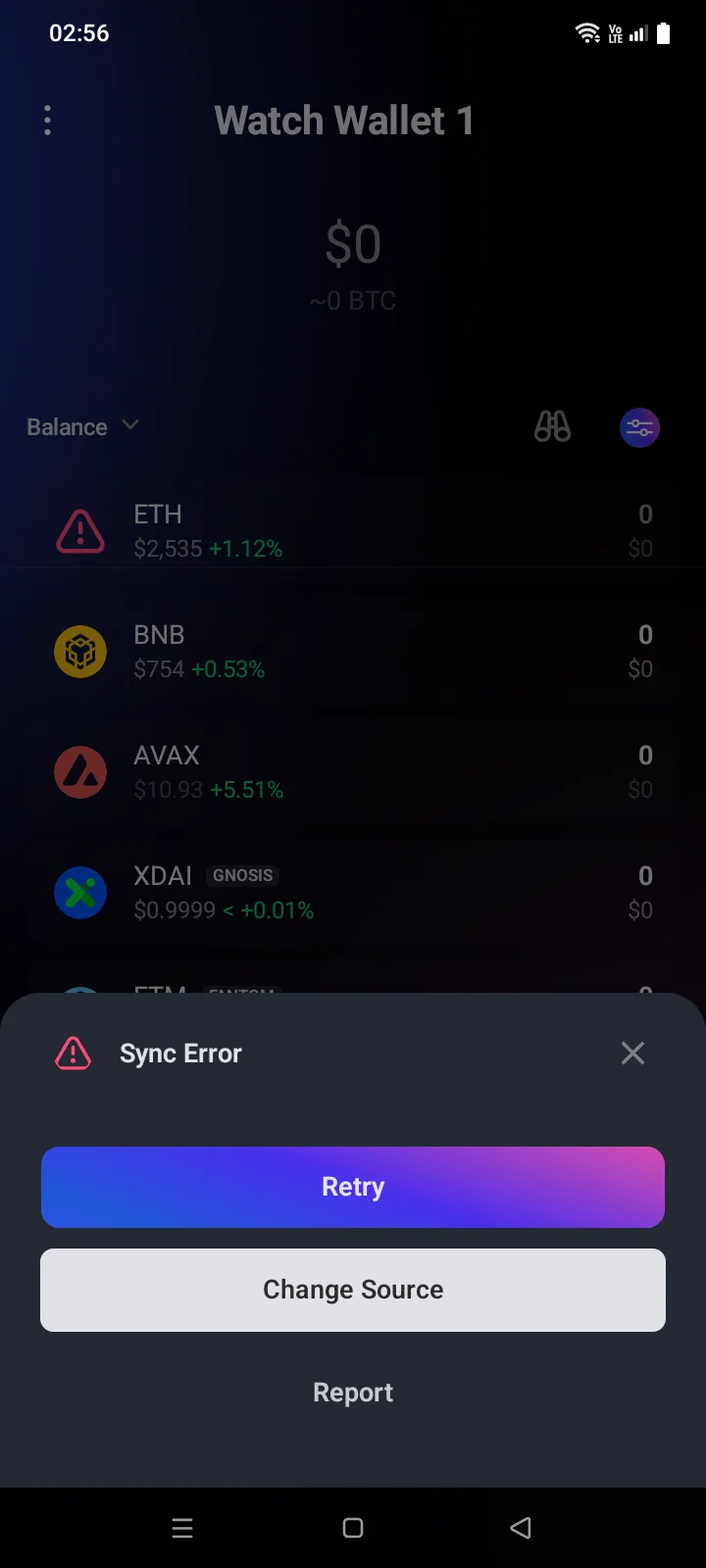
| Red icon instead of the coin logo | The coin failed to sync. Tap the icon: without internet you'll see No Internet, otherwise the Sync Error panel with Retry, Change Source (not for every network) and Report. Report opens an email to support with the error textthe network, wallet type, app version and error text. If there is no email app, the support address and the error text are copiedthe support address is copied: Email address copied. |
| N/A instead of the priceNo price under the coin code | No price is available for this coin right now. |
| Dimmed totalDimmed amounts | Some prices are outdated or not every coin is synced yet. |