3.8Coin Manager and custom tokens
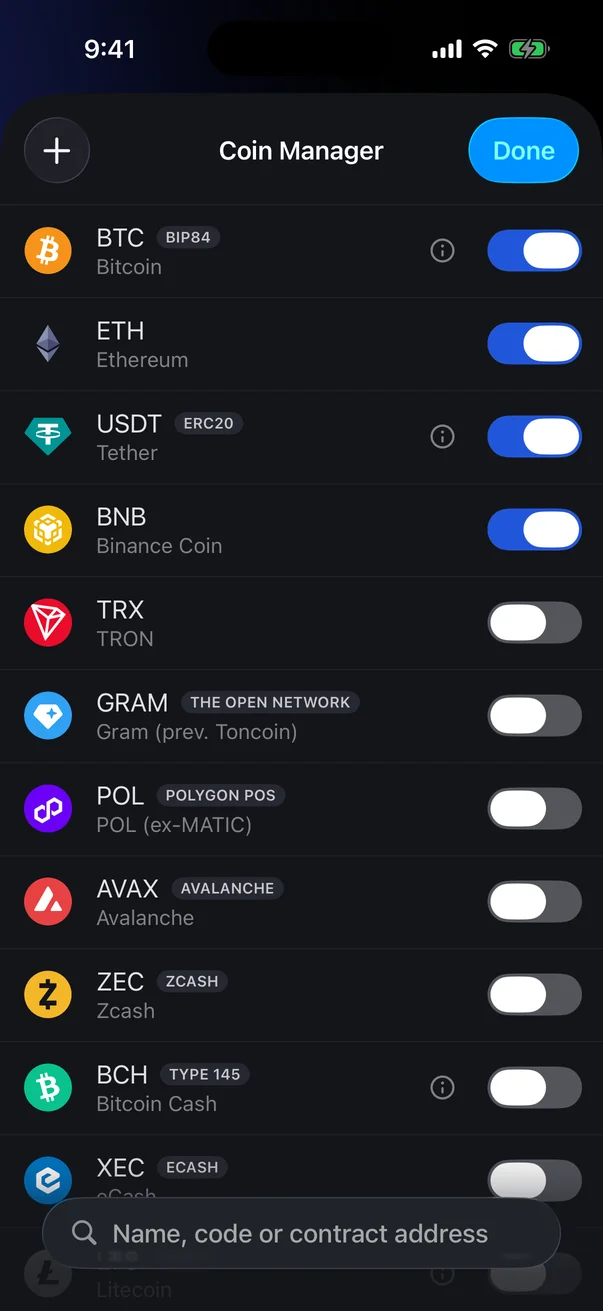
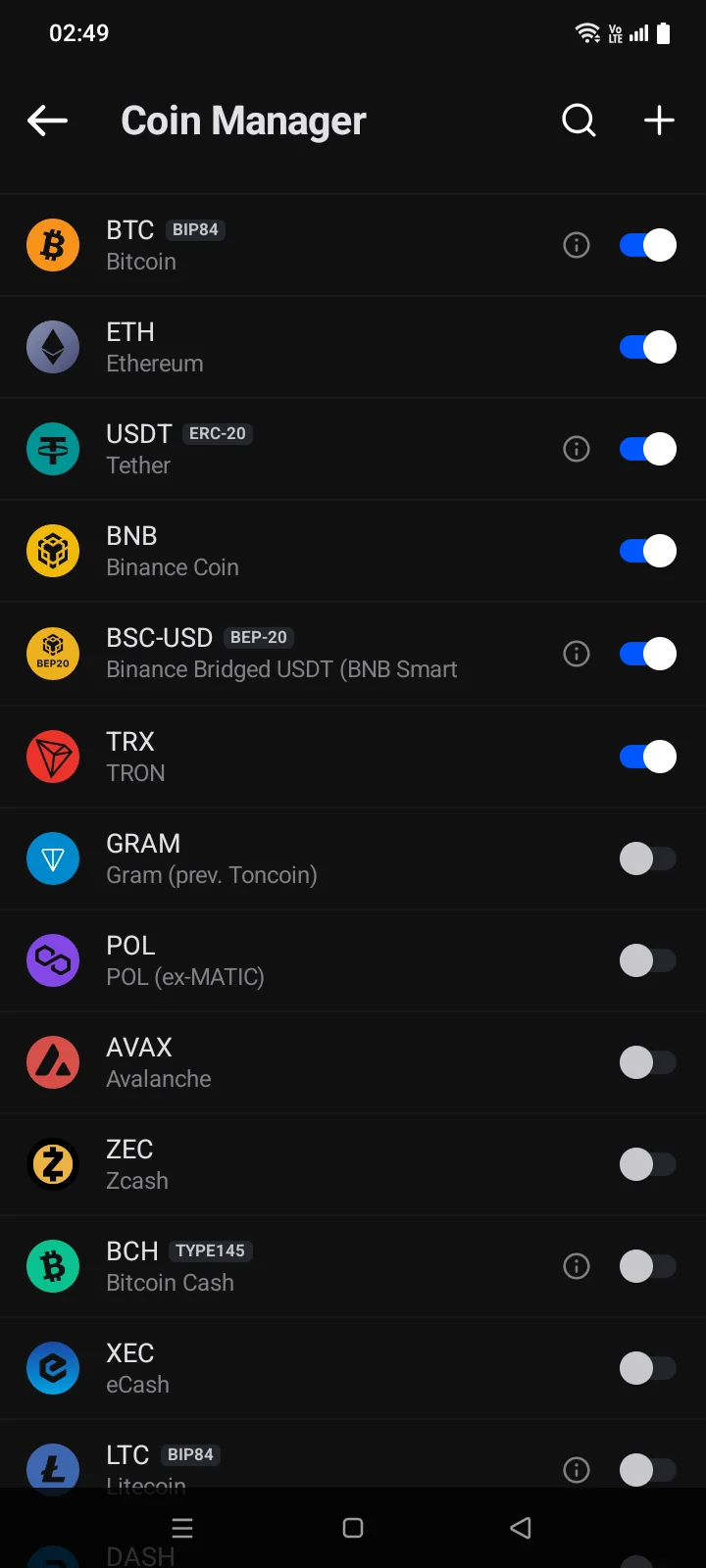
The Coin Manager chooses which coins and tokens the active wallet shows. You can turn coins on and off, find any coin in the catalogue, and add a token by its contract address.
Open the Coin Manager
On the Crypto tab, tap the button to the right of the sorting control, above the coin list. Coins that are on come first.
 1
2
3
4
1
2
3
4
| 1 | Add Token (+) — add a token by contract address (see below). |
| 2 | Switch — on: the coin is shown in the wallet; off: it's hidden. |
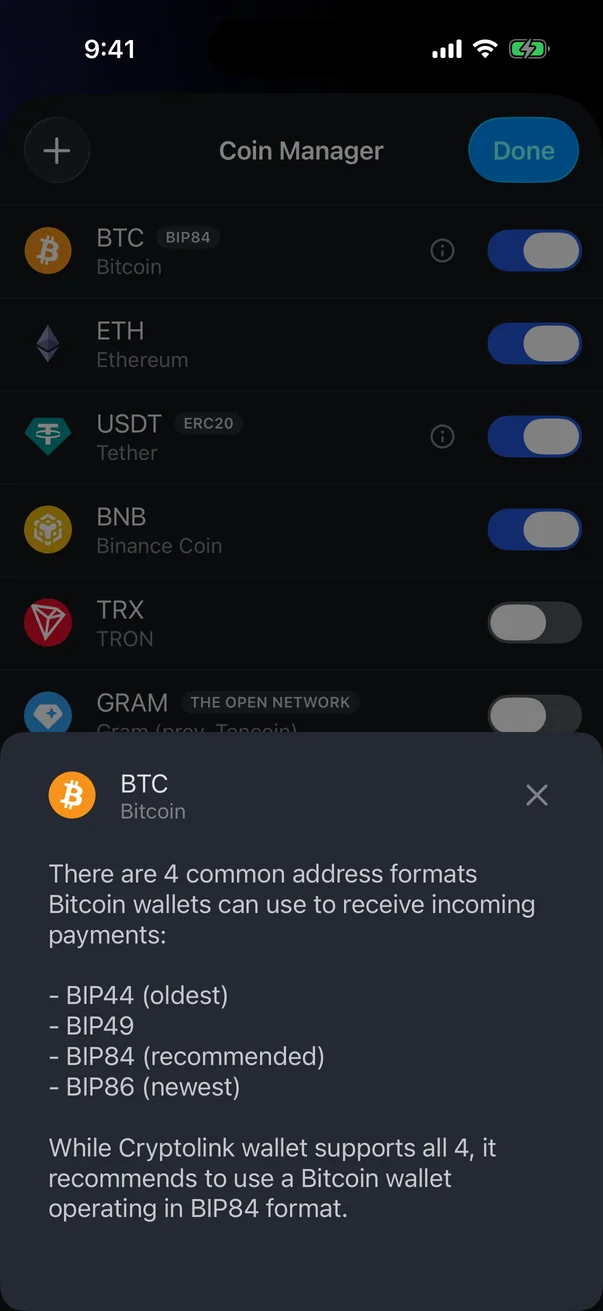
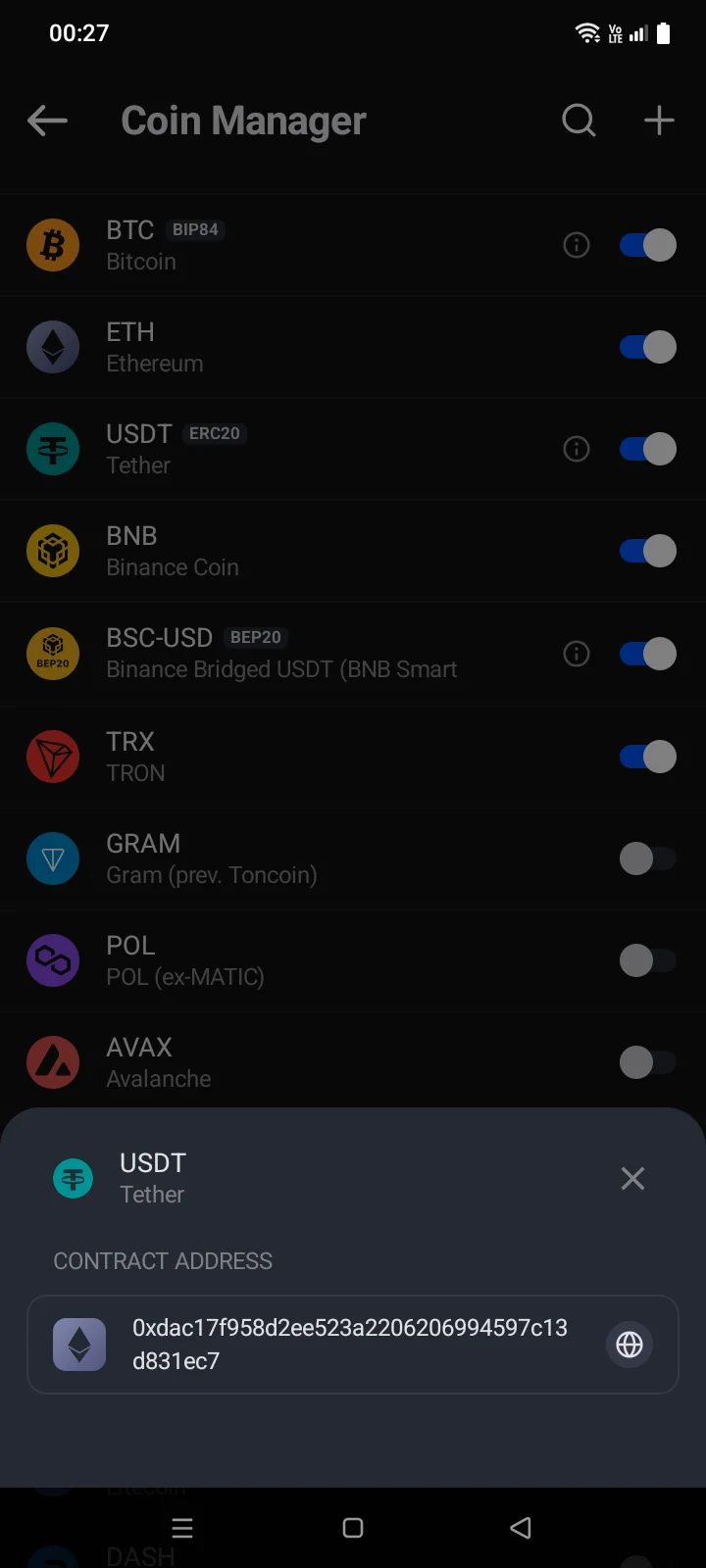
| 3 | Info — details about the coin: address formats for Bitcoin, Litecoin and Bitcoin Cash, the contract address for a token (with a link to a block explorer). |
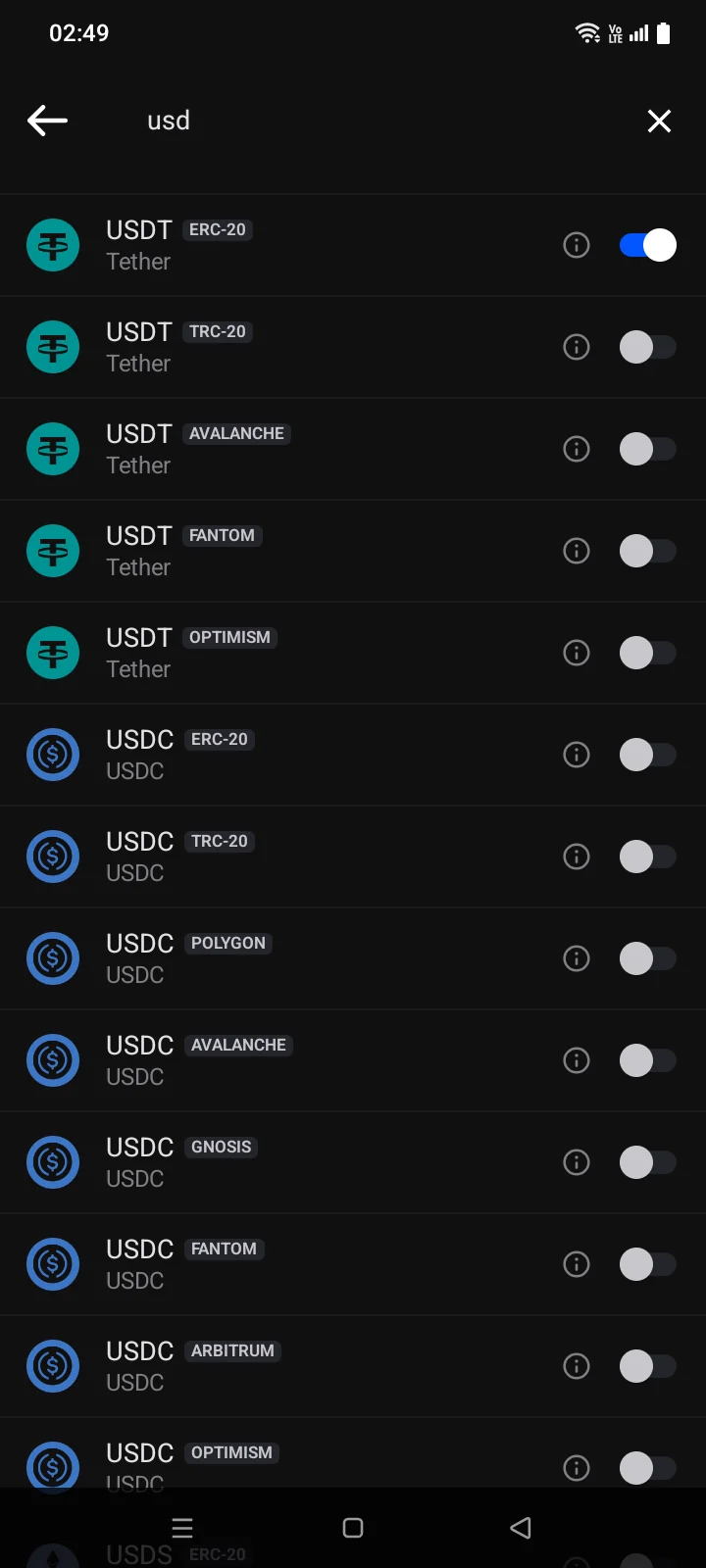
| 4 | Search — by name, code or contract address. |
 1
2
3
4
1
2
3
4
| 1 | Search — by name, code or contract address. |
| 2 | Add Token (+) — add a token by contract address (see below). |
| 3 | Switch — on: the coin is shown in the wallet; off: it's hidden. You can also tap the row itself. |
| 4 | Info — details about the coin: address formats for Bitcoin, Litecoin and Bitcoin Cash, the contract address for a token (with a link to a block explorer). |
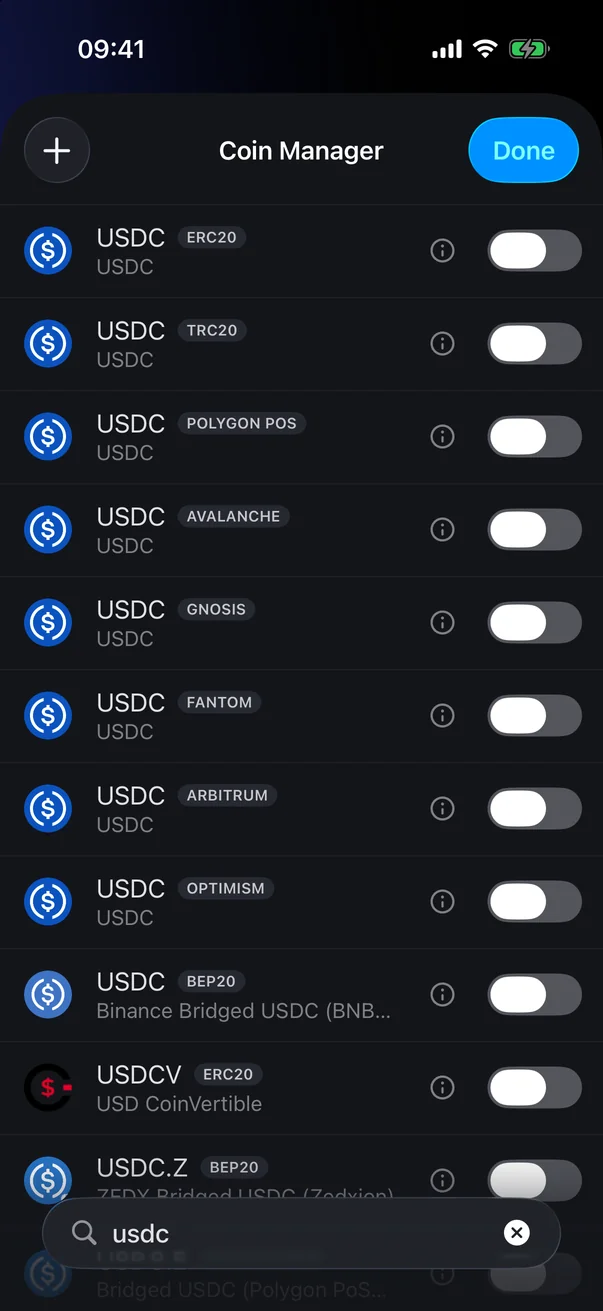
The + button is available in wallets with a recovery phrase or an EVM private key. The token's network is shown next to its code, for example ERC-20, BEP-20 or TRC-20. If you paste a contract address into search, it finds the coin with that contract.
To return to the wallet, tap Donethe back arrow in the top-left corner. You can also hide a coin right from the wallet: swipe its row to the left and tap the button that appears.
When you turn on Zcash, the app asks whether it's a New Wallet (Doesn't have any transactions) or an Existing Wallet (Has transactions), and offers to enter the Birthday Height. For an existing wallet, the first sync may use a lot of internet traffic.
Add a token by contract address
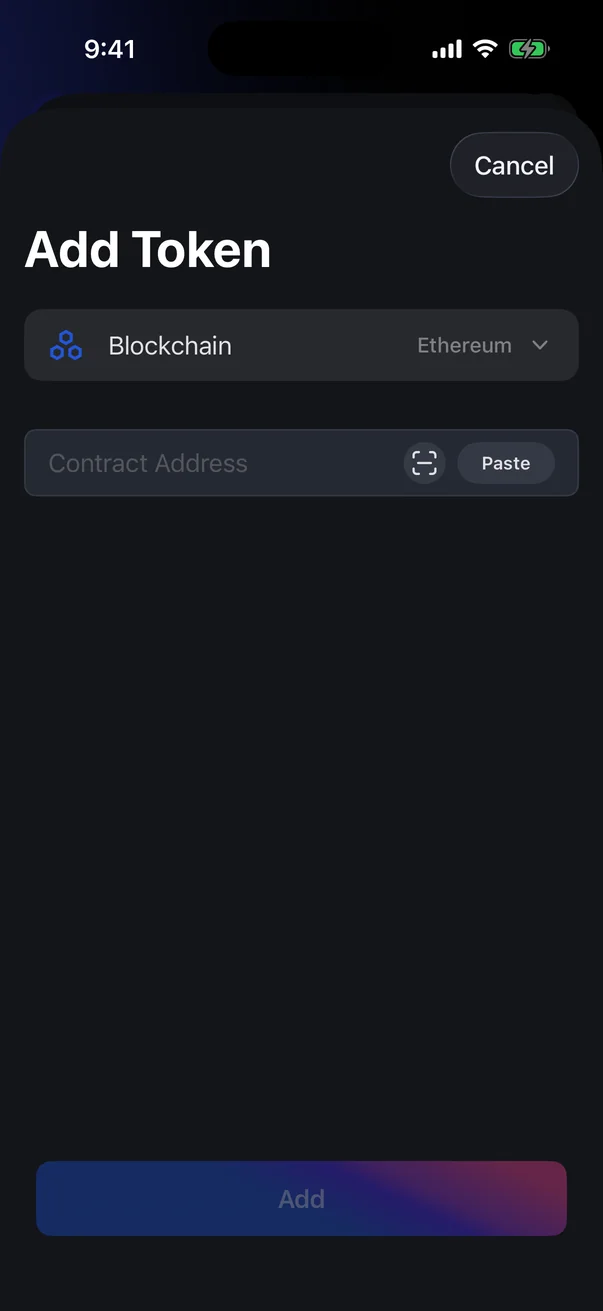
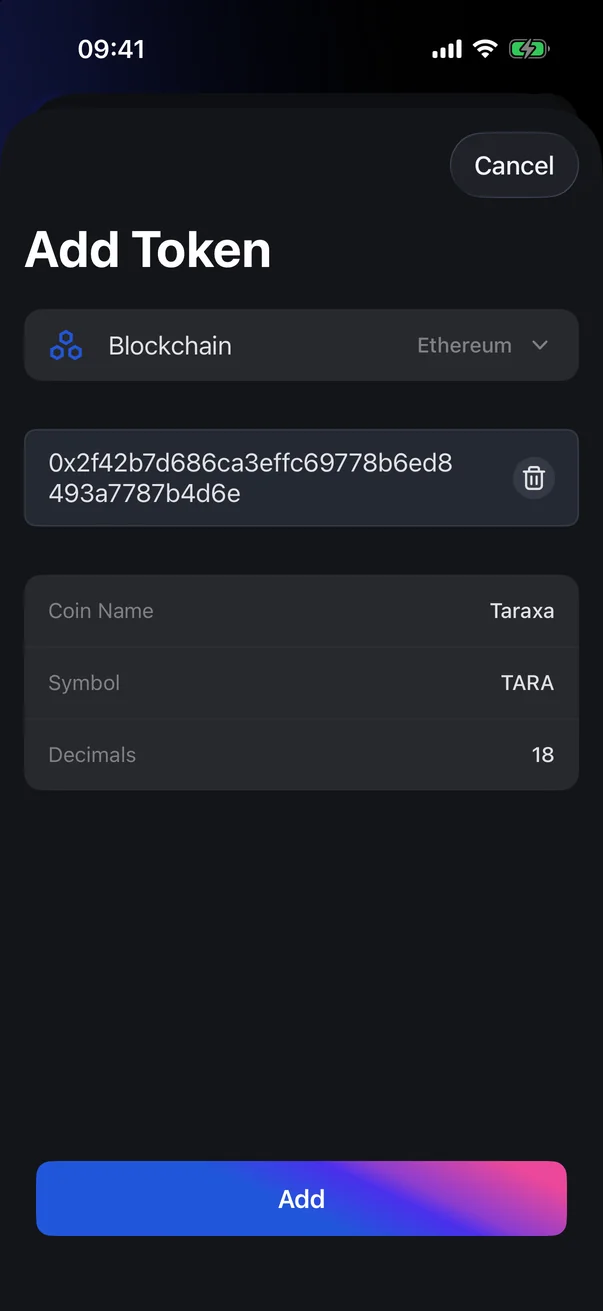
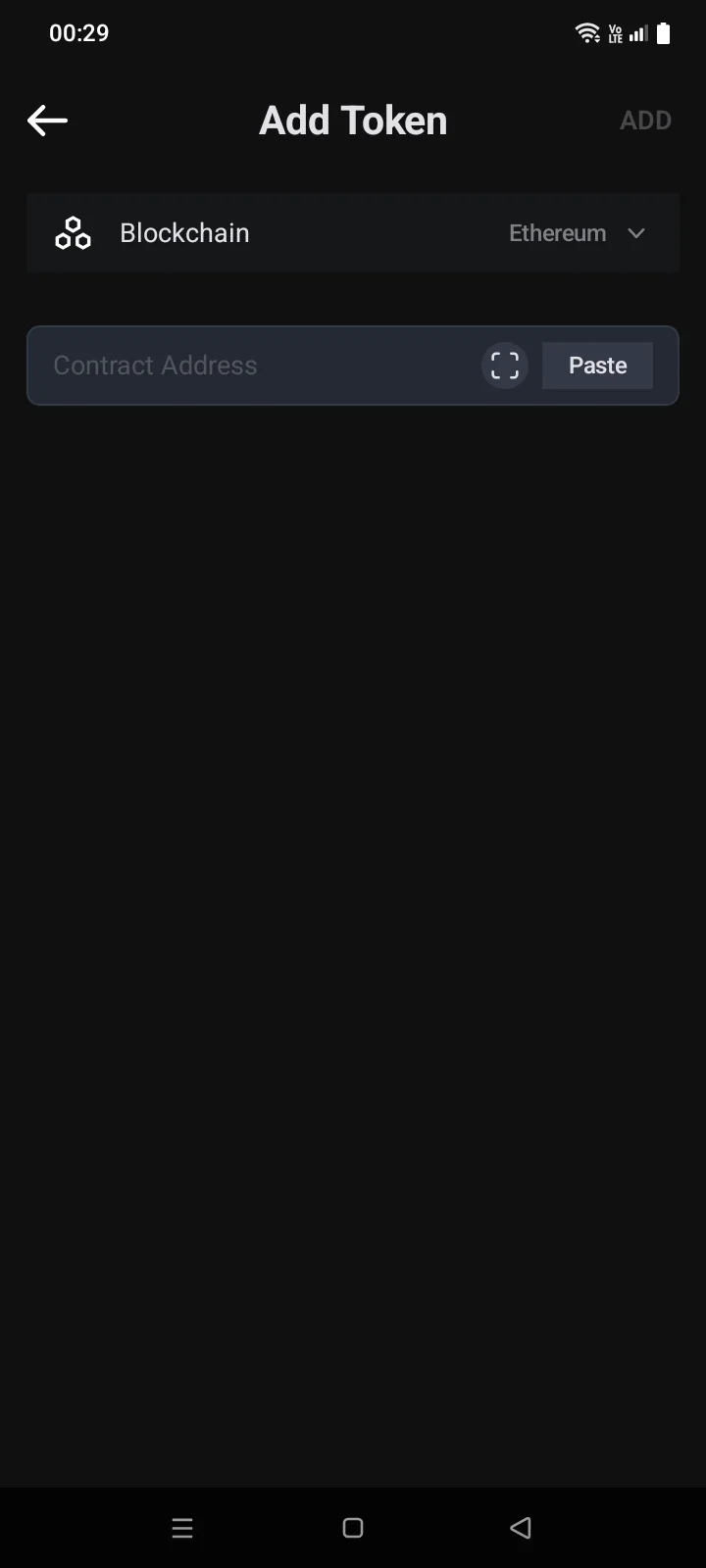
- In the Coin Manager, tap + in the top-lefttop-right corner. The Add Token screen opens.
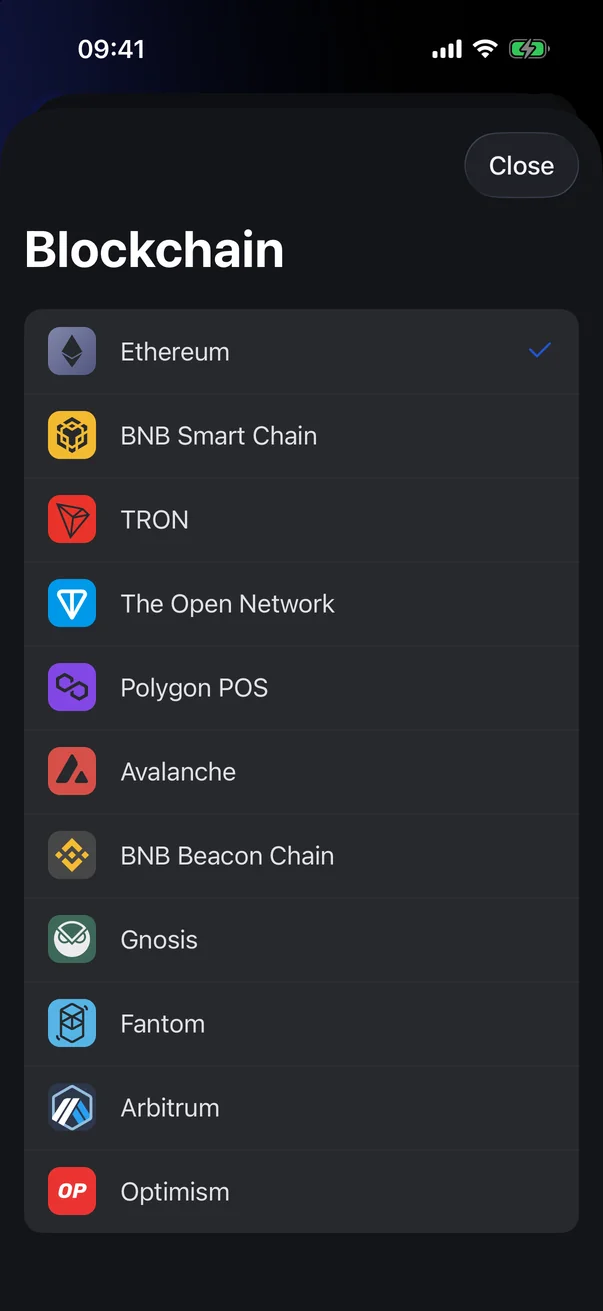
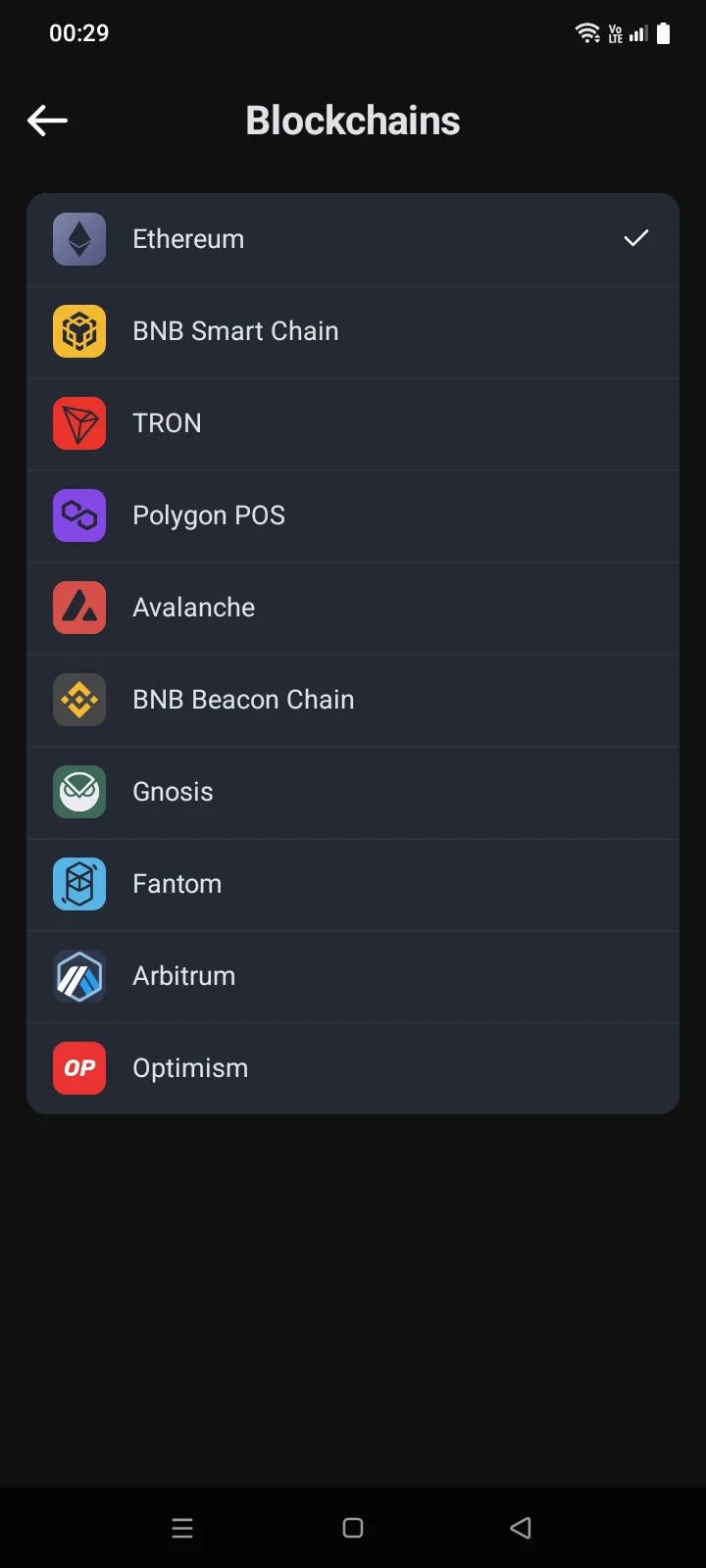
- Tap Blockchain and choose the network the token is issued on (Ethereum by default; the list also includes BNB Smart Chain, TRON, Polygon POS, Avalanche, Arbitrum, Optimism and others).
- In the contract address field, tap Paste to insert a copied address, or the scanner icon to scan a QR code. The address can't be typed by hand.
- The app finds the token and shows its Coin Name, SymbolCoin Code and Decimals. Tap Add at the bottom of the screen in the top-right corner. The message Added to WalletDone confirms it, and the token appears on the Crypto tab.
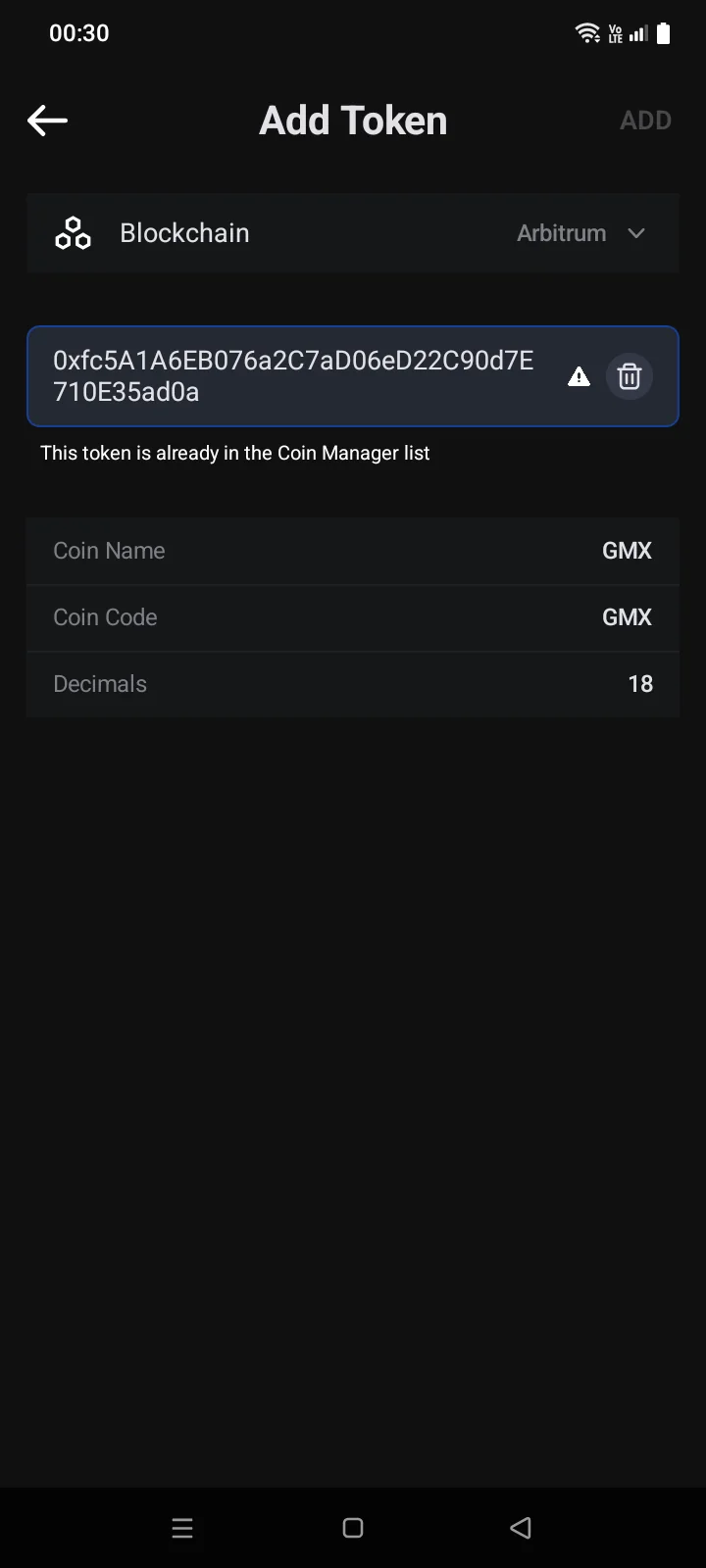
If the token is already in the Coin Manager list, This token is already in the Coin Manager list appears under the field, and the Add button stays inactive. Find the token with search in the Coin Manager and turn it on.
If something goes wrong
| Message | What to do |
|---|---|
| No results found. Try to add token manually if you know its smart contract address. | The coin isn't in the catalogue; add it by contract address. |
| Invalid contract address | The pasted text isn't a contract address. Copy the address again. |
| Contract address not found in … blockchain | Check the address and the selected blockchain. |
| This token is already in the Coin Manager list | Find it with search in the Coin Manager (you can search by contract address) and turn it on. |
| Error | Check your internet connection and try again. |