
Part 3 · Crypto wallet
3.6Watch-only wallets
A watch-only wallet shows the balance and history of any address without its keys. You can follow a wallet kept elsewhere, but you can't send from it.
Add a watch-only wallet
- On the Crypto tab, tap Watch Wallet. If you already have a wallet, tap ⋮ in the top-left corner of the tab, then Watch Wallet on the Manage Wallets screen.
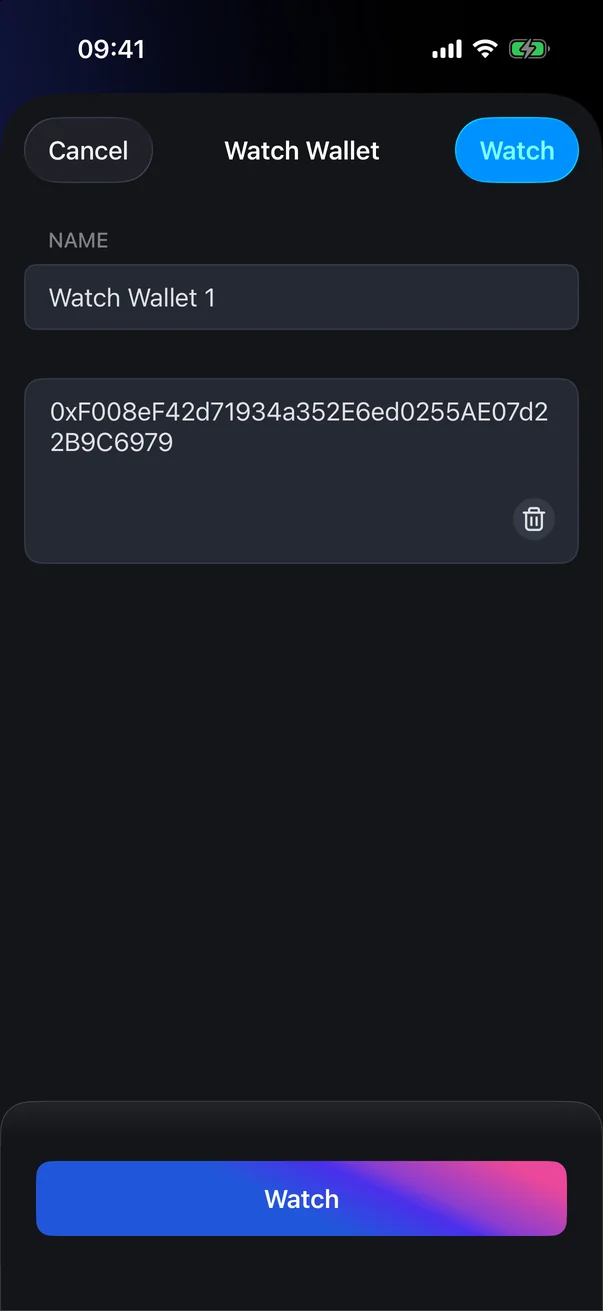
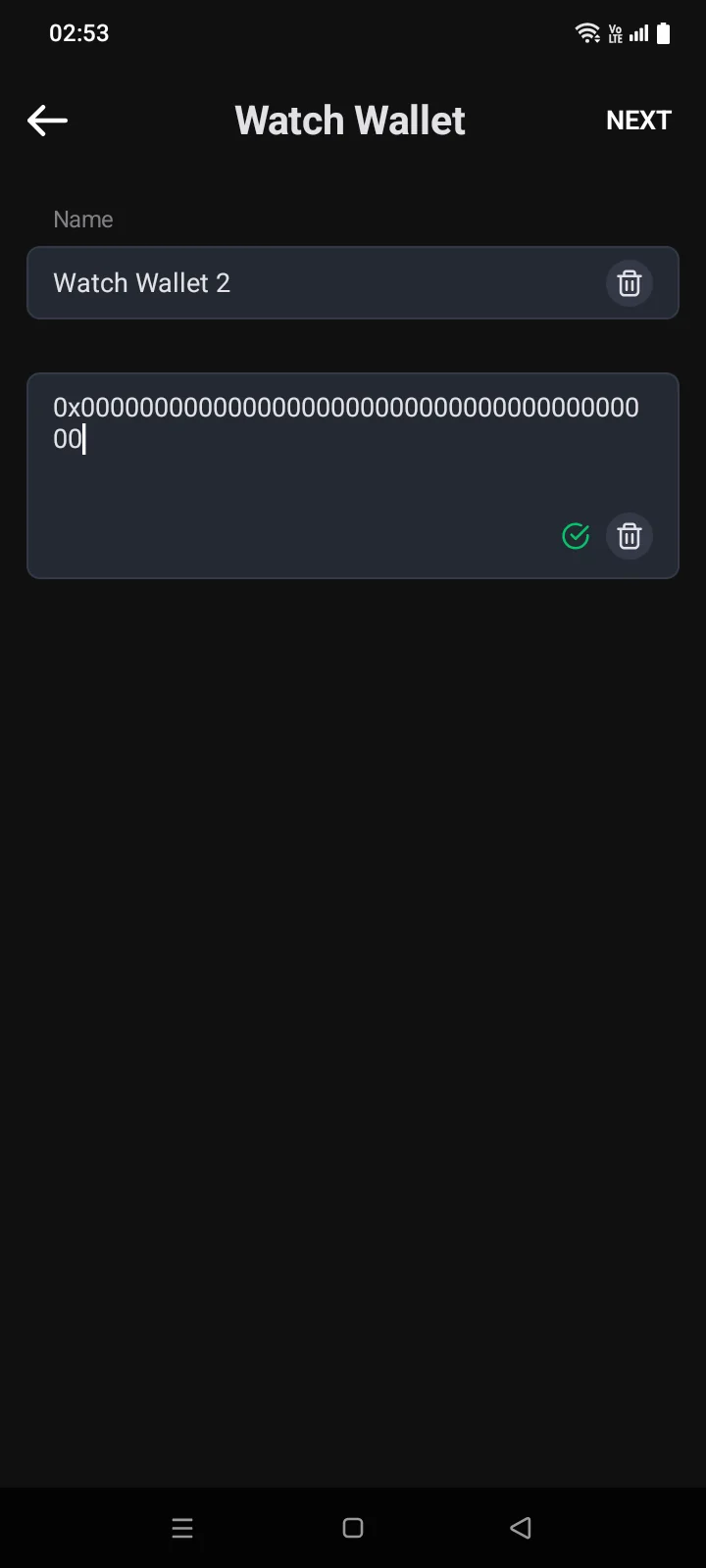
- In the Name field, enter a name or keep the suggested one (Watch Wallet 1…).
- Paste the address into the field below or scan its QR code with the icon in the field. Supported: EVM addresses (Ethereum, BNB Smart Chain and other EVM networks), TRON, TON, Bitcoin, Litecoin, Bitcoin Cash, Dash and eCash addresses, and account extended public keys (xpub).
- Once the address is recognised, the button in the top-right corner becomes active. Tap it: the button is called Watch, and for an EVM address or an xpub — Next.
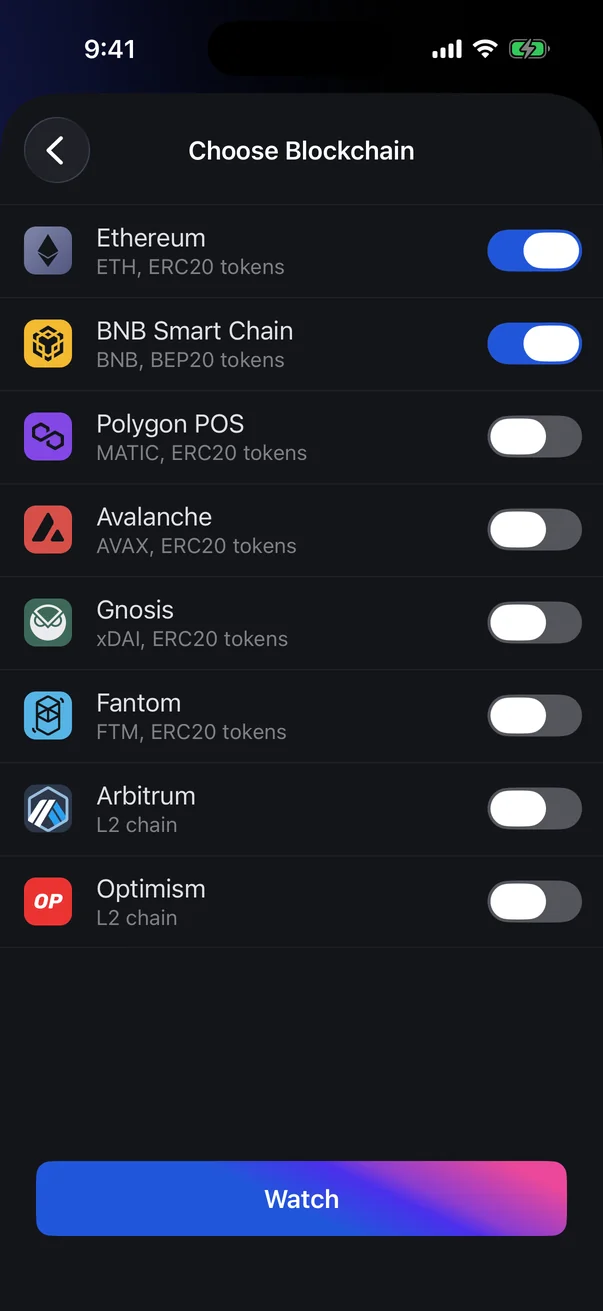
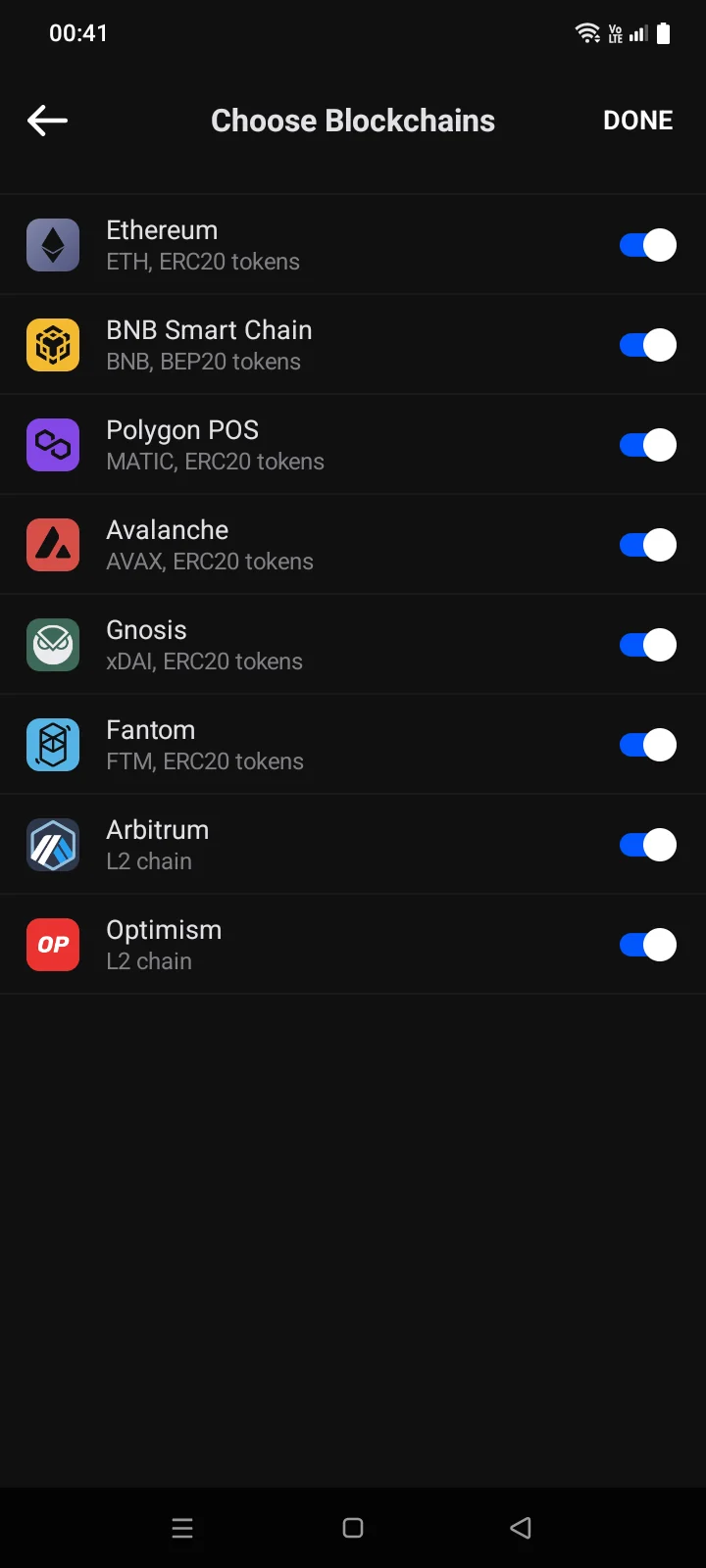
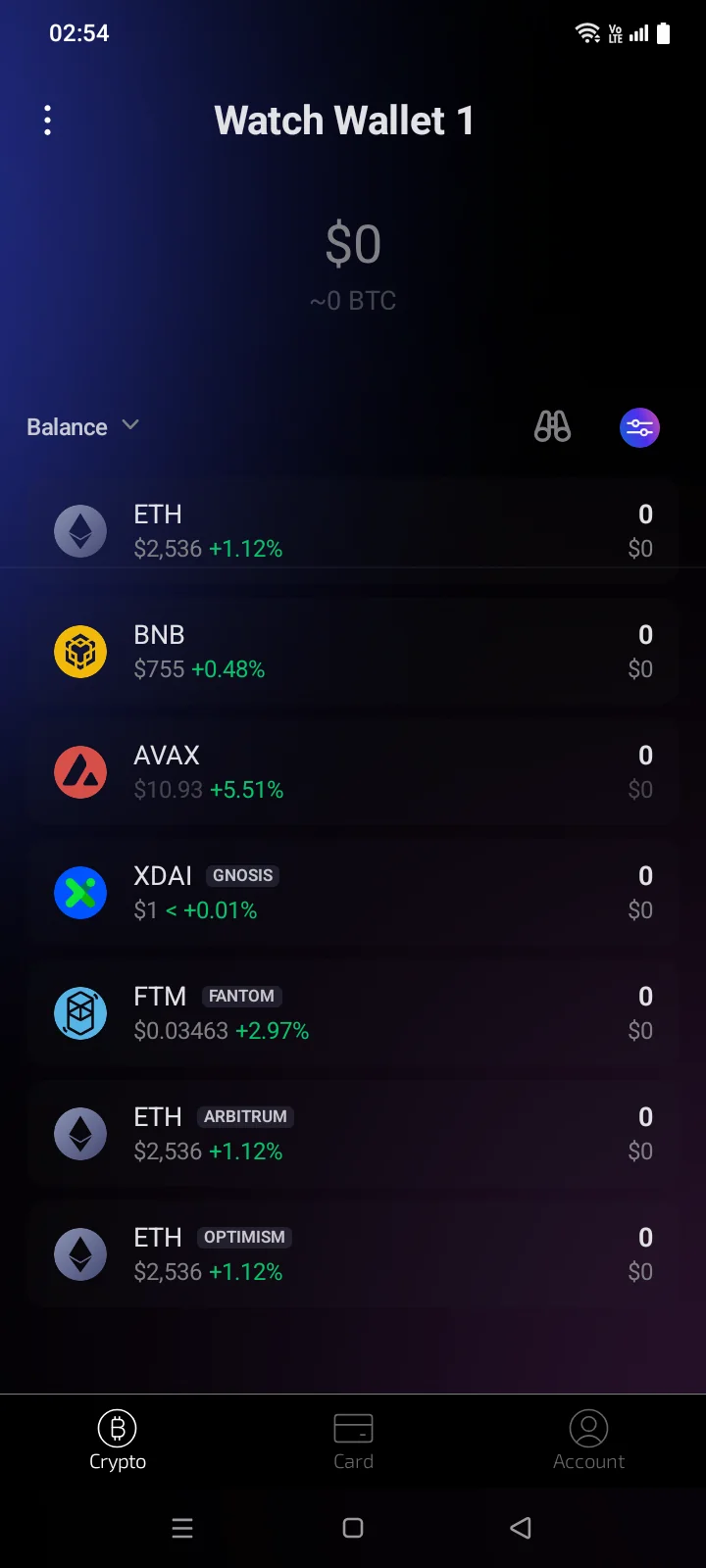
- For an EVM address, the Choose BlockchainChoose Blockchains screen opens with eight networks: Ethereum, BNB Smart Chain, Polygon POS, Avalanche, Gnosis, Fantom, Arbitrum and Optimism. For an xpub, the Choose CoinChoose Coins screen opens. A TRON, TON, Bitcoin or other address is added right away.
- On the selection screen all switches are off: turn on the networks or coins to follow and tap Watch. The button becomes active once at least one item is on.
- On the selection screen all switches are already on: turn off the ones you don't need and tap Done.
- The message Wallet AddedAddress Added appears and the screen closes.
You don't need to accept terms or make a backup for such a wallet: the app doesn't have its keys.
What a watch-only wallet can do
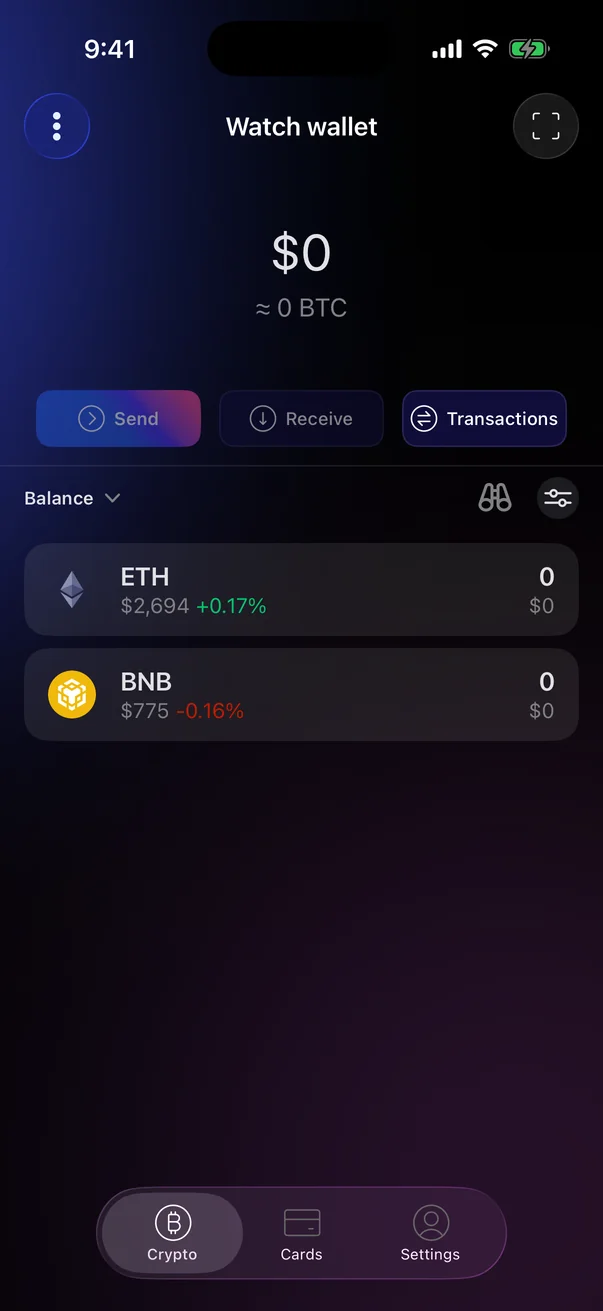
- Shows balances, prices and transactions like a regular wallet. On the Crypto tab, a binoculars icon marks it.
- Send and Receive are unavailable: the app has no keys for this address.
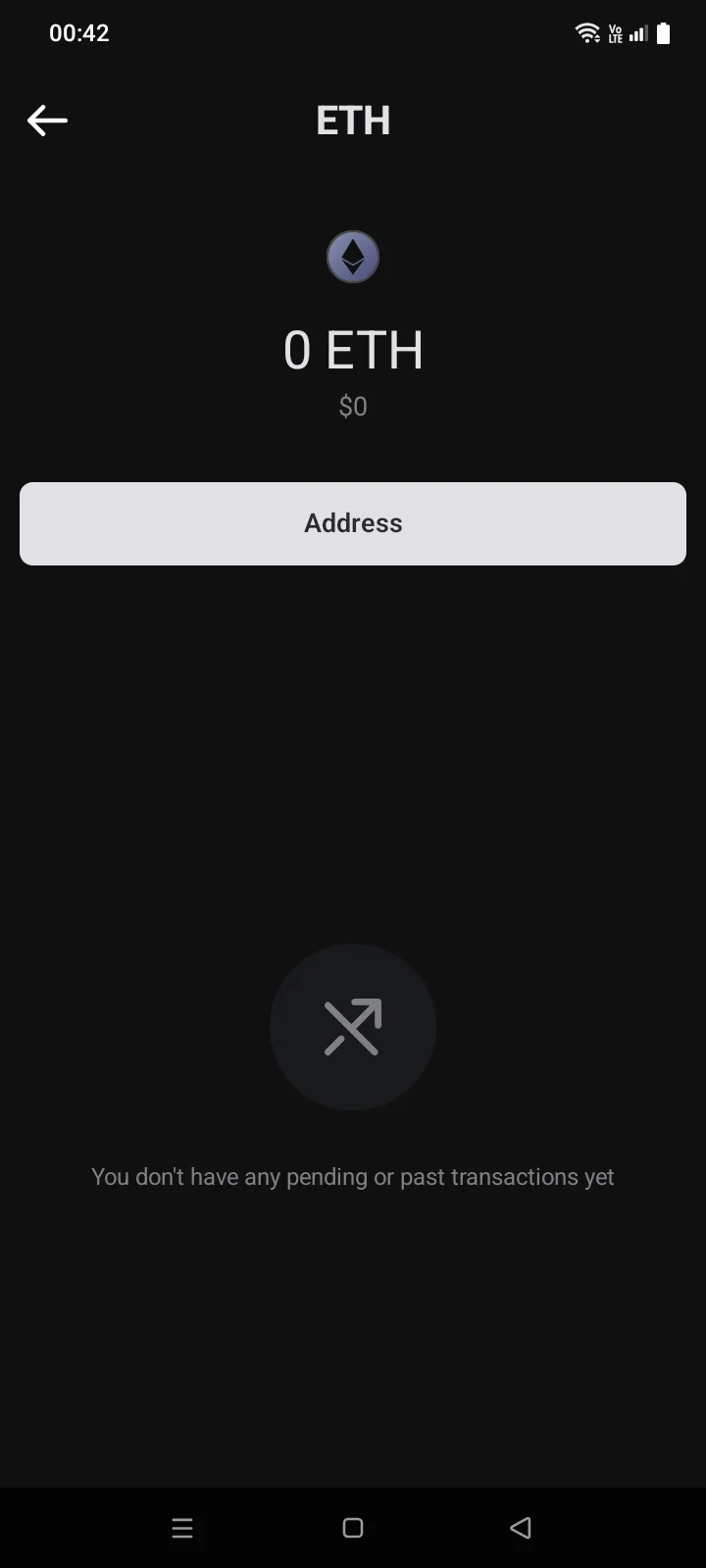
- On the coin page, there's a single Address button instead. It opens the address and its QR code with the note This address is the address of the watched account. Send only network-compatible tokens. You can Share or Copy the address; you can't set an amount.
- In the Manage Wallets list, watch-only wallets are listed separately below regular ones, marked with binoculars, with a shortened address under the name.
Stop watching
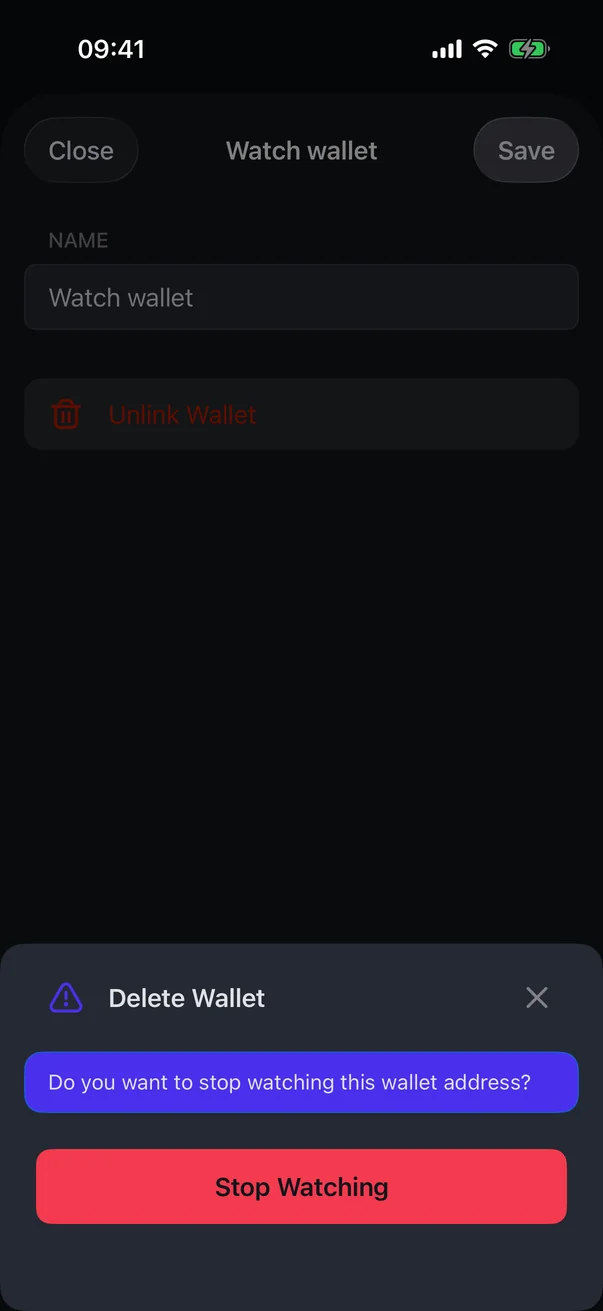
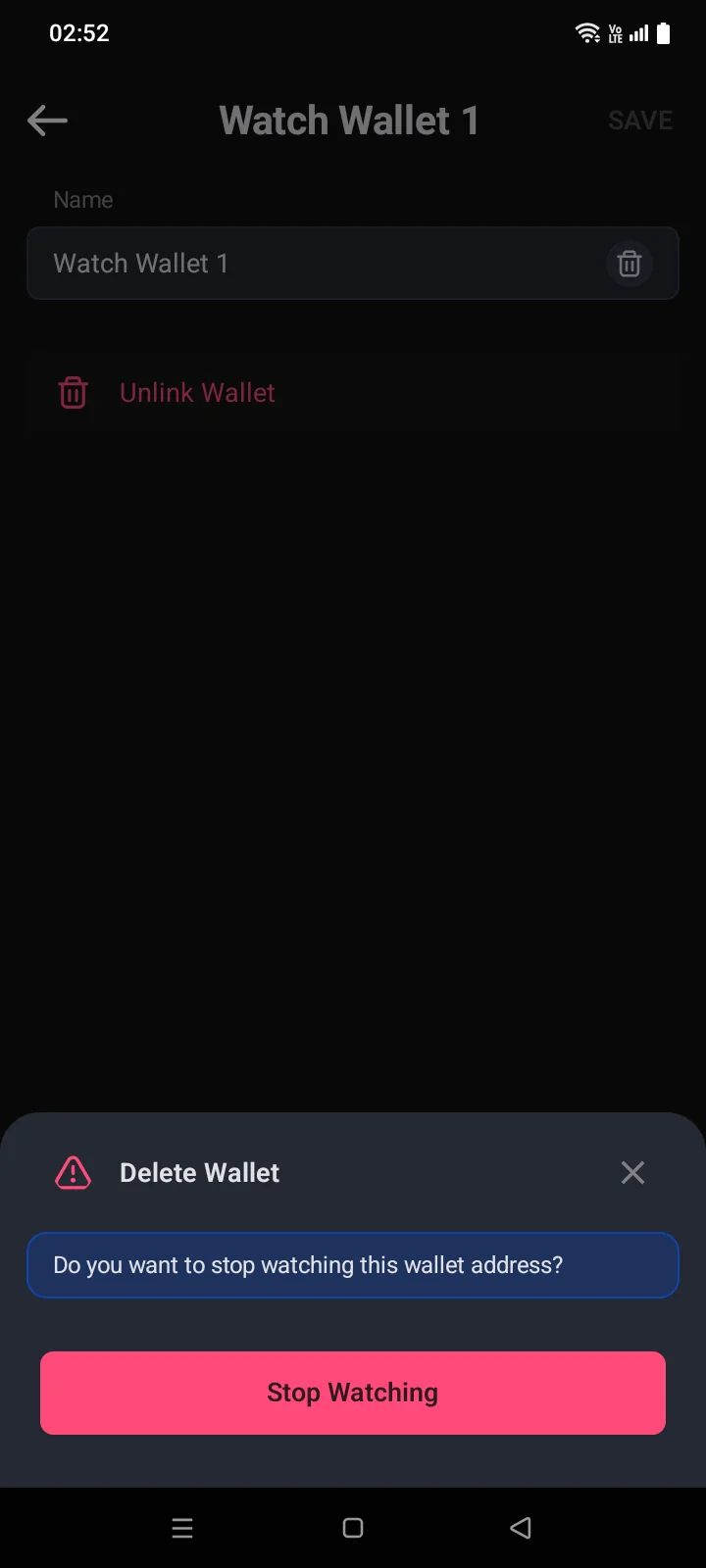
- Open the Manage Wallets list and tap ⋮ next to the wallet. The settings of a watch-only wallet have only the Name field and the Unlink Wallet row.
- Tap Unlink Wallet. The Delete Wallet panel asks Do you want to stop watching this wallet address? Unlike a regular wallet, there are no statements to tick — the panel has a single button.
- Tap Stop Watching. The wallet disappears from the app; the funds at the address aren't affected. To watch the address again, add it again.
If something goes wrong
| Message | What to do |
|---|---|
| Address format is not supported | This address or key can't be added for watching. Check that you pasted the whole public address or xpub. To spend from a wallet, import it instead (see 3.5). |
| Watching by private key is not allowed | You pasted a private key. Use the public address or xpub instead; to spend from the wallet, import it (see 3.5). |
| Error. Try again later | The wallet couldn't be saved. You stay on the screen — try again a bit later. |