2.6Topping up a card
You top up a card in cryptocurrency, the same way you pay for it: you send stablecoins to a one-time deposit address, and the amount is credited to the card in USD minus fees.
Top up a card
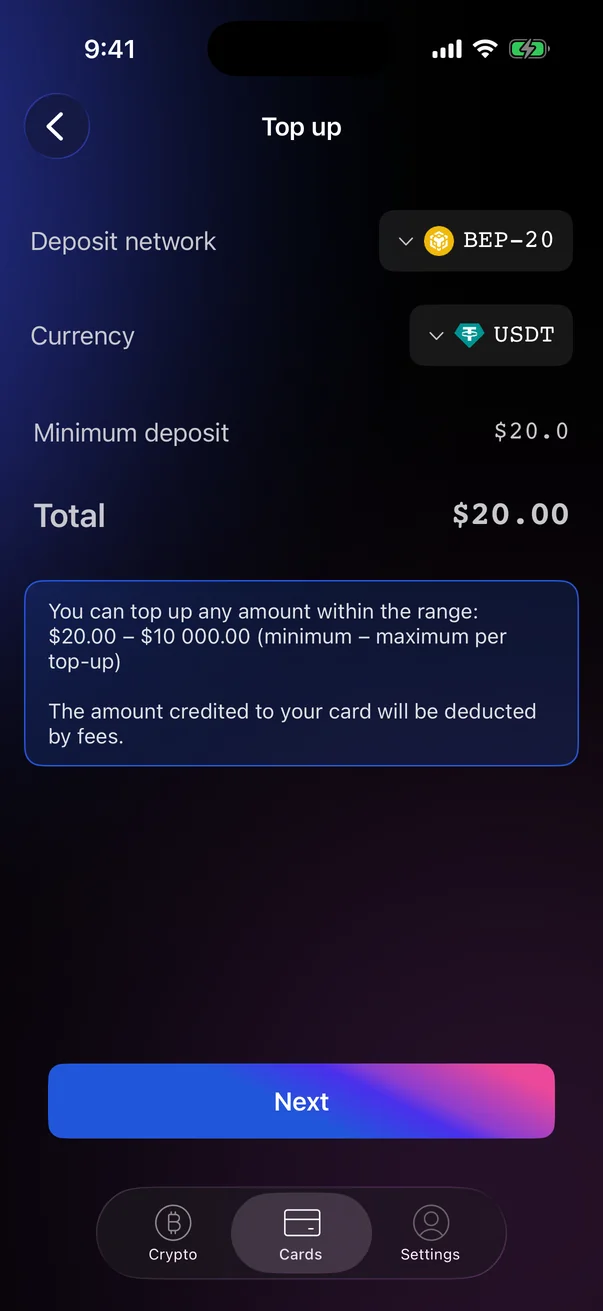
- Open the CardsCard tab, select the card and tap Top up. The button is available only for active cards.
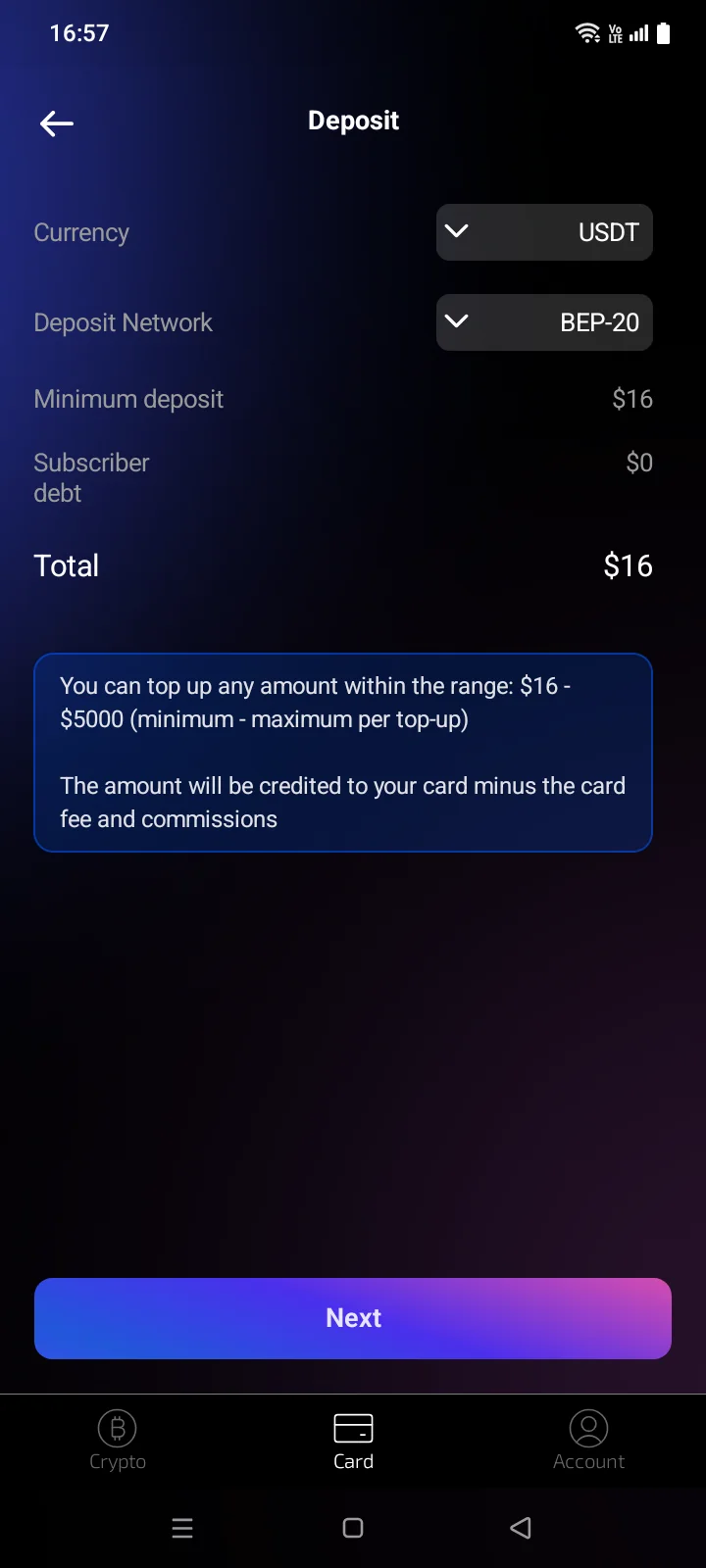
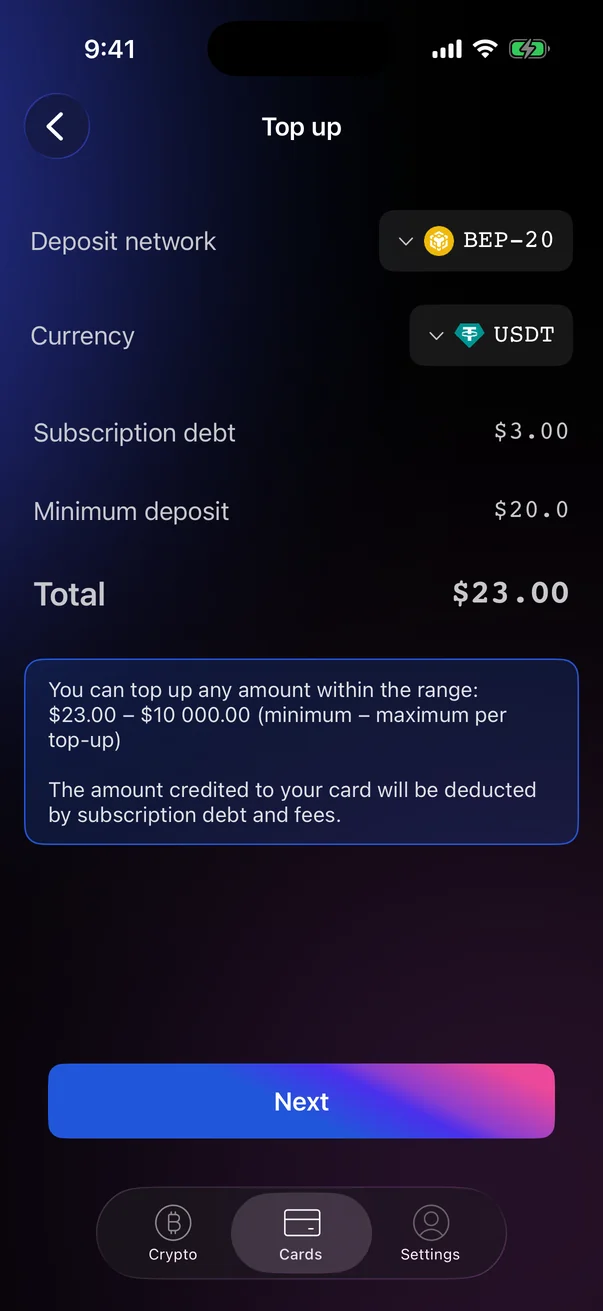
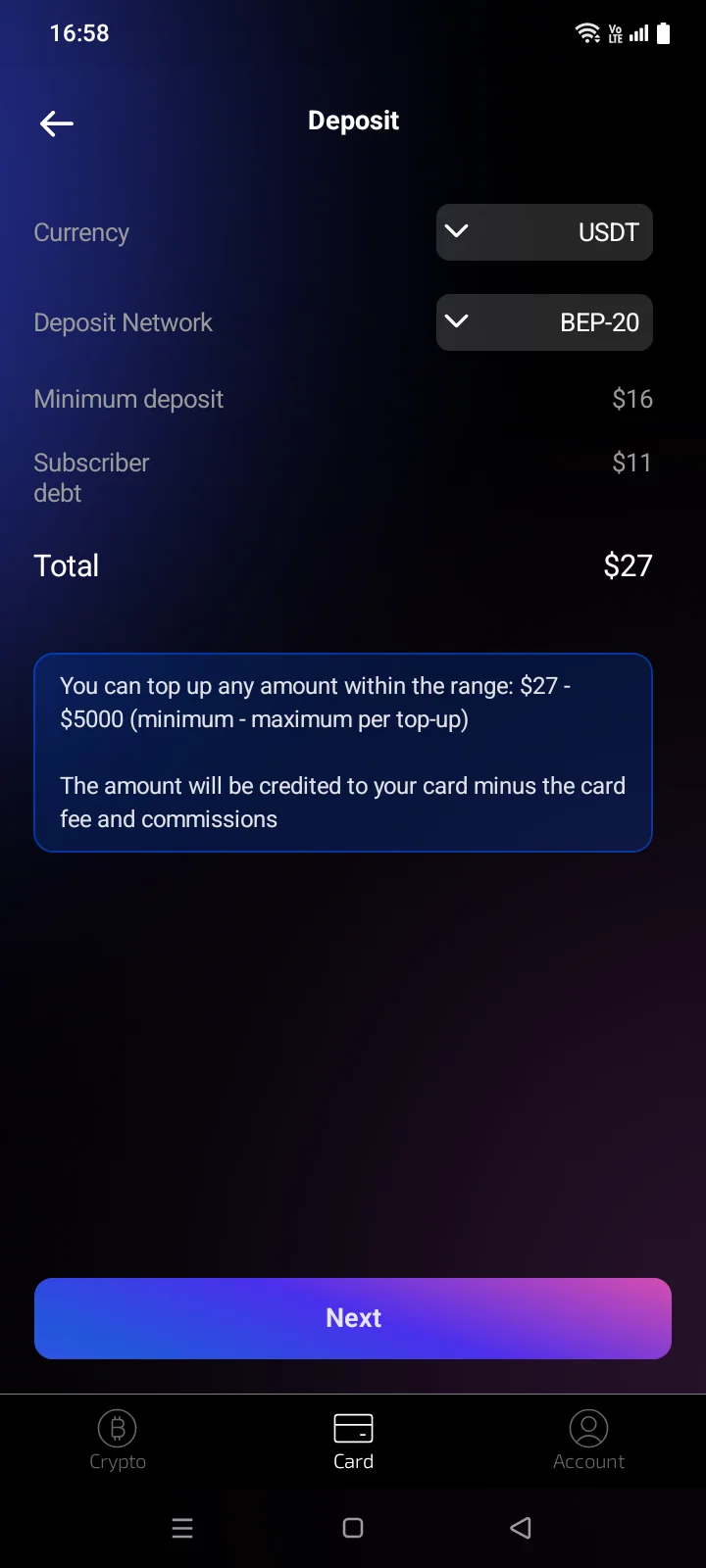
- On the Top upDeposit screen, choose the Deposit network and the CurrencyCurrency and the Deposit Network, check the minimum amount and tap Next.
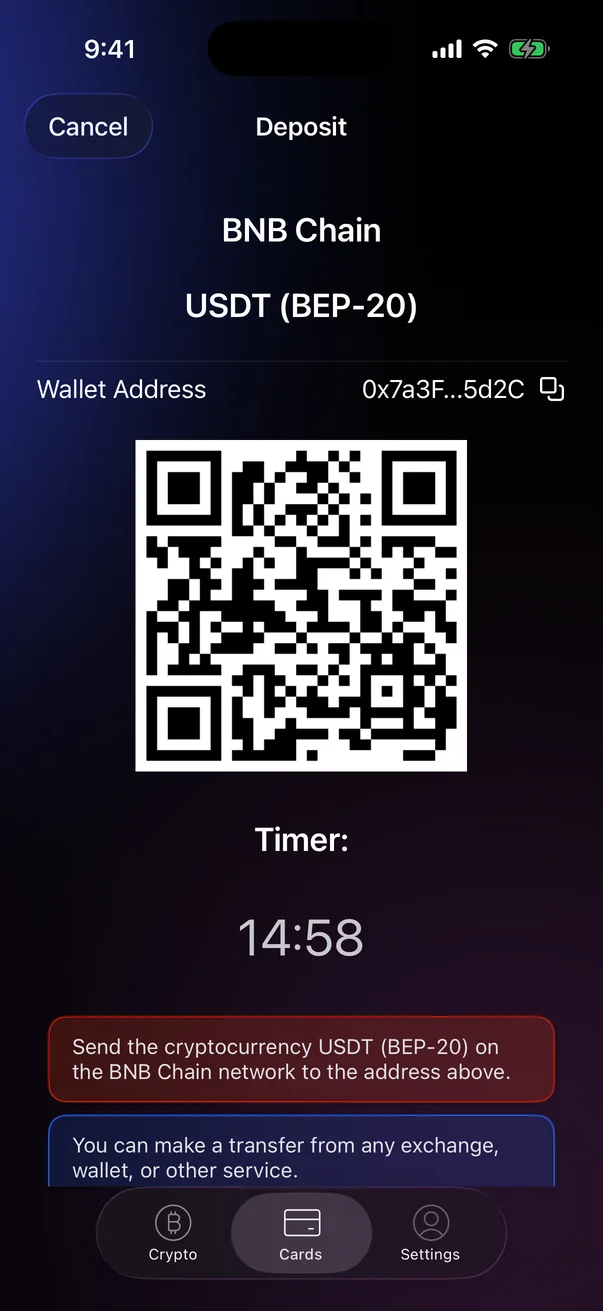
- On the deposit screen, send the payment to the address shown before the timer runs out (see 2.3).
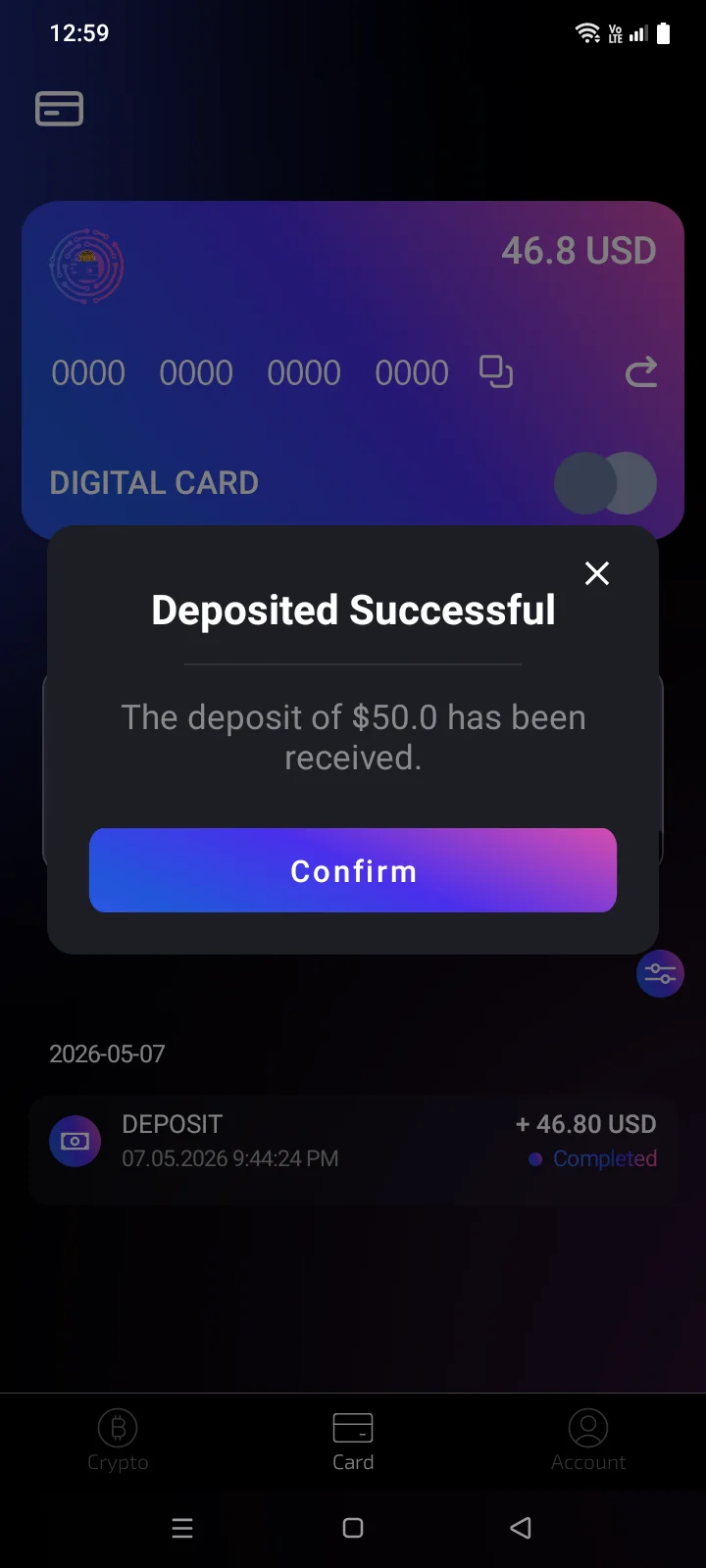
- Wait for the Payment receivedDeposited Successful message. The top-up is processed within 3 minutes.The app returns to the card screen by itself.
 1
2
3
4
5
6
1
2
3
4
5
6
| 1 | Deposit network — the blockchain you'll send from. The list scrolls if there are more networks. |
| 2 | Currency — the token you'll send. |
| 3 | Minimum deposit — the smallest top-up. With TRC-20 it includes the TRON fee. |
| 4 | Total — the minimum amount to send, including subscription debt if there is any. |
| 5 | Amount range — the minimum and maximum per top-up. The credited amount is reduced by fees (and by subscription debt, if any). |
| 6 | Next — creates the deposit address. |
 1
2
3
4
5
6
7
1
2
3
4
5
6
7
| 1 | Currency — the token you'll send. |
| 2 | Deposit Network — the blockchain you'll send from. |
| 3 | Minimum deposit — the smallest top-up. |
| 4 | Subscriber debt — unpaid subscription fees that will be deducted from the top-up (see below). If there is no debt, it shows $0. |
| 5 | Total — the minimum amount to send, including subscription debt if there is any. |
| 6 | Amount range — the minimum and maximum per top-up. The credited amount is reduced by fees (and by subscription debt, if any). |
| 7 | Next — creates the deposit address. |
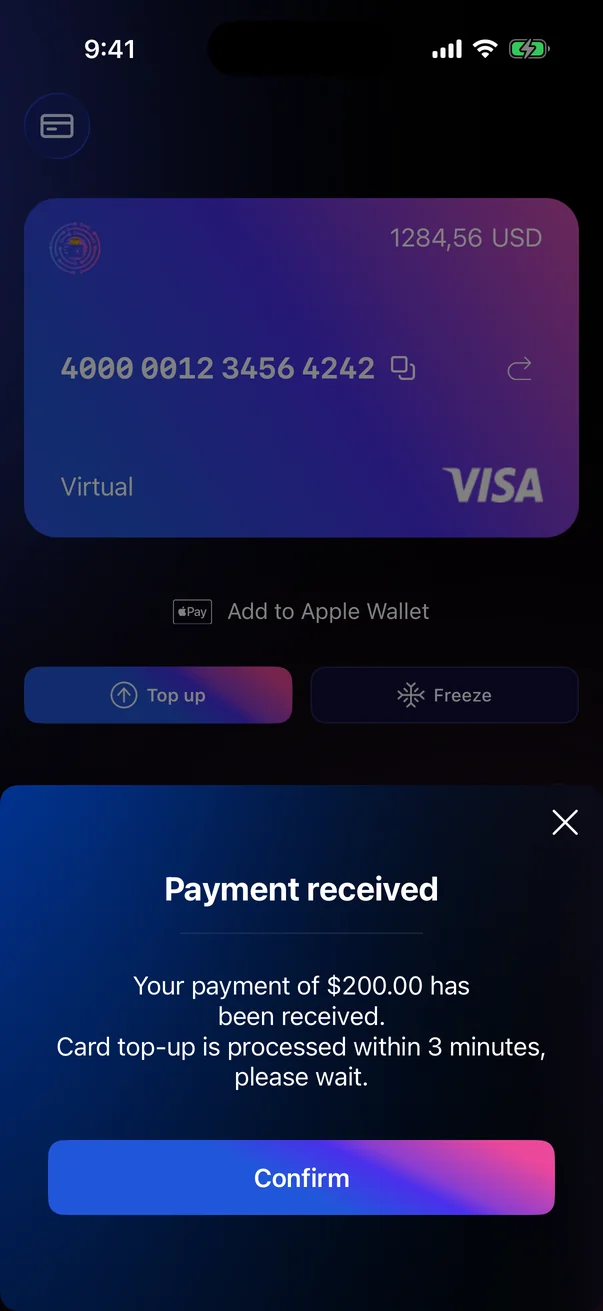
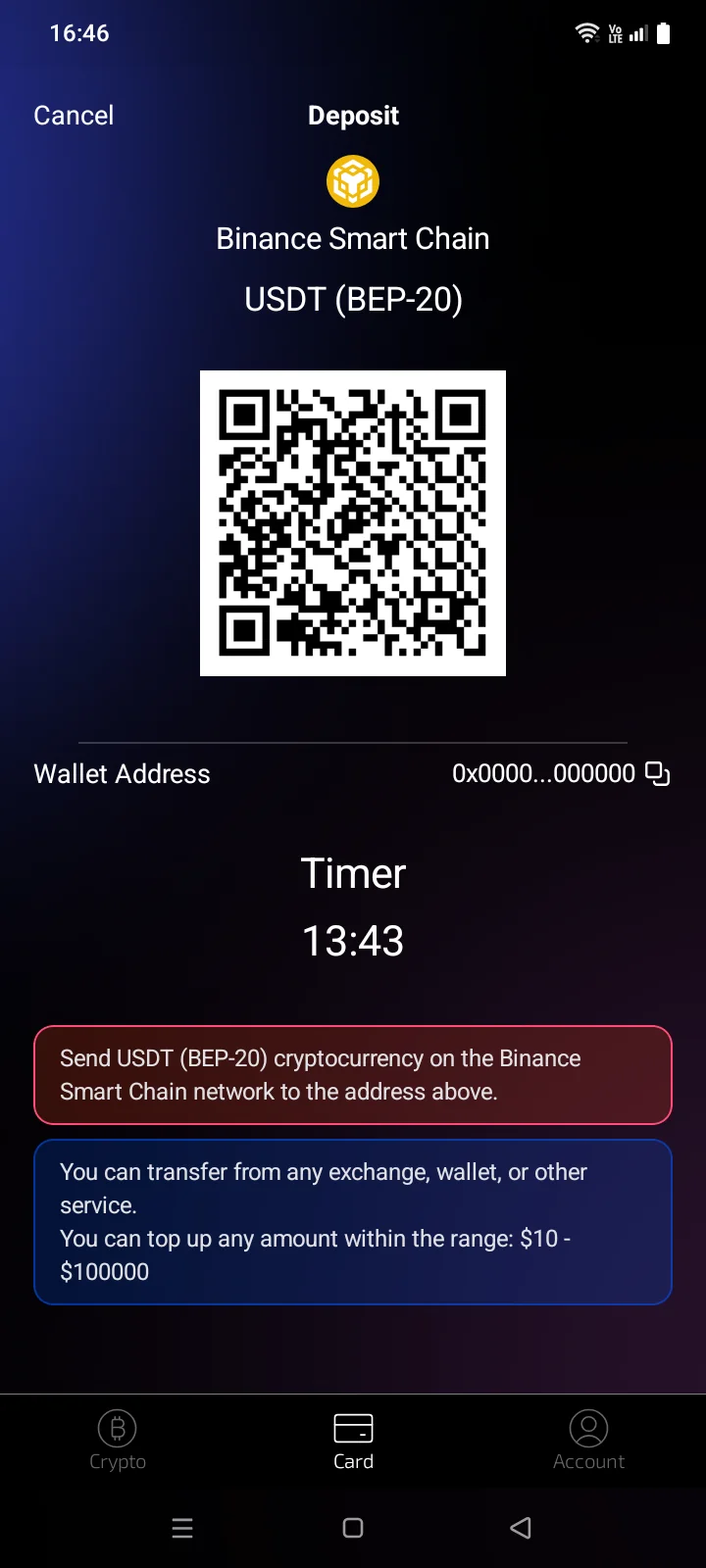
The Payment received message shows the amount: Your payment of $… has been received. Card top-up is processed within 3 minutes, please wait. Tap Confirm to close it.
The Deposited Successful window shows the amount: The deposit of $… has been received. If debt was deducted, it reads: Your payment of $… has been received. A charge of $… has been deducted for the previous … month(s). Close the window with Confirm or ×.
If the app was closed, a notification tells you about the top-up (see 2.11).
To stop a top-up, tap Cancel in the top-left corner of the deposit screen or press the system Back button, then confirm. The timer counts down 15 minutes from when the deposit screen was first shown and keeps running if you leave the app and come back. When it runs out, the deposit screen closes — start the top-up again.
Subscription debt
The monthly account fee isn't billed separately. If it hasn't been paid, it accumulates as debt and is deducted from your next top-up. The top-up screen shows it as the Subscription debtSubscriber debt row, and the total includes it.
The row appears only when there is debt.
The row is always shown; if there is no debt, it shows $0.
Top up by entering the amount
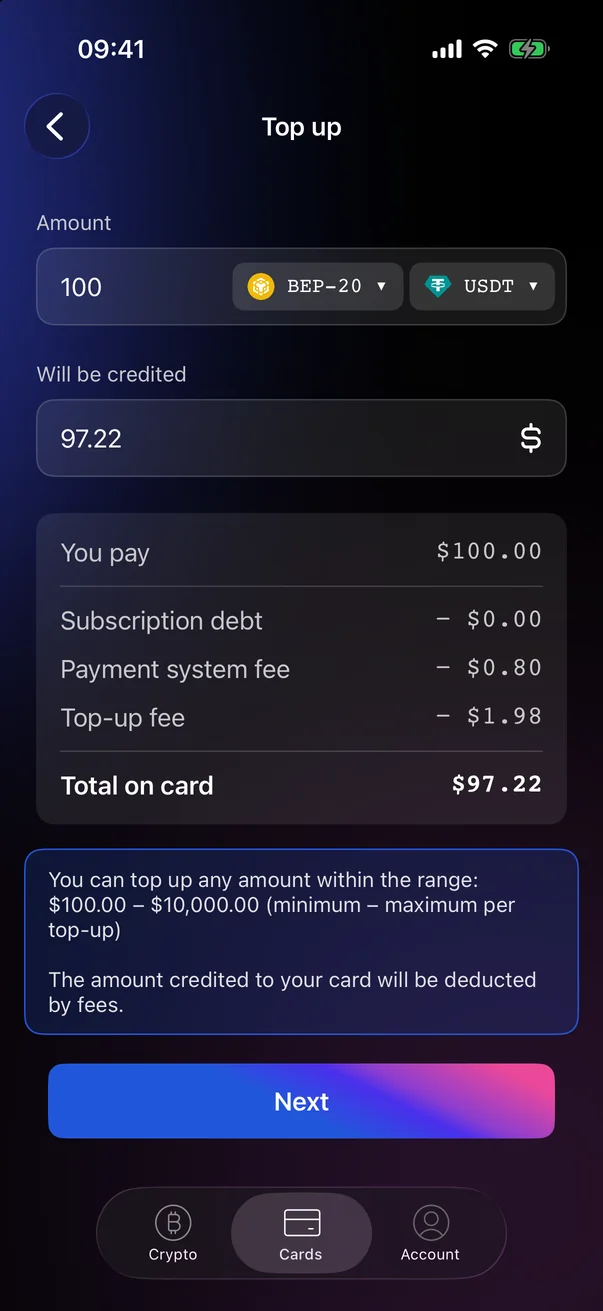
Depending on the service settings, the Top up screen may ask for the amount instead. Enter how much you want to pay in Amount (or how much you want on the card in Will be credited), choose the network and token, check the breakdown and tap Next. The Deposit screen then shows the exact amount to send.
 1
2
3
4
5
1
2
3
4
5
| 1 | Amount — how much you'll pay, with the network and token next to it. |
| 2 | Will be credited — how much will reach the card. |
| 3 | You pay — the amount you'll send. |
| 4 | Deductions — subscription debt, payment system fee and top-up fee. |
| 5 | Total on card — how much will be added to the card balance. |
If something goes wrong
| What you see | What it means | What to do |
|---|---|---|
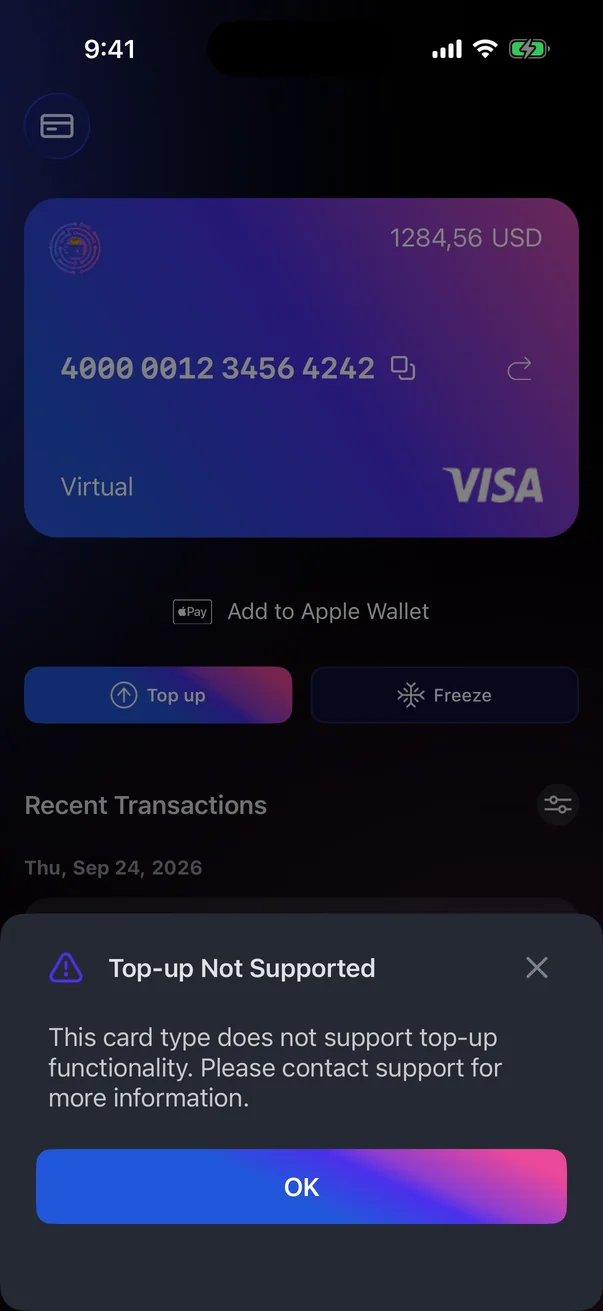
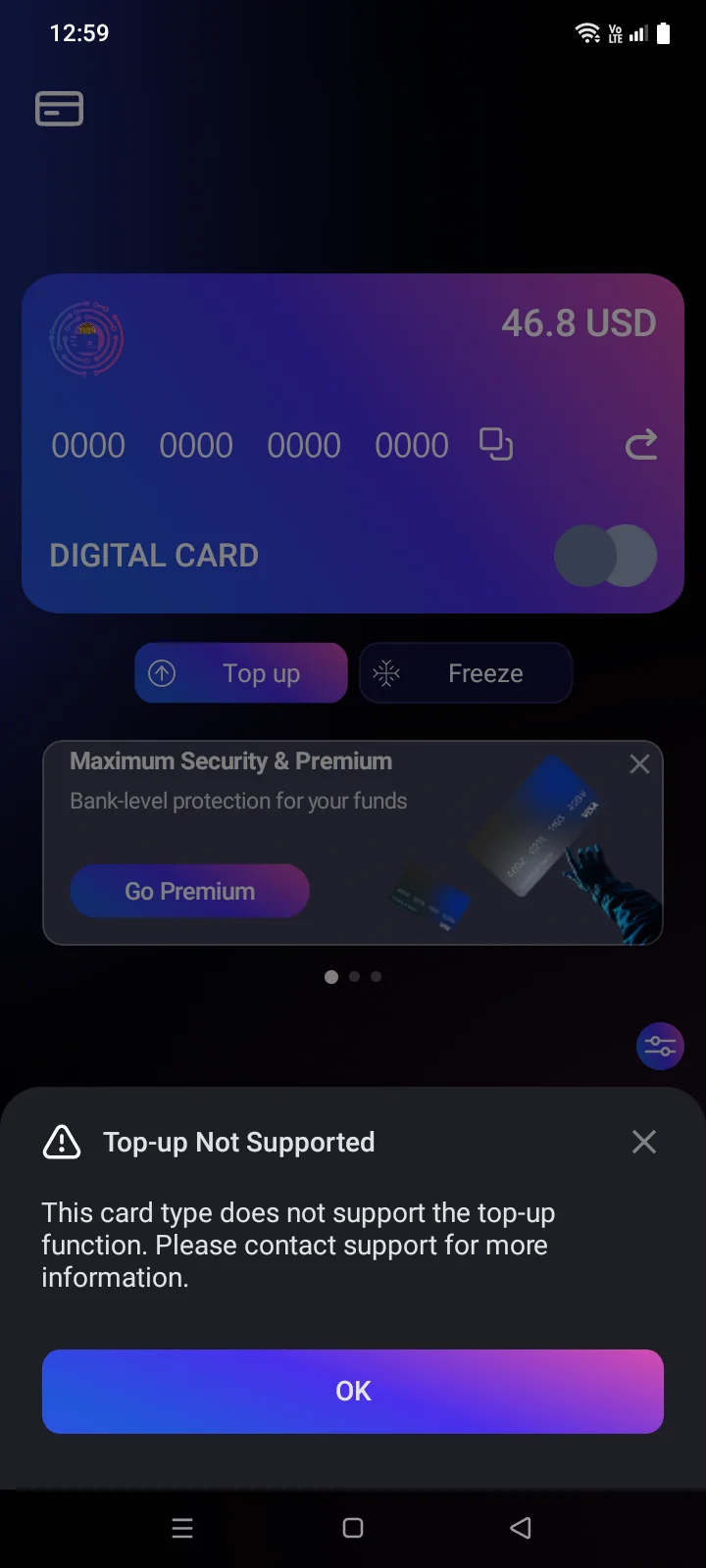
| Top-up Not Supported | This card type can't be topped up. | Tap OK. For details, contact support (see 5.7). |
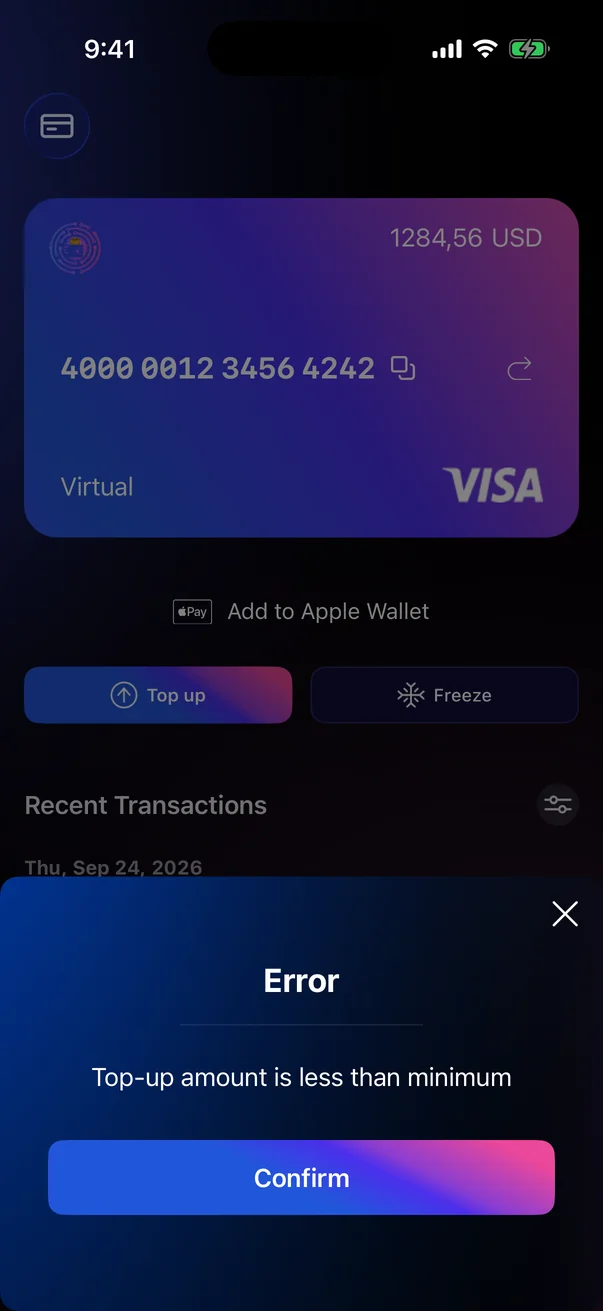
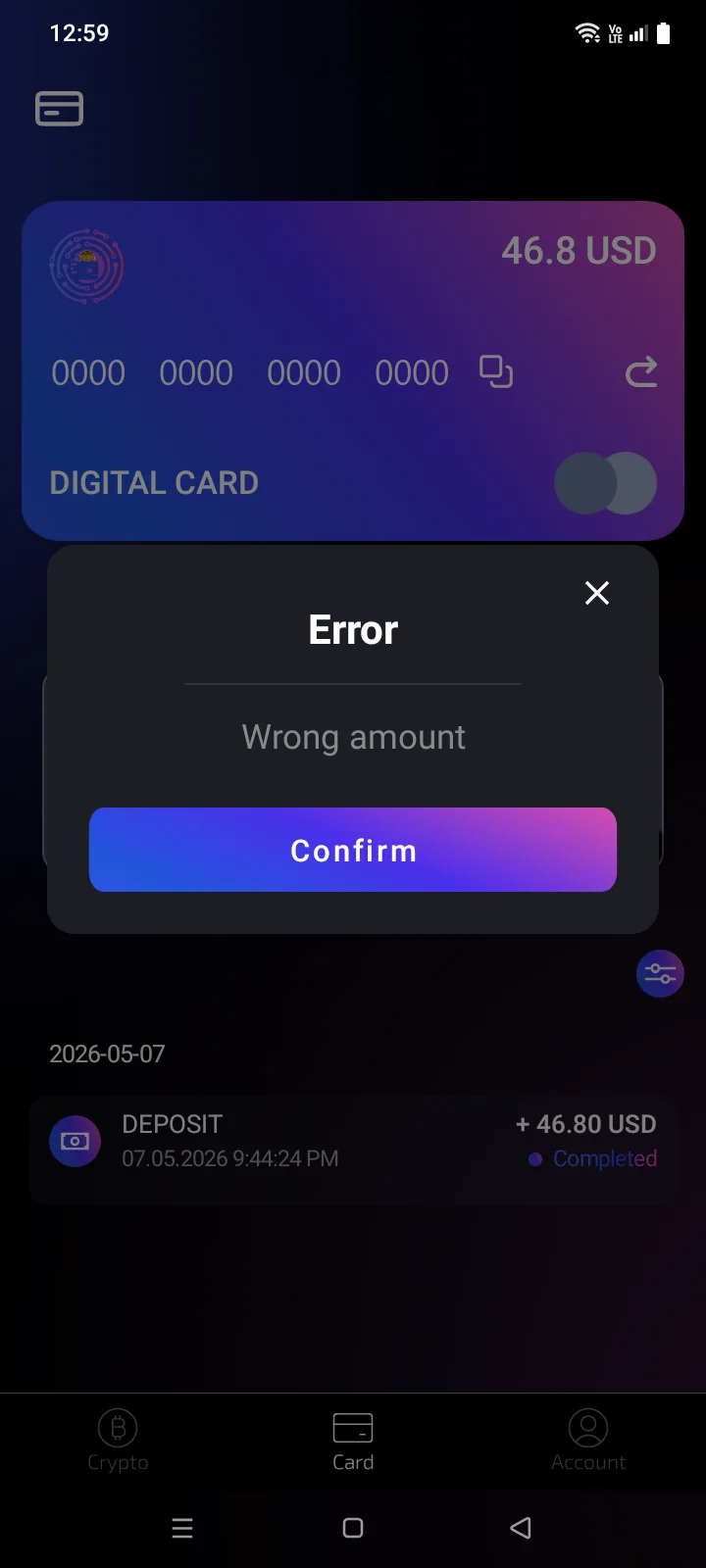
| Error: Top-up amount is less than minimum | The amount sent is below the minimum top-up.The payment didn't go through; the reason is shown in the window (for example, Wrong amount). | Contact support.Tap Confirm. If you've already sent the money, contact support. |
| Minimum … USDT / Maximum … USDT | The entered amount is outside the allowed range. | Change the amount. |