
Part 6 · Troubleshooting and reference
6.1Error messages
A summary index of error messages: what they mean and what to do. This page keeps it short; details are on the page for the task, under “If something goes wrong”. The link to it is in the last column. Where the text of a message differs between iOS and Android, the table shows the variant for your platform.
How errors look
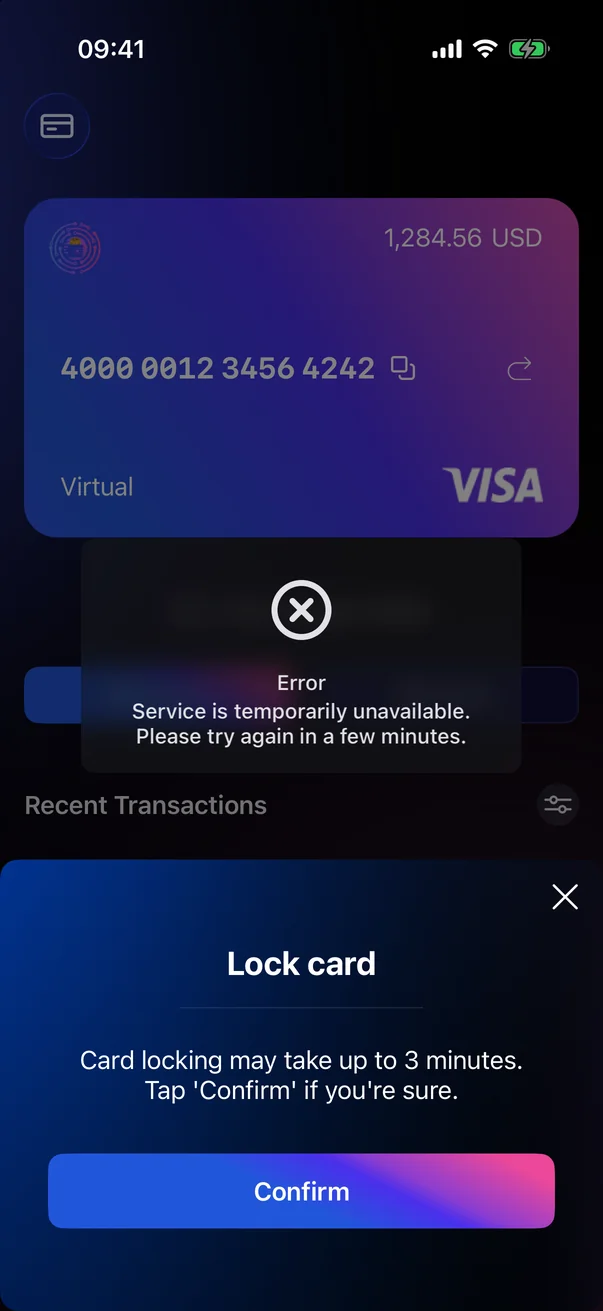
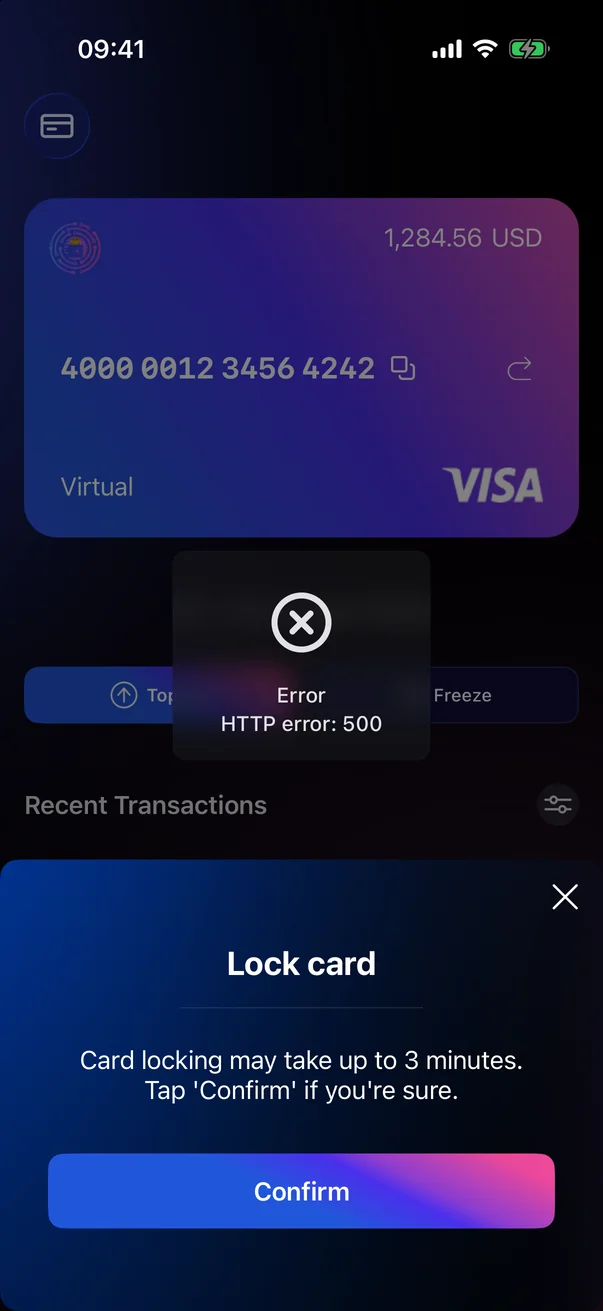
- Pop-up in the centre of the screen — closes by itself after a few seconds. The first line is the title (for example, Error), the second explains the cause.
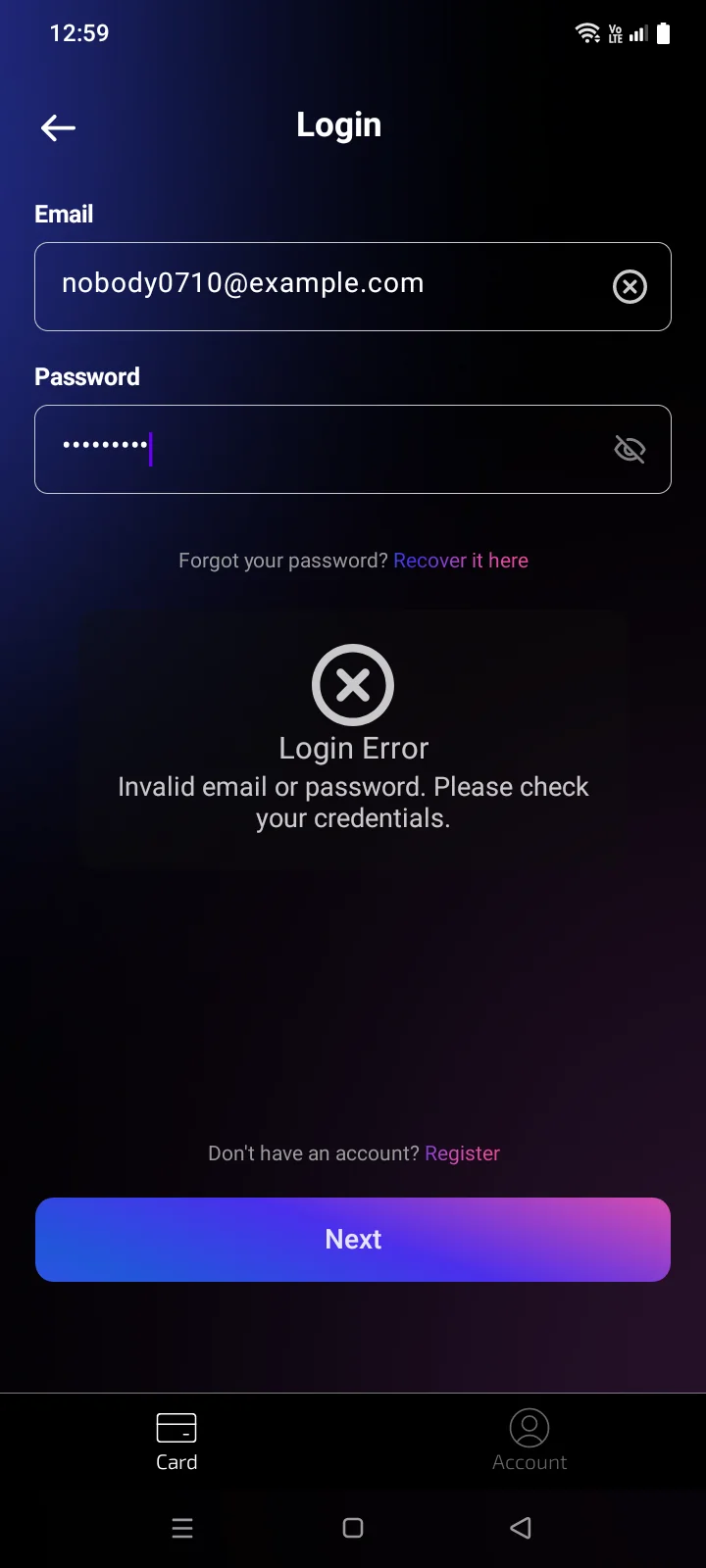
- Window with a title and a button — stays until you close it. For example, Login Error or Top-up Not Supported.
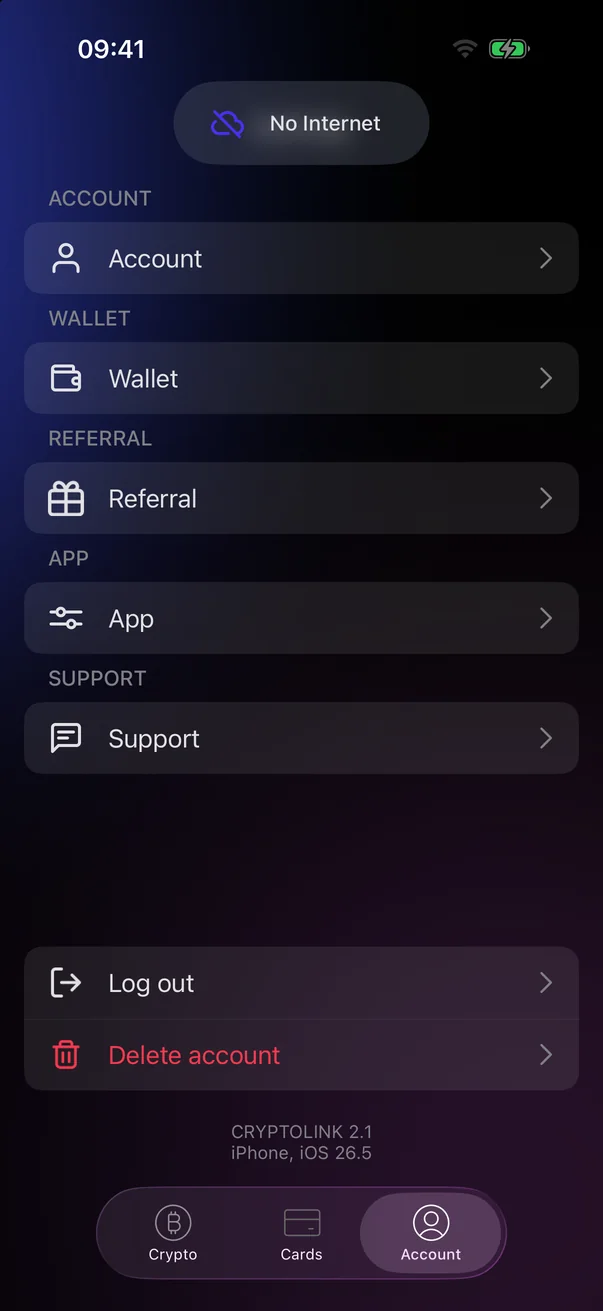
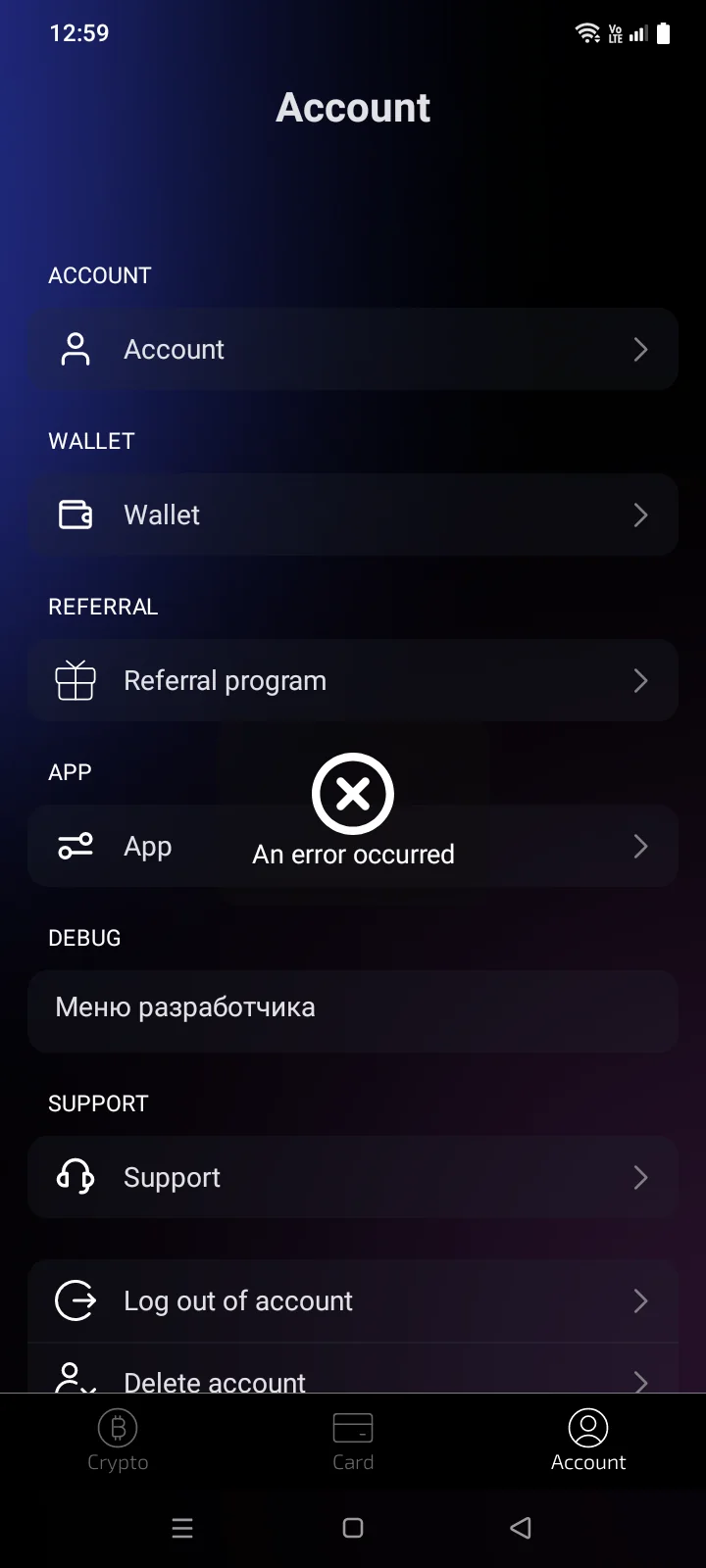
- Short message at the top of the screen — disappears by itself after a few seconds. For example, No Internet or Copied or An error occurred.
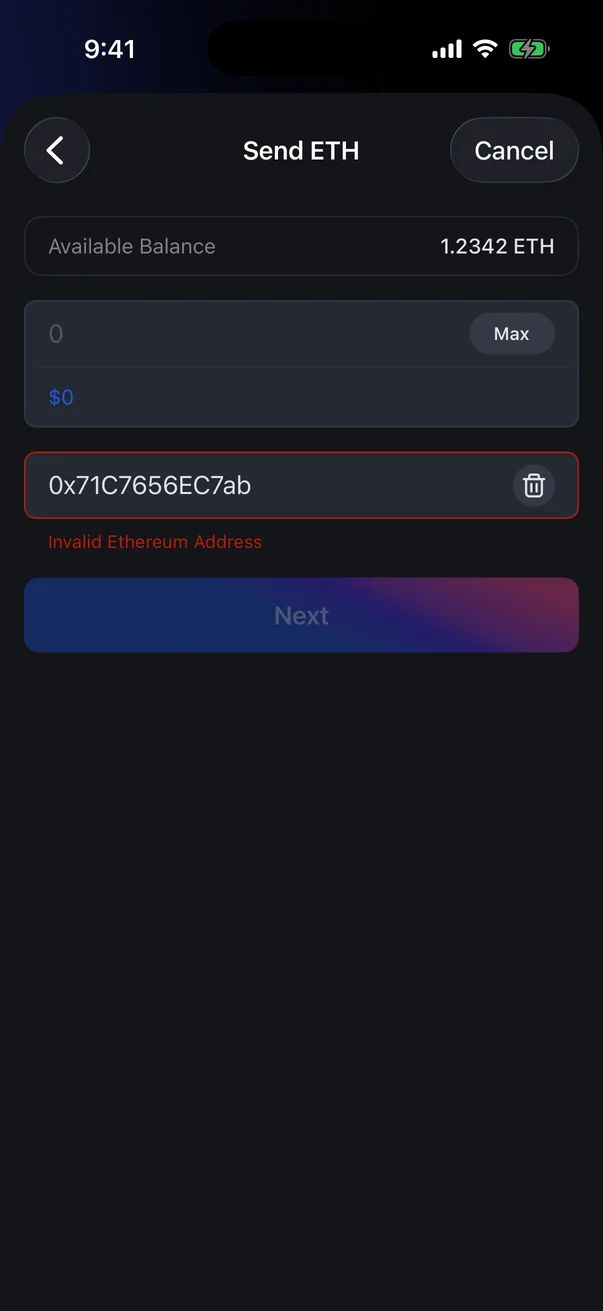
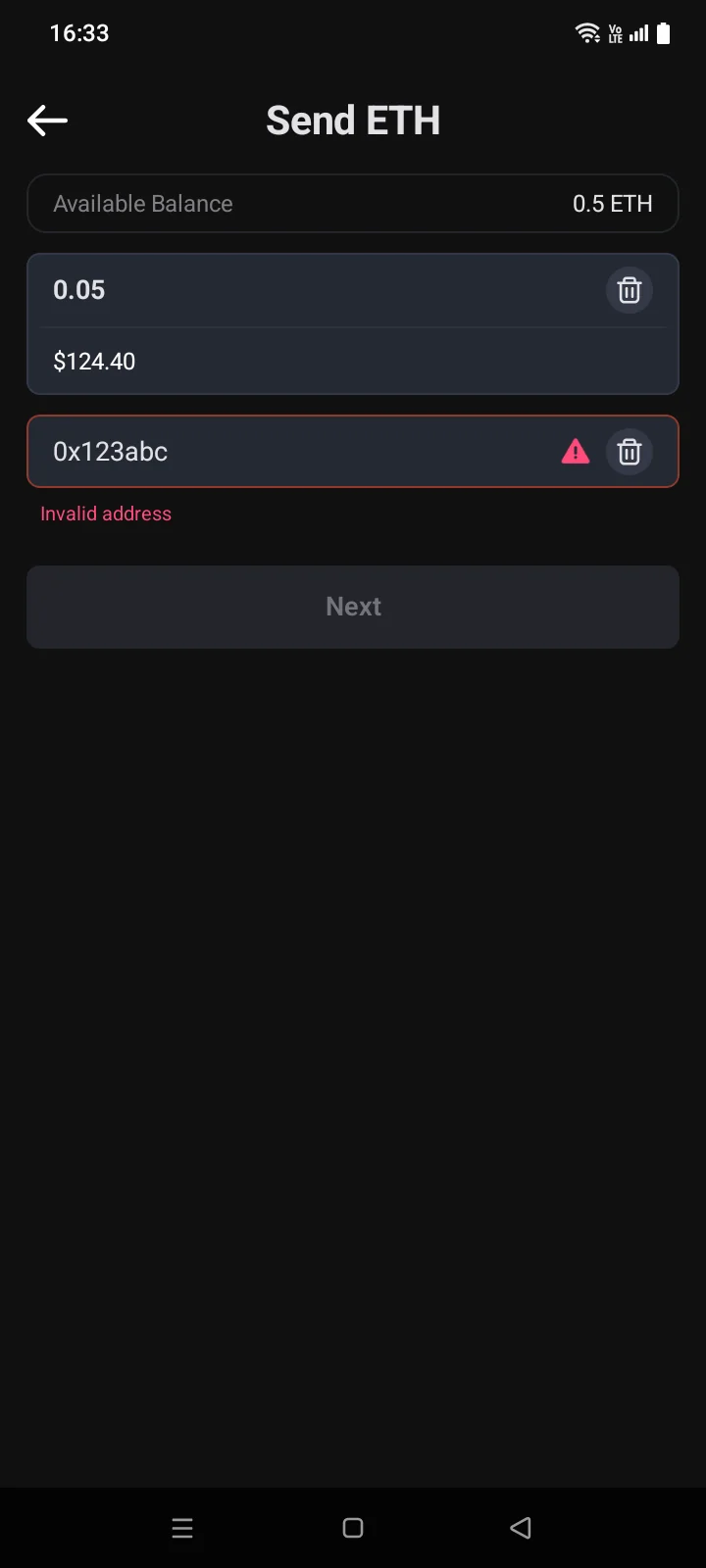
- Red text under a field — stays until you fix the value. While it is shown, the button is inactive and you can't continue.
Connection and server
These messages can appear on many card account screens: when signing in, registering, binding a phone number, ordering a card and in account settings.
| Message | What it means and what to do | See |
|---|---|---|
| Service is temporarily unavailable. Please try again in a few minutes. | The service is down for a short time. Wait a few minutes and try again. | 5.7 |
| Network error: …Connection error. Please check your internet connection and try again | The app can't reach the server. Check Wi-Fi or mobile data and try again. The text after the colon comes from iOS, in the iPhone's language. | 1.2, 2.2, 5.7 |
| Connection timeout. Please try again | The server didn't respond in time. Try again. | 5.7 |
| No Internet | No connection. In the crypto wallet: the coin doesn't sync or the transfer wasn't sent. Check your connection and try again. | 3.2, 4.1 |
| HTTP error: <code> | The server returned an error without an explanation (when it sends one, the app shows the server's message instead). Try again later. If it repeats, send support a screenshot and the time. | 5.7 |
| Server error. Please try again later | A problem on the server side. Try again in a few minutes. | 1.3, 5.1 |
| Authorization error. Please try again | The server didn't accept your credentials. When changing your password, check the current password. In other cases, try again; if that doesn't help, sign out and sign in again. | 5.1, 5.8 |
| Unknown error. Please try again later.An error occurred | The request failed, and the reason isn't given. What it usually means on a particular screen is in the tables below. Try again later; if the error persists, contact support. | 5.7, 5.8 |
| Error retrieving data. | The server's reply couldn't be read. Try again later. | 5.7 |
Sign-in and account
| Message | What it means and what to do | See |
|---|---|---|
| Incorrect login or password.Login Error — Invalid email or password. Please check your credentials. | Check your email and password. If you forgot your password, reset it. | 1.3, 1.4 |
| Invalid verification code. Verification code expired or invalid email.Incorrect or expired code | The code is wrong or out of date. Check the code from the latest email or request a new one; check the email address too: if the code has expired, wait for the countdown to end. During registration, the message appears in the Verification error window. | 1.2, 1.4 |
| Too many attempts. Please request a new code. | Wait and request a new code. | 1.2 |
| An error occurred | At the code step when signing in, it's most often a wrong code: enter the code from the latest email or request a new one. When registering, an account with this email may already exist: sign in or reset your password. | 1.3, 1.2 |
| This email is already in use. | An account with this email already exists. Sign in, or use another email. | 1.2 |
| Mail not found in the database.No account found for this email | There is no card account with this email. Check the address or create an account. | 1.4 |
| Invalid Email | The address has a typo. Correct it. | 1.4 |
| Registration with .ru email domains is currently unavailable.Email addresses with … domain are not serviced Email addresses with … domain are not supported | Addresses in the .ru domain aren't accepted. Use an address in another domain. | 1.2, 5.1 |
| The password must be at least 8 characters long and contain an uppercase and a lowercase Latin letter, a digit and a special character, with no spaces | Usually doesn't appear: the button is active only when the password meets all requirements. Check the requirements list under the field. | 1.2 |
| The passwords do not match | The password and its confirmation differ. Enter the same password in both fields. | 1.2, 5.1 |
| This account has been deleted | The account was deleted and can't be used. Contact support if this is a mistake. | 5.8 |
| Email is required for registrationThis Google account has no email. Please choose another account. | Apple or Google didn't share the email. Contact support.Google didn't share the email. Choose another Google account or register with your email. | 1.3 |
| Not registered. Please register to sign in. | There is no card account for this Google account. Create an account with your email. | 1.3 |
| Account deleted or not registered. Please register in the app. | The card account linked to this Google account was deleted. Contact support. | 1.3, 5.8 |
| Invalid request. Please allow access to your email in Google. | Sign in again and allow access to your email address in the Google window. | 1.3 |
| Couldn't sign in with Google. Sign in with your email and password or contact support. | Signing in with Google doesn't work right now. Sign in with your email and password or contact support. | 1.3 |
| An error occurred. Please try again later. | Signing in with Google failed. Try again later. | 1.3 |
| Invalid referral codeInvalid referral code or cannot apply | The code didn't work. Check it or skip this step. | 1.3 |
| Couldn't change the notification setting. Try again later. | The Push Notification switch wasn't saved on the server and went back to its previous position. Check your internet connection and try again. | 5.5 |
Phone verification
| Message | What it means and what to do | See |
|---|---|---|
| Mobile number already in useAn error occurred | The number is bound to another account.The number wasn't accepted. Check the country code and the number. If the number is correct, it may already be bound to another account. Use another number or contact support. | 2.2 |
| This country is not supported | Phone numbers from this country can't be used. | 2.2 |
| Couldn't load the list of supported countries. Check your connection and try again. | The list of unsupported countries didn't load, and Next is inactive. Check your internet connection and tap Retry. | 2.2 |
| Failed to load regions | Try again later. | 2.3 |
| Verification rejected | See the reason on the screen and what to fix. | 2.5 |
Cards and payments
| Message | What it means and what to do | See |
|---|---|---|
| You have reached the maximum card limit on this account.You have reached the limit on the number of cards on your account. | The card limit for your account is used up — you can't order another card. | 2.8 |
| Minimum … USDT Maximum … USDT | The amount is outside the allowed range. Change the amount. | 2.3, 2.6 |
| Top-up amount is less than minimum | The payment was below the minimum. Contact support about the amount already sent. | 2.6 |
| Top-up Not Supported | This card type can't be topped up. For details, contact support. | 2.6 |
| Error | The card payment or top-up didn't go through; the reason is shown in the window, for example Wrong amount. Tap Confirm. If you have already sent the money, contact support. The same may arrive as a notification: An error occurred during the operation. | 2.6, 2.11 |
| Failed to process the request. Please try again.Temporary error, try again later | Your answer to the 3-D Secure request wasn't sent. Try again before the timer runs out. | 2.10 |
| Operation unavailable | The server didn't accept your answer to the 3-D Secure request. Close the screen and check the transaction in the card history. | 2.10 |
| Invalid data | The 3-D Secure request couldn't be processed. Close the screen and contact support. | 2.10 |
| Card number does not exist | Check the number on the physical card. | 3.4 |
| Card has already been assigned | The card is linked to another account. Contact support. | 3.4 |
| Invalid PIN length Invalid sequence Invalid repetition | Choose a PIN that follows the rules. | 3.6 |
- When the timer on the payment screen reaches 00:00, the screen closes — start the payment again (see 2.3).
- If freezing or unfreezing fails, the card stays as it was. A pop-up titled Error explains the problem, and the confirmation panel stays open so you can try again.There is no separate message. See 2.5.
Wallet and sending
Wallets and coins
| Message | What it means and what to do | See |
|---|---|---|
| Sync Error | The coin didn't sync. Tap the coin's red icon to open the panel: Retry, Change Source or Report. | 3.2, 6.2 |
| Sync error. Try again. | The receive address didn't load. Tap the message to try again. | 3.9 |
| The passphrase cannot be emptyPassphrase cannot be empty Passphrase confirmation does not match Please use only supported symbols: … | The passphrase or the backup password was entered incorrectly: the field is empty, the two fields don't match, or there is a character that isn't allowed, such as a Cyrillic letter. | 3.3, 3.4 |
| At least 8 characters, including one uppercase letter, one lowercase letter, one number and one symbol. | The backup password is too simple. Make it stronger. | 3.4 |
| Incorrect WordInvalid word | A word didn't match during the recovery phrase check. Compare with the phrase you wrote down. | 3.4 |
| Wrong words count. It must be between 12 andor 24 words. You entered: N Invalid Checksum | The recovery phrase has a mistake: a word is missing, extra or wrong. Compare with the phrase you wrote down. | 3.5 |
| Invalid Key | The private key wasn't recognized. Make sure you entered all of it. | 3.5 |
| Incorrect PasswordInvalid Password | The backup password didn't work. Enter the one you set when saving the backup. | 3.5 |
| Invalid Json File | The selected file isn't a Cryptolink backup or is damaged. Choose another file. | 3.5 |
| Address format is not supported | This address or key can't be added as watch-only. | 3.6 |
| Error. Try again later | When adding a watch-only wallet: it couldn't be saved. You stay on the screen — try again a bit later. | 3.6 |
| Invalid contract address Contract address not found in … blockchain | The token address wasn't recognized or wasn't found in the selected network. Check the address and the blockchain. | 3.8 |
| This token is already in the Coin Manager list | The token is already in the catalog. Find it with search in Coin Manager and turn it on. | 3.8 |
| Error | When adding a token: the token couldn't be checked. Check your internet connection and try again. | 3.8 |
Sending
| Message | What it means and what to do | See |
|---|---|---|
| Wait for synchronization | The coin is still syncing. Try again a bit later. | 4.1, 6.2 |
| Not Enough BalanceInsufficient balance | In the send form: the amount is more than the available balance. Enter less. | 4.1 |
| Insufficient Balance | In the fee settings: there isn't enough of the network coin (ETH, BNB, TRX…) for the amount plus the fee. Lower the amount or top up the network coin. | 4.2 |
| The current … balance is below the amount required to process this transaction, including the transaction fee. | There isn't enough of the network coin (ETH, TRX and so on) for the fee. Top it up or send less. | 4.4, 4.5 |
| The transaction requires … for sending | On the confirmation screen in EVM networks: there isn't enough of the network coin; the message shows how much is needed. Top up the balance or lower the amount. | 4.3 |
| Invalid address | The address doesn't fit this network: a character is missing or extra, or it's an address from another network. Check the address and the network. | 4.1, 4.4 |
| Invalid … address | The address doesn't fit the selected coin or network (for example, Invalid Ethereum address), or you pasted a payment link for another network or token. Use an address for this coin and network. | 4.1, 4.8 |
| Can't Recognize | The QR code isn't an address or payment link. Scan another one. | 4.1 |
| Cryptolink needs access to your camera…Access to your camera for this app was denied, you can go to settings and allow access | The QR scanner doesn't work without camera access. Allow it in iPhoneAndroid settings or paste the address manually. | 4.1 |
| Fee Error — Fee Rate is too low. | Bitcoin: the fee is below the allowed level. Increase it. | 4.2 |
| Fee Rate unavailable. Please, check fee rates manuallyFee Error — The connection to the server has been lost. To proceed, set up the fees manually using the data on the site. | Bitcoin: the recommended fee couldn't be loaded. Set the fee manually. | 4.2 |
| Low Fee Low Fee for transaction | The fee is too low for the network. Raise the fee. | 4.2 |
| The set transaction fee amount is insufficient for processing this transaction now. | The fee is below the network's current base fee. Increase it. | 4.5 |
| Unexpected ErrorUnexpected error: … | The network or the token contract rejected the transfer during the check; after the colon is the network's technical text. Check the token, the amount and the network coin balance for the fee. If it repeats, contact support. | 4.3 |
| Cannot transfer TRX to yourself | You entered your own TRON address. Enter the recipient's address. | 4.4 |
| Cannot transfer 0 TRX | After the fee there is nothing left to send: your TRX covers only the fee. | 4.4 |
| Transaction already in block | The transfer is already in a block — it can't be sped up or cancelled. | 4.5 |
| Name Already ExistThe name already exists This address is already used for … | A contact with this name or address already exists. Choose another name or check which contact has this address. | 4.8 |
| Failed to restore contacts Couldn't create the backup fileCouldn't restore contacts from this file Couldn't save the contacts backup | The contacts file didn't fit or wasn't saved. Choose another file or another folder. | 4.8 |
Passcode and screen lock
| Message | What it means and what to do | See |
|---|---|---|
| Invalid confirmationPasscode did not match. Try again. | When creating a passcode, the two entries differ. Enter the passcode again. | 1.5 |
| Attempts left: … | The passcode is wrong. After five mistakes, input is blocked. | 1.5 |
| Disabled until: … | Too many wrong attempts. Wait until the time shown. A forgotten passcode can't be reset in the app. | 1.5 |
| Enter passcode or try again later | Android has temporarily turned off unlocking with your fingerprint or face. Tap Passcode and enter your passcode. | 1.5 |
| This app requires that phone has the passcode (screen lock) enabled. | No screen lock is set up on the phone, so Cryptolink doesn't open. Turn it on in iPhoneAndroid settings. After that, you need to import your wallets again. | 0.3 |
| iOS Keychain ErrorAndroid Keystore Error | The iPhone passcodescreen lock was turned off or changed, and the saved wallet keys became invalid. Tap OK and importImport your wallets with their recovery phrases. | 0.3, 3.5 |